How to Remove “Say Answer” from Incoming Calls on Android
Many users have voiced their concern that whenever an incoming call arrives on their Android device, they also get the “Say Answer” tag just below it. Not only does it result in UI/UX disruption, but in some cases, it tends to overlap with the caller ID too. As a result of this, the recipients are unaware of the caller’s identity and hence they cannot decide whether or not they wish to pick it up. If you are also facing a similar issue, then this guide will help rectify it. Follow along.
How to Remove “Say Answer” from Incoming Calls on Android
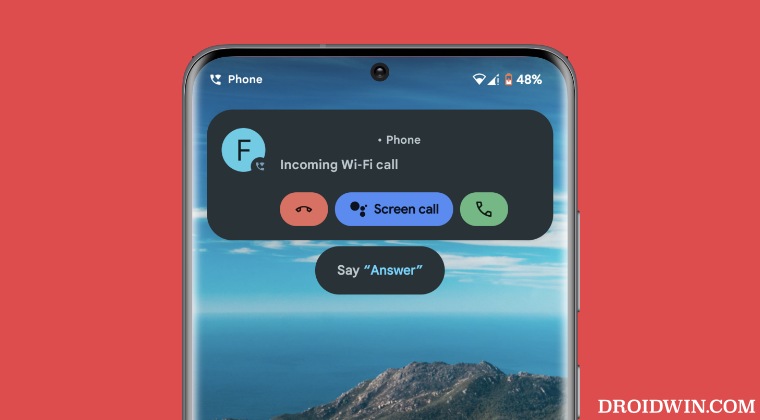
The reason why you are getting bugged by this issue is that you have [intentionally or otherwise] enabled the Quick Phrase for Incoming Call feature which allows you to pick up the call just by saying the ‘answer’ keyword. So to remove this tag, you’ll have to disable this feature. Here’s how it could be done:
- Launch the Google App, tap on your profile, and select Settings.
- Then go to Google Assistant and select Quick Phrases.
- Now turn off the toggle next to Incoming Calls. That’s it.
- Google Assistant ‘Your Assistant needs additional downloads’ [Fix]
- Google Assistant cannot find WhatsApp Contacts [Fixed]
- Assign Google Assistant to Power Button on Samsung
- Cannot Set Timer/Reminder via Google Assistant [Fix]
- Google Assistant Reminder Pull Down Menu Bug [Fix]

(Cancel Reply)
Δ
