How to Remove Shelf from OnePlus on Swipe Down Gesture
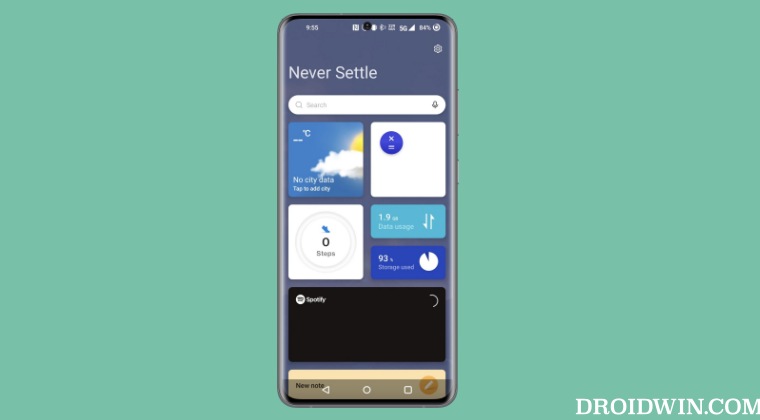
In this guide, we will show you the steps to remove the Shelf from your OnePlus device when performing a swipe-down gesture. The Shelf app from OnePlus beholds a slew of useful functionalities. These include keeping a track of current weather, your workout, steps, and calorie counter, taking down notes, and the ability to directly access your preferred apps from that section.
As far as its accessibility is concerned, you could access it by performing a right swipe on the home screen or via the downward swipe gesture on the status bar. And this where things being to go south. Most of us are already accustomed to accessing the notification panel via that gesture.
But thanks to our muscle memory and OnePlus’ poor implementation of this functionality, most of us [myself included] end up doing a downward swipe to access the notifications which in turn opens the Shelf. All of this spell out an infuriating UI/UX experience. If you also echo the same thought process, then this guide will show you the steps to remove the Shelf from your OnePlus device. So without further ado, let’s check it out.
- How to Remove Shelf from OnePlus on Swipe Down Gesture Method 1 Method 2
How to Remove Shelf from OnePlus on Swipe Down Gesture
Method 1
- Long press on an empty region on your home screen.
- Then select More from the bottom right.
- Now select Swipe down on Home screen.
- Finally, choose Notification Drawer from the list.
Method 2
- Head over to Settings and search Swipe Down to Access.
- Then select the same from the search results.
- Now select Notifications and Quick Settings from the list.
- Notifications not working on OnePlus 11: How to Fix
- OnePlus 11 Bootloader Unlock: Fix Lock Screen Password not working
- OnePlus 11 not working with Android Auto: How to Fix
- How to Enable VoLTE on OnePlus 11

- lucas 2 years ago Reply I disables shelf. Stil if i swipe right top corner i het the annoying “swipe down to acces shelf” popup. Whats going on?
(Cancel Reply)
Δ
