How to remove the red dot next to app update on iPhone App Store
In this guide, we will show you the steps to remove the red dot notification that appears next to app update on the iPhone App Store. Up until this point, whenever there is a pending OS update, there will be a red dot signifying the same in the software update section. This infuriated quite a few users because not everyone wishes to install the update as soon as they are released [more so after the buggy release of iOS 16].
In practice, if you go to that section and check out that update, the prompt should have been gone but that isn’t the case, it will stay there until your install that update. And now this behavior has been carried forward over to the App Store as well.
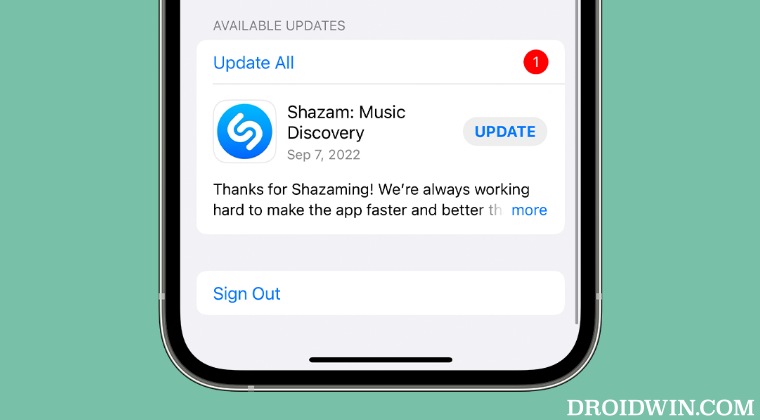
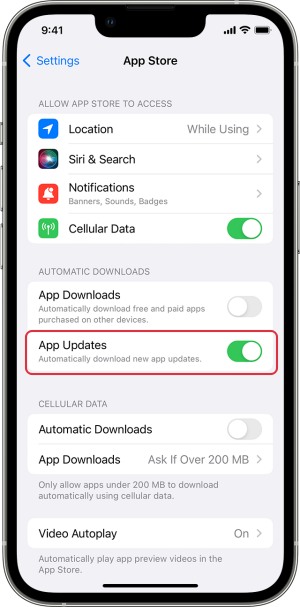
If you have a pending update on the iPhone App Store, then you will now notice a red dot notification next to Update All. Fortunately, in this case, installing the update isn’t the only way to get this prompt removed, you could also bid adieu to this alert using another nifty method. So without further ado, let’s check it out.
How to remove the red dot next to app update on iPhone App Store
- How to paste a cutout from a photo onto another photo on iOS 16
- Cannot Add Security Keys On iOS 16.3: How To Fix
- Screen Time not working on iOS 16.2: How to Fix
- WiFi not auto-connecting on iOS 16.2: How to Fix

(Cancel Reply)
Δ
