How to Revert to Old Gboard Layout on Tablet
In this guide, we will show you a nifty workaround to revert to the old Gboard layout style on tablets. Apps getting revamped with new UI is nothing new. However, a keyboard app would be the last in the list which we would want to undergo a complete overhaul. Thanks to our muscle memory, we are usually accustomed to the placement of each individual key and could type out the entire sentence even without having the need to look at the keyboard.
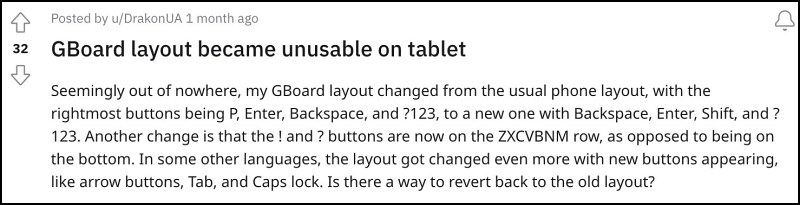
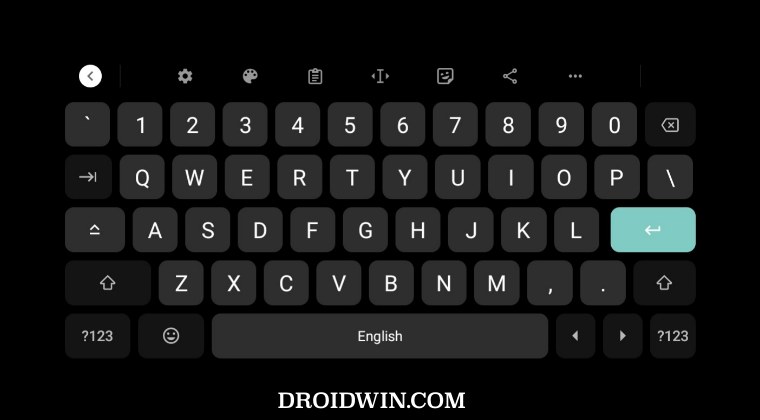
Well, not anymore , at least for the tablet users. With the latest update, Google has completely revamped the UI/UX and key placements in its popular keyboard app Gboard. For instance, the rightmost buttons which were P, Enter, Backspace, and ?123, have now been replaced with Backspace, Enter, Shift, and ?123. Likewise, ! and ? buttons are now on the ZXCVBNM row, as opposed to being on the bottom.
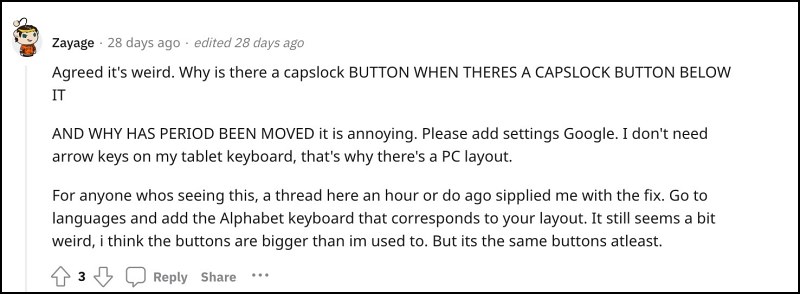
Well, for some reason, there is now an additional caps lock key as well. All in all, it has completely messed up the typing experience. With that said, there does exist a nifty workaround that should help you revert to the old Gboard layout style on tablets. So without any further ado, let’s check it out.
How to Revert to Old Gboard Layout on Tablets
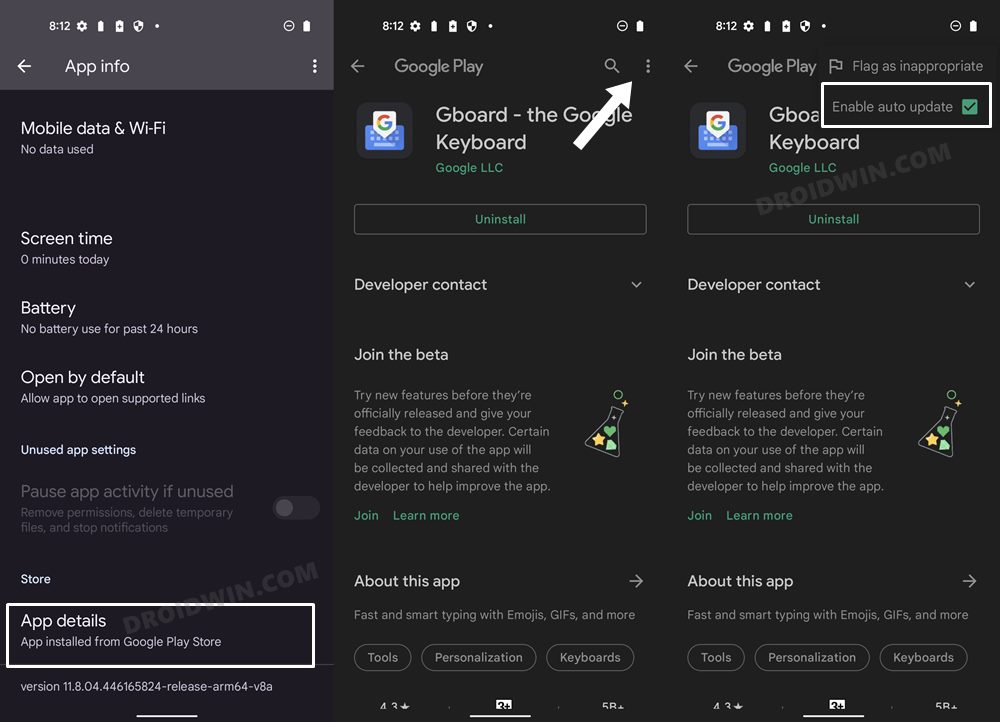
As of now the only workaround that should help you get this job done is to downgrade the app to its earlier version, v12.4.05.482060964 to be precise [or below]. In this regard, if Gboard is a user app, then you could uninstall it from Settings > Apps > All Apps > Gboard > Uninstall > OK. On the other hand, if it is a system app, then you’ll have to uninstall it via ADB Commands.
- How to Turn off Spell Check in Gboard Android
- Force 120Hz Refresh Rate when Gboard is opened
- How to Hide Gboard Down Arrow on Android without Root
- Haptic Feedback not working in Gboard after Android 13 Update [Fix]

(Cancel Reply)
Δ
