How to Rewatch Spotify Wrapped 2022?
In this guide, we will show you a couple of methods through which you could rewatch Spotify Wrapped 2022. It’s that time of the year wherein you get the opportunity to get a deep dive into your most memorable listening moments of the year. Your favorite artist, music, band, playlist, or podcast, it will let you know all your interests with which you interacted during the past year and the total time that you devoted.
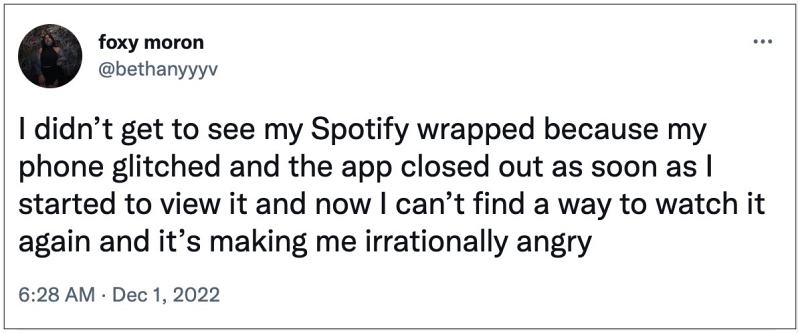
All these are shown in the form of a Story and there is a chance that you might end up missing them. Likewise, some users have also reported that the app suddenly crashed while they were watching the recap and when they relaunched it, the Wrapped was no longer to be found. All in all, there could be quite a few reason why you would want to rewatch Spotify Wrapped 2022. So in this guide, we will show you a couple of handy methods to get this job done. Follow along.
- How to Rewatch Spotify Wrapped 2022? METHOD 1: Using Search METHOD 2: Reinstall Spotify
How to Rewatch Spotify Wrapped 2022?

It is recommended that you try out each of the below-mentioned workarounds and then see which one spells out success for you. So with that in mind, let’s get started.
METHOD 1: Using Search
- Launch Spotify and head over to the Search tab.
- After that, type in 2022 Wrapped and hit Enter.
- Now select the same from the search results.
- You will now be able to rewatch Spotify Wrapped 2022
METHOD 2: Reinstall Spotify
Some users were able to re-invoke the Rewatch section by reinstalling the app. So let’s give it a try and then check out the results.
- Head over to Settings > Apps and select Spotify.
- Then tap on Uninstall > OK in the confirmation.
- Now download it from Play Store | App Store.
- Launch it and you should see “Your Wrapped is ready”.
- Just tap on it to access it right away.
- How to Bring Back the Old Spotify UI
- Canvas feature missing in Spotify: How to Fix
- How to Downgrade Spotify App and Disable its Automatic Updates
- Spotify Connect not working on Windows: How to Fix

(Cancel Reply)
Δ
