How to Root Galaxy S20 FE via KernelSU and SUSFS
In this guide, we will show you the steps to root your Galaxy S20 FE via KernelSU and SUSFS. When it comes to gaining administrative rights over your device, then Magisk has been the go-to choice for many over the ages. However, in recent times, we are witnessing tech enthusiasts making a switch to the KernelSU . The reason for the same is the fact that banking and payment apps are able to detect root [ no matter how hard you try ] if your device is rooted via Magisk.
But that isn’t the case with KernelSU, at least not at the time of writing. Since you can easily keep your device rooted and at the same, be safe from the caveats that root brings in with itself, hence the reason why people are flocking towards KernelSU is a no-brainer. If you are also among them, then this guide is just what you need. So, without any further ado, let’s make you aware of the steps to root your Galaxy S20 FE via KernelSU and SUSFS.
- How to Root Galaxy S20 FE via KernelSU and SUSFS Not_Kernel LineageKSU Features How to Flash LineageKSU/Not_Kernel on S20 FE
How to Root Galaxy S20 FE via KernelSU and SUSFS
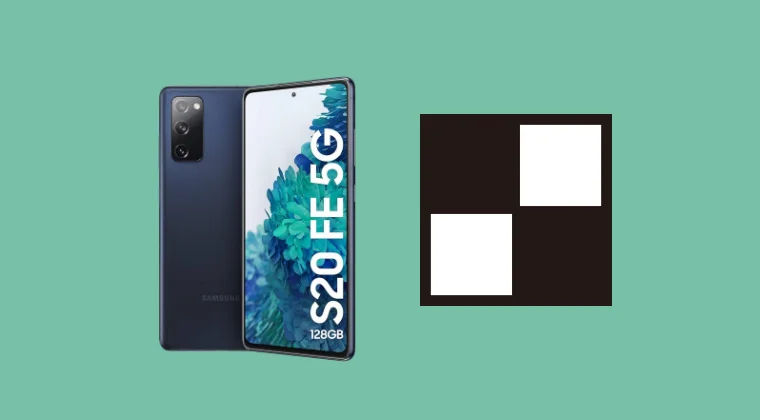
Before starting, please take a backup of all the data on your device. Droidwin and its members wouldn’t be held responsible in case of a thermonuclear war, your alarm doesn’t wake you up, or if anything happens to your device, and data by performing the below steps.
There are two kernels that you can choose from- LineageKSU and Not_Kernel. Go through their features once and then try out the one that is in sync with your requirements. If you are looking for SUSFS support, then you have to flash the Not_Kernel because LineageKSU doesn’t support it now [though it is planned to support it in the near future] UPDATE: It is supported now.
Not_Kernel

Supported OS
- AOSP (Android 13-16)
- OneUI (Android 14-15)
- It even works on UN1CA 2.5.6 Custom ROM.
Features
- Linux 4.19.325
- KernelSU/Next support
- SuSFS 1.5.5 Support
- Funny AutoSMP hot plugging support
- Simple LMK Support
- VM tweaks
- ZSTD zRam compression by default
- Fsync OFF (toggleable)
- CRC OFF (toggleable)
- not-util cpu gov, a fancy ahh cpu gov that does something good to battery
- 840Mhz GPU OC (Soon 920Mhz, im doing some adjustments)
- DDR OC to 2933 MHz
- Adreno Boost
- WALT CPU governor (broken atm, will be fixed ASAP)
- Custom Max map count
- WiREGUARD Support
- Way too much under-the-hood messing (-O3 flags, disabled some debugging, Optimized GPU performance, and much more)
- maybe more idk anymore
LineageKSU
Supported OS
- AOSP (Android 14-15)
Features
- Linux 4.19.325
- KernelSU/Next support
- SuSFS Support will be added in the future
How to Flash LineageKSU/Not_Kernel on S20 FE

The steps for flashing both kernels are the same.
- Download and extract Android SDK Platform Tools on your PC.
- Now enable USB Debugging and OEM Unlocking on your device.
- Then unlock the bootloader on your device.
- Now, install the TWRP Recovery on your device. NOTE: If your ROM already has a recovery, then you can use that one as well.
- Then boot your device to the TWRP Recovery using the command: adb reboot recovery
- You may now download the LineageOS KSU/Not_Kernel from below: DOWNLOAD LINK [Credit: XDA Member SkyLight5190]
- Then transfer the file to your device and flash/sideload it via Recovery.
- Once done, go to Reboot > System to boot to the rooted OS.
- Now, download and install the KernelSU Next app , launch it, and verify the status.
- Then download the SUSFS module , flash it via KernelSU Next, and restart the device.
- Now go to Modules, tap on Open next to SUSFS, and carry out the desired tweak.
- Once done, tap on Custom SUSFS settings and tweak it as per your requirements.
- How to Install OTA Updates on Rooted Device via KernelSU
- How to Switch from Magisk to KernelSU
- How to Hide Root via KernelSU on Rooted Android
- How to Enable Zygisk in KernelSU and APatch
- How to Give SuperUser Root Access to Apps via KernelSU

(Cancel Reply)
Δ
