How to save game while ship building in Starfield
In this guide, we will show you a nifty workaround that should help you save the game while ship building in Starfield. The game beholds numerous nifty tools using which you could transform your ship in style. From adding parts to rearranging its shape, or even painting it to enhance its visual aspects, the possibilities stand endless. However, it goes without saying that it is a tedious and time-consuming process.
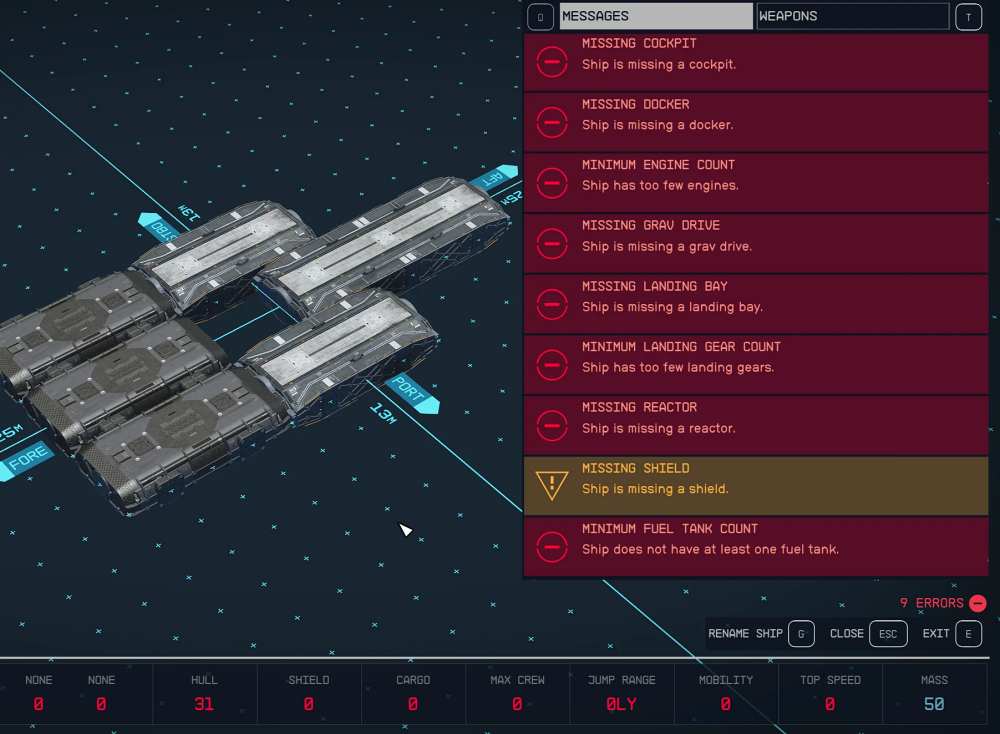
So your best bet is to complete a section, save the progress, and then come back later to complete the rest of the task. But, that doesn’t seem to be a possibility for numerous users as they are unable to save the progress in between. Whenever they are trying to do so, they are instead greeted with multiple red warnings instructing them to first complete the remaining tasks. If you are also facing this issue, then this guide will make you aware of a workaround to rectify it.
How to save game while ship building in Starfield

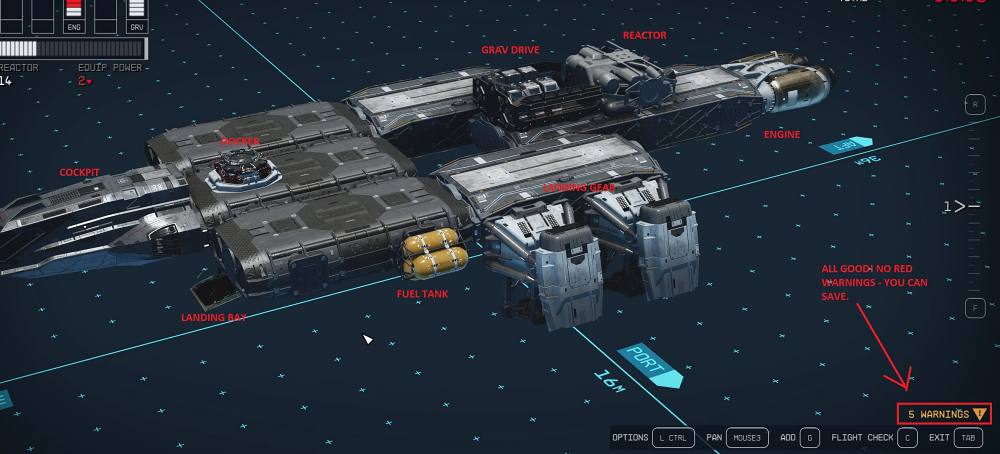
Your best bet is to only add the essentials as of now, it does not matter where as you could remove them later (if needed). In this regard, these are the basic elements that you should consider adding for now and then you could easily save the game: Cockpit, Docker, Landing bay, Fuel tank, Landing gear (just sufficient enough to provide support for ship weight), Grav drive, Reactor, and Engine.
- Temples not showing on Maps in Starfield: How to Fix
- Texture Graphics Issue in Starfield: How to Fix
- Fix Starfield Groundpounder Lezma Locked Door Issue
- How to Fix Mouse Sensitivity Issues in Starfield

(Cancel Reply)
Δ
