How to Send Chrome Address Bar Back to the Top
The recent Chrome update for smartphones has brought about a rather strange UI change- it has sent the address bar to the bottom, just above the keyboard. For ages, we, and our muscle memory, have been used to interact with the omnibox right at the top of the screen, so this change has resulted in confusion and infuriation in equal measure. But fret not. We have found a workaround using which you can easily send the address bar back to its original position- at the top of the screen. So without any further ado, let’s check it out.
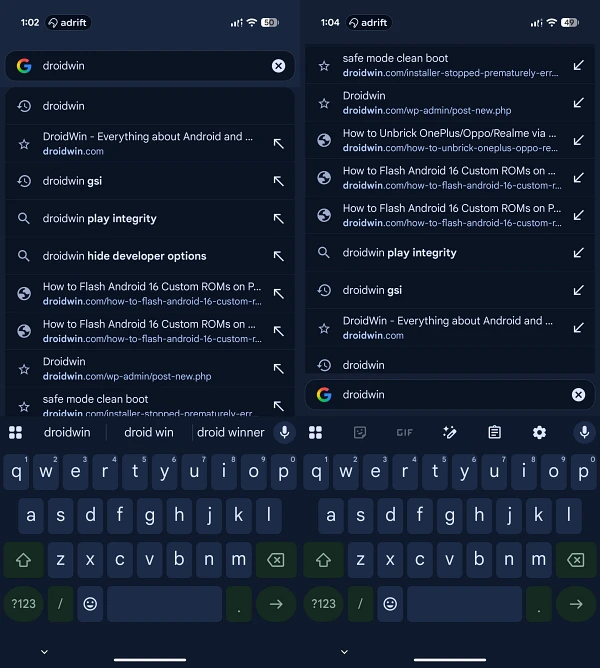
Left: Old | Right: New
How to Send Chrome Address Bar Back to the Top

- Launch Chrome and head over to the below location: chrome://flags
- Then search for the below flag: bottom toolbar v2
- Or you may directly access the flag via the below URL: chrome://flags#android-bottom-toolbar
- Change its status to Disabled and hit Relaunch. That’s it.
- How to Remove AI from Google Chrome URL Address Bar
- Dark Mode Not Working in Chrome: How to Fix
- How to Enable Material 3 Expressive Design in Chrome
- How to Open Chrome Downloads/History/Bookmark in Same Tab

(Cancel Reply)
Δ
