How to Turn off Emergency Call Power Button Shortcut in Samsung
In this guide, we will show you the steps to turn off the emergency call power button shortcut on your Samsung device. Pressing the power button 3-4 times repeatedly on your Samsung device will end up dialing the emergency number. So that’s a great thing, why would someone want to disable this feature? Glad you asked.

There have been numerous instances wherein a user had mistakenly pressed the Power key a couple of times and they ended up dialing the emergency number. So, to avoid this from happening, earlier, we had an option to disable this feature; however, with the June 2023 One UI update, it has been removed. So what else can be done?
Well, there does exist a nifty workaround using which you can still get the job done. But then how would one dial an emergency number? Well, the generic route of dialing the emergency number [such as 911] from the keypad is still there and is accessible 24*7. It’s only the shortcut that is being removed. So if that’s all well and good, then let’s get started.
How to Turn Off Emergency Call Power Button Shortcut in Samsung
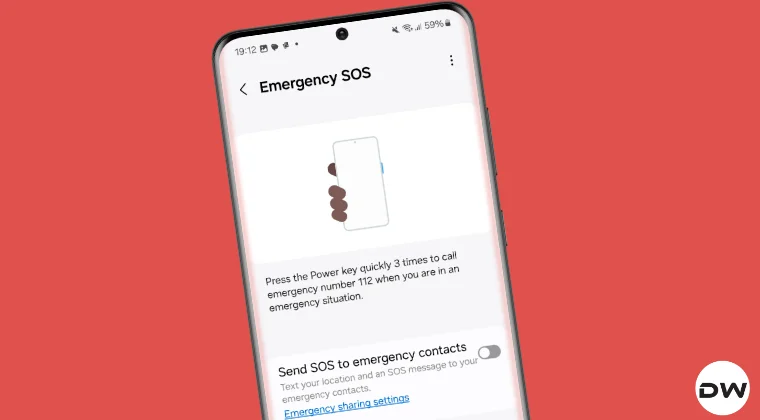
Proceed ahead at your own risk. You will no longer be able to access the Emergency SOS power key shortcut once it’s disabled [though it can easily be enabled when needed]. Droidwin and its members wouldn’t be held responsible in case of a thermonuclear war, your alarm doesn’t wake you up, or if anything happens to you, your device, and data by performing the below steps.

- First off, download and extract Android SDK Platform Tools on your PC.
- Now enable USB Debugging and connect your device to PC using USB cable.
- Then open Command Prompt inside platform-tools and type the command: adb shell pm disable-user com.samsung.android.emergency
- You should now get the below message, signifying that the feature is disabled: Package com.samsung.android.emergency new state: disabled-user
- Likewise, the Emergency SOS feature will be gone from Settings > Safety and Emergency.
How to Re-Enable the Emergency Call Shortcut
If, for some reason, you wish to re-enable the emergency call shortcut via Power Menu, then do the following:
- First off, download and extract Android SDK Platform Tools on your PC.
- Now enable USB Debugging and connect your device to PC via USB cable.
- Then open Command Prompt inside platform-tools and type the command: adb shell pm enable com.samsung.android.emergency
- The Emergency SOS feature will reappear under Settings > Safety and Emergency.
- How to Unbrick Samsung Phones via EDL Mode
- How to Fix Samsung RPMB Fuse Set RPMB Provisioned
- BiFrost: Download Samsung Firmware on Android, Mac, Windows
- Samsung Hardbricked While Trying to Downgrade: Is There a Fix?

(Cancel Reply)
Δ
