How to Uninstall or Disable Pixel Launcher on Pixel Devices
In this guide, we will show you the steps to uninstall or disable the Pixel Launcher app on your Pixel devices. If there’s one category of apps that has been saturated with tons of offerings from various publishers, then it has to be launchers. A plethora of them have already occupied a permanent abode in the Play Store and a slew of ones are making their way every other week. However, in spite of this, it’s the offering from Google that has managed to attract the attention of the masses.
The de-facto launcher app on Pixel devices, it has been the go-to choice for non-Pixel users as well. While the Google-owned devices are enjoying the goodies of this launcher for ages, users of other OEMs have also ditched their stock launcher for this by sideloading it onto their device. for the sideload. But in spite of this, it isn’t free from its fair share of issues either. When these issues pop up in non-Pixel devices, then they could easily be rectified by disabling/re-enabling the app or uninstalling/reinstalling it.
However, both these tweaks aren’t possible in Pixel devices. This is because Pixel treats this launcher as a system launcher and you can’t just uninstall or disable it from the Settings menu. So what’s the way out? Well, you could easily carry out the said task using ADB Commands. And in this guide, we will show you how to do just that. Given hereby are the detailed steps to uninstall or disable the Pixel Launcher app on your Pixel devices. Follow along.
- How to Uninstall or Disable Pixel Launcher on Pixel Devices Instruction Steps STEP 4A: Disable/Re-Enable Pixel Launcher via ADB Command STEP 4B: Uninstall/Reinstall Pixel Launcher via ADB Command
How to Uninstall or Disable Pixel Launcher on Pixel Devices
Before carrying out the below steps, we would suggest you install an additional launcher app on your device as well. This is because when you would disable or uninstall the Pixel Launcher, then your device at least will have an option to fall back to the second launcher. Likewise, you should also temporarily set that launcher as the default one. Here’s how:
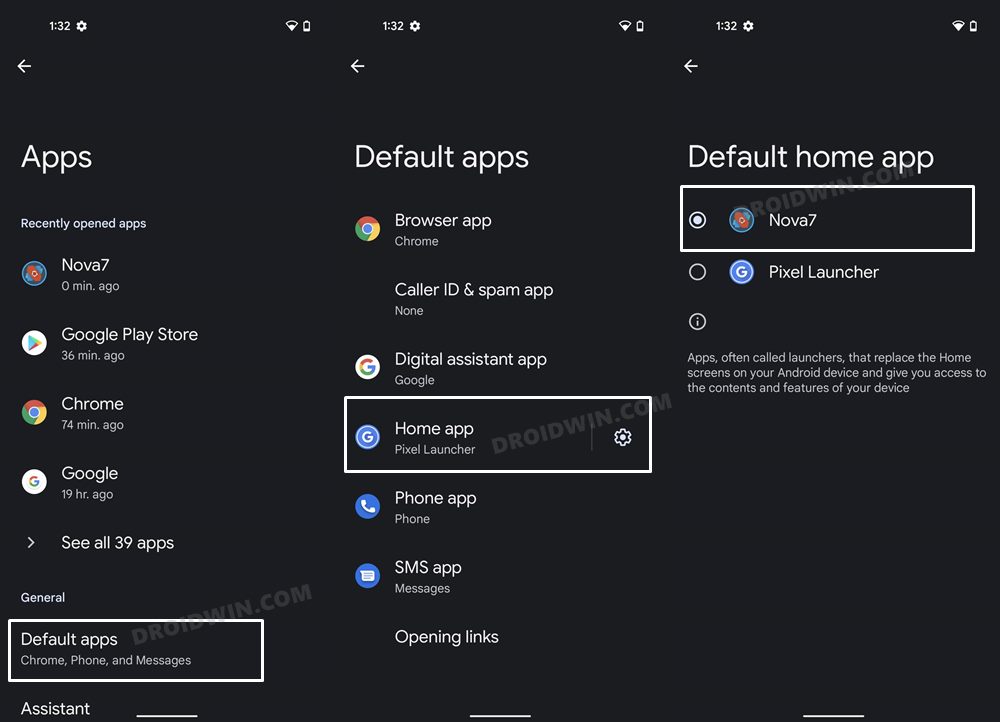
- Head over to the Settings menu on your device.
- Then go to Apps > Default App > Home App.
- Then select any other launcher app from the list.
Instruction Steps
- To begin with, download and extract Android SDK Platform Tools on your PC.
- Then enable USB Debugging on your device [it will be used to execute ADB commands].
- Now connect your device to the PC via USB cable.
- Then head over to the platform-tools folder, type in CMD in the address bar, and hit Enter. This will launch the Command Prompt.
- Now in the following command to verify the ADB connection: adb devices
- Then type in the below command to open the Shell environment: adb shell
STEP 4A: Disable/Re-Enable Pixel Launcher via ADB Command
- Execute the below command to disable the Pixel Launcher on your Pixel device: pm disable-user –user 0 com.google.android.apps.nexuslauncher
- If you wish to re-enable it, then use the following command: pm enable -–user 0 com.google.android.apps.nexuslauncher
- Or, you may also enable it via Settings > Apps > See All Apps > Pixel Launcher > Enable.
STEP 4B: Uninstall/Reinstall Pixel Launcher via ADB Command
- To uninstall Pixel Launcher from your Pixel device, execute the below command: pm uninstall -k –user 0 com.google.android.apps.nexuslauncher
- On the other hand, execute the below command to reinstall it: cmd package install-existing com.google.android.apps.nexuslauncher
- You could also reinstall it from the Play Store [ direct link ].
- Pixel Launcher Not Working on Android: How to Fix
- Slow Fingerprint in Pixel 3a/4a/5a after March 2022 update [Fixed]
- Pixel 6 screen flickering when auto-switching from 60Hz to 90Hz [Fixed]
- Weather Widget not Working in Pixel on Android 12: How to Fix

- Alejandro 2 years ago Reply La pantalla de mi Pixel 4xl se apagaba y encendia por cada segundo. Aparecia un cartel de Pixel Launcher sigue sin funcionar. Acá la solución. Gracias.
- Michael 2 years ago Reply This was very helpful. Thank you.
- spookymyo 2 years ago Reply If you disable the pixel launcher on pixel phones it messes up the navigation bar functions.
(Cancel Reply)
Δ
Slow Fingerprint in Pixel 3a/4a/5a after March 2022 update [Fixed]
In this guide, we will show you various methods to fix the slow fingerprint issue in Pixel 3a/4a/5a series after installing the March 2022 update. While the latest flagships from the Silicon Valley giants have taken much of the limelight in recent months, the older ones aren’t left behind either. Pixel devices from the fourth generation onwards are already on the Android 13 bandwagon whereas the third generation has been blessed with its last major OS upgrade with Android 12.
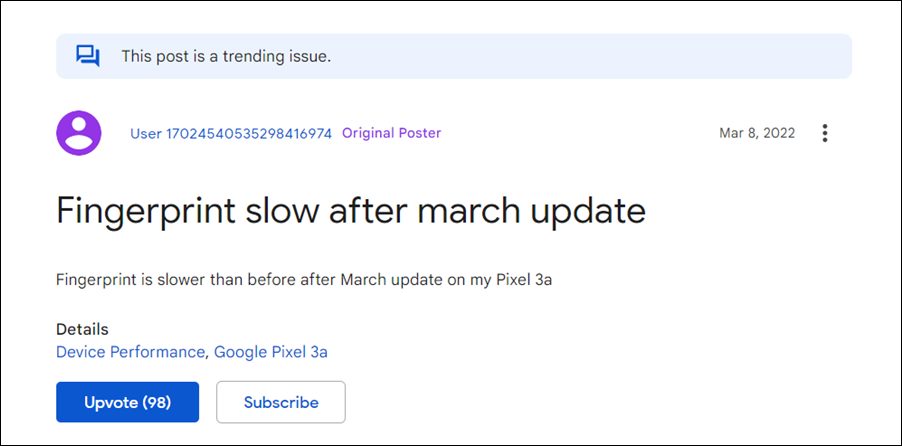
Along with that, these devices would also be getting their regular share of monthly security patches. These are mostly intended to enhance security improve performance and iron out the underlying bugs. However, the latest March update didn’t seem to abide by this rulebook. The likes of the Pixel 3a/4a/5a series recently received the March 2022 update after which many users have voiced their concern that the fingerprint isn’t working along the expected lines.
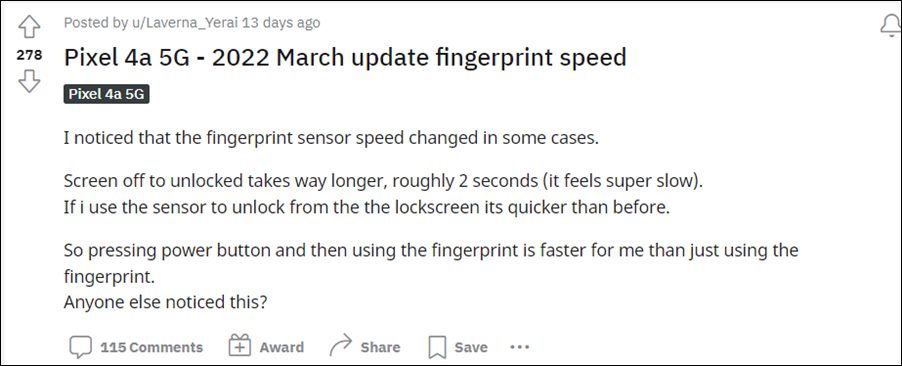
There is now an additional one or two-second delay in unlocking the device via fingerprint. Moreover, this issue seems to be more imminent when the device’s display is turned off. If the display is on and the device is locked, then the issue doesn’t seem to be present for many users. If you are also in the same boat, then fret not. In this guide, we will make you aware of various methods to fix the slow fingerprint issue in Pixel 3a/4a/5a series after installing the March 2022 update.
- Fix Slow Fingerprint issue in Pixel 3a/4a/5a after March 2022 update FIX 1: Enable AOD FIX 2: Re-Add the Same FingerPrint FIX 3: Downgrade to February 2022 Update
Fix Slow Fingerprint issue in Pixel 3a/4a/5a after March 2022 update
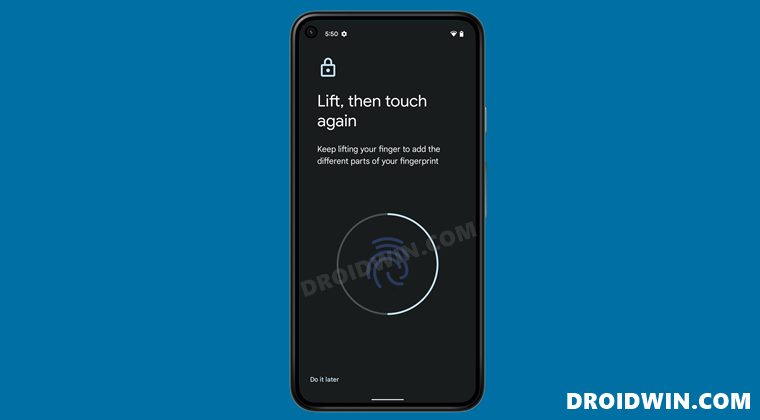
Do note that there’s no universal fix as such. You will have to try out each of the below-mentioned workarounds and see which one works best in your favor. So with that in mind, let’s get started.
FIX 1: Enable AOD
As mentioned before, when the screen is on, then the severity of this bug is at the absolute minimum or even complete null in some cases. So the first workaround would be to keep the display turned on for as long as possible.
And for that, there couldn’t be any better approach than to enable the Always On Display. However, do note that enabling it will also lead to excessive battery drainage. So if you are ready for this trade-off, then let’s get started with the steps:
- Head over to Settings > Display > Lock Screen.
- Now enable the toggle next to Always Show Time and Info.
- Check if it fixes the slow fingerprint issue in Pixel 3a/4a/5a series after installing the March 2022 update.
FIX 2: Re-Add the Same FingerPrint
Taking an old page out of the book, you should consider adding another fingerprint of the same finger that is already added. This will further strengthen the ability of the device to read the fingerprint and could help you in rectifying the underlying issue as well. So proceed with the below instruction steps to try it out:
- Head over to the Settings menu on your device.
- Then go to Security > Pixel Imprint.
- Now tap on Add Fingerprint and register the same finger’s print again.
- Check if it fixes the slow fingerprint issue in Pixel 3a/4a/5a series after installing the March 2022 update.
FIX 3: Downgrade to February 2022 Update
If both the aforementioned methods didn’t spell out success, then you might have to take the nuclear approach of downgrading the security patch to the February 2022 update. While this will surely rectify the issue, but it comes at a cost.
This process requires an unlocked bootloader, which will wipe the data and might nullify the warranty. So if that’s well and good, then refer to our guide on How to Downgrade Pixel using Android Flash Tool (just make sure to select the February 2022 OTA file).
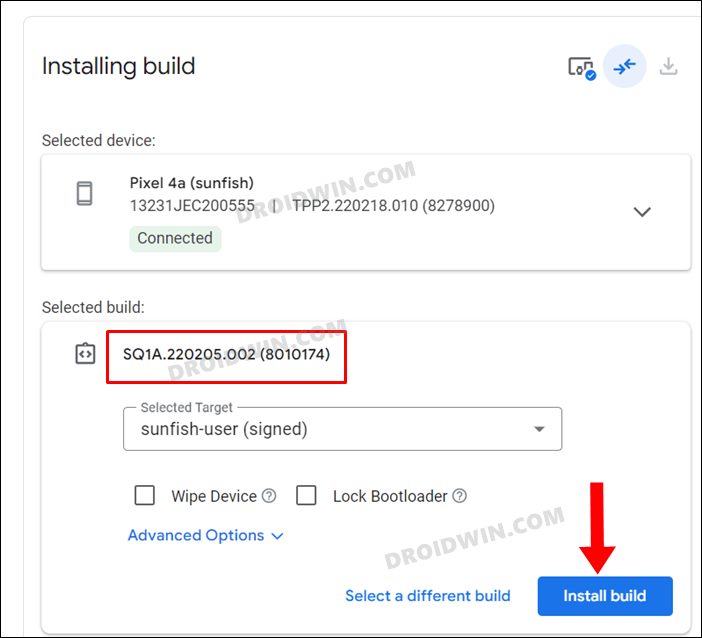
So these were the various methods to fix the slow fingerprint issue in Pixel 3a/4a/5a series after installing the March 2022 update. As far as the official stance on this matter is concerned, the developers are aware of this issue, but they haven’t given out any ETA for the rollout of a fix. As and when that happens, we will update this guide accordingly. In the meantime, the aforementioned workarounds are your best bet.
- No WiFi after February Update on Pixel 6: How to Fix
- Pixel 6 Fingerprint Sensor Not Working: How to Fix
- Google Pixel fingerprint scanner disabled by Family Link [Fixed]
- How to Fix Loss Of Fingerprint Sensor Issue on any OnePlus Device
(Cancel Reply)
Δ
