How to use Visible+ Network without buying a new phone
In this guide, we will show you a nifty workaround that should help you use the Visible+ network without the need to buy a new phone. Visible uses Verizon’s 5G Ultra Wideband, 5G & 4G LTE networks and is generally the go-to choice for numerous users due to two main USPs- affordable prices and impressive non-interrupted service.
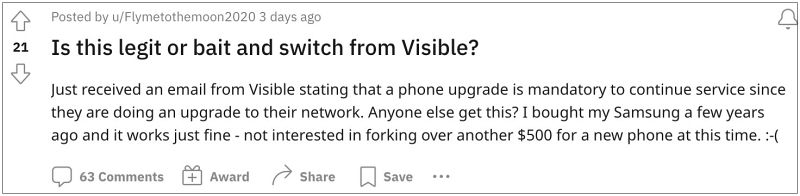
However, as of late, it has taken a rather weird decision that would surely ruffle a few feathers. Many users have reported that they have just got an email from Verizon/Visible and have been told that they need to purchase a new phone in order to continue using the Visible+ network. The reason for the same has been listed that they are doing a network upgrade.
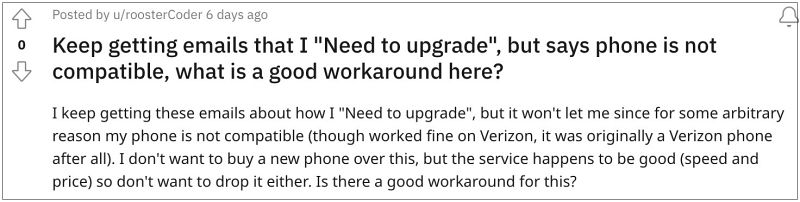
However, forcing a user to burn a hole in their pockets for the sake of a network upgrade is in no way justified. So to address this rather infuriating change, we will show you a handy workaround that will allow you to continue using the Visible+ network on your old phone itself. Follow along.
- How to use Visible+ Network without buying a new phone Name: Visible Internet New Name: Visible CBS New Name: Visible FOTA New Name: Visible IMS New Name: Visible Internet DUN New How to Use the New APNs
How to use Visible+ Network without buying a new phone

In order to bypass this limitation, you’ll have to create a couple of new APNs namely VZWINTERNET & VZWAPP and then put them to use right away. First off, let’s make you aware of the APN details and then we will show you the steps to implement these new APNs. [NOTE: if the first two APNs don’t work for you, then you could also try out the other APNs listed below them].
Name: Visible Internet New
APN: VZWINTERNET


MMSC: http://mms.vtext.com/servlets/mms

Set featured image

APN Type: default,supl


APN Protocol: IPv4/IPv6


APN Roaming: IPv4


Bearer: HSPA, GPRS, EDGE, eHRPD, UMTS, LTE, HSPAP, IWLAN, HSDPA, HSUPA
Name: Visible CBS New
APN: VZWAPP


MMSC: http://mms.vtext.com/servlets/mms


APN Type: cbs,mms


APN Protocol: IPv4/IPv6


APN Roaming: IPv4


Bearer: HSPA, GPRS, EDGE, eHRPD, UMTS, LTE, HSPAP, IWLAN, HSDPA, HSUPA
Name: Visible FOTA New
APN: VZWADMIN


APN Type: fota


APN Protocol: IPv4/IPv6


APN Roaming: IPv4


Bearer: HSPA, GPRS, EDGE, eHRPD, UMTS, LTE, HSPAP, IWLAN, HSDPA, HSUPA
Name: Visible IMS New
APN: IMS


APN Type: ims,ia


APN Protocol: IPv4/IPv6


APN Roaming: IPv4


Bearer: HSPA, GPRS, EDGE, eHRPD, UMTS, LTE, HSPAP, IWLAN, HSDPA, HSUPA
Name: Visible Internet DUN New
APN: VZWINTERNET


APN Type: dun


APN Protocol: IPv4/IPv6


APN Roaming: IPv4


Bearer: HSPA, GPRS, EDGE, eHRPD, UMTS, LTE, HSPAP, IWLAN, HSDPA, HSUPA
How to Use the New APNs
- Head over to Settings > Network and Internet > SIMs.
- Then scroll to Access Point Names and tap on the + icon.
- Now edit the access point according to the info shared above.
- Finally, tap on the overflow icon at the top right and hit Save.
- How to Install April 2023 Update on Verizon Pixel 6A/6/Pro
- Cannot Activate Verizon on New Device: How to Fix
- Change Network Mode or Disable 5G on Samsung AT&T and Verizon
- How to Install OTA Updates on Unlocked Verizon Pixel 6/6 Pro

- brandee 2 years ago Reply how do I set the tcl 30 v 5g to work with visible
(Cancel Reply)
Δ
