Instagram Posts Empty: Create Your First Post [Fixed]
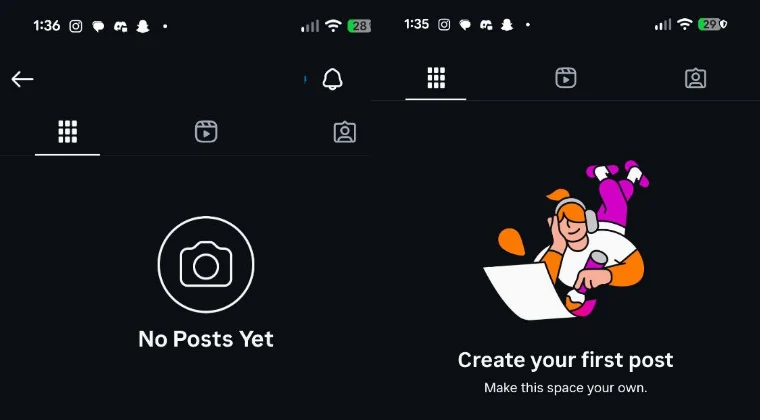
This app from Meta could easily get the title of being the most buggy app ever, atleast on Android devices. Just a few days back, users reported that the app force-closed suddenly while watching Reels. Right after that, they were greeted with the “ Something Went Wrong with Instagram ” error. And now comes the most frightening error of them all- users are reporting their entire post feed now appears empty, with the message – Create your First Post.

This happens when a user creates their new account and hasn’t posted anything yet. This is obviously not the case with the impacted users, as they have already uploaded tons of posts from their accounts. Moreover, the issue isn’t with their account; if they try to view someone else’s posts, they too appear blank. The issue has only impacted posts; the Reels are still visible on the accounts.
Moreover, the bug has only affected the mobile app; all the posts are still shown via the website. This gave users a huge sigh of relief as they could verify that all their posts were still intact, and this was just a bug. But still, it needs to be addressed at the earliest, and in this guide, we will show you how to do just that. So without further ado, let’s get started.
- Fix Instagram Posts Empty: Create Your First Post FIX 1: Leave Beta FIX 2: Force Stop FIX 3: Delete Cache FIX 4: Delete Data FIX 5: Downgrade App
Fix Instagram Posts Empty: Create Your First Post
It is recommended that you try out each of the workarounds mentioned below and then see which one yields success. So with that in mind, let’s get started.
FIX 1: Leave Beta
This fix comes with the maximum success rate. As soon as users leave the Beta Group and switch over to the Stable one, the underlying issue gets rectified. So head over to this link and click on Leave the Program . Then go to the Play Store and install/update to the public build .

FIX 2: Force Stop
- Head over to Settings > Apps > Instagram.
- Now tap on Force Stop > OK in the prompt.
- Check whether the posts are visible now or not.
FIX 3: Delete Cache
- Head over to Settings > Apps > Instagram.
- Tap on Delete Cache and verify the results.
FIX 4: Delete Data
- Head over to Settings > Apps > Instagram.
- Now tap on Delete Data > OK in the prompt.
- Launch Instagram and log in to your account.
- Check if your post are now visible in your feed.
FIX 5: Downgrade App
- Head over to Settings > Apps > Instagram.
- Then, tap on Uninstall > OK in the prompt.
- Now go to APKMirror and download an older version of the app.
- Then install it, launch it, and check out the result.
That’s it. These were the various methods that should help you fix the issue of Instagram posts appearing empty and getting greeted with the “Create Your First Post” message. As far as the official stance on this matter is concerned, the developers are yet to acknowledge this issue, let alone give out any ETA for the rollout of a fix. As and when any of these two things happen, we will update this guide accordingly. In the meantime, the aforementioned workarounds are your best bet.
- Meta is Erroneously Banning Facebook and Instagram Accounts?!
- Cannot Save Instagram Story to Device [Fixed]
- Instagram App Battery Drain on Android: How to Fix
- Instagram DM notification showing numbers instead of username

(Cancel Reply)
Δ
