Install Infinity X Android 16 Custom ROMs on Nothing Phone 2
In this guide, we will show you the steps to install the Infinity X Android 16 Custom ROM onto your Nothing Phone 2. So it’s time you welcome abode a plethora of intriguing goodies and some noteworthy features onto your device. From the likes of revamped Quick Settings and Settings menu, to different styles of toggles, sliders, and clocks, there’s a plentitude of things to look forward to. So without any further ado, let’s get started on this interesting journey.
- How to Install Infinity X Android 16 Custom ROM on Nothing Phone 2 Download Android 16 Custom ROM for Nothing Phone 2 The Prerequisites How to Install Project Infinity X Android 16 on Nothing Phone 2
How to Install Infinity X Android 16 Custom ROM on Nothing Phone 2
Before starting, please take a complete device backup. Droidwin and its members wouldn’t be held responsible in case of a thermonuclear war, your alarm doesn’t wake you up, or if anything happens to your device and data by performing the below steps.
Download Android 16 Custom ROM for Nothing Phone 2
You may now get hold of the Infinity X ROM for your device from below:
ROM

Project Infinity X

......................

OTHER USEFUL RESOURCES

GAPPS

ORANGEFOX | TWRP | PBRP

FACTORY IMAGES | FIRMWARE

KernelSU | KernelSU Next

SUSFS

super_empty.img
The Prerequisites
- Download and extract Android SDK Platform Tools on your PC.
- Then, enable USB Debugging & OEM Unlocking on your device.
- Now, unlock the device’s bootloader [take a backup beforehand]
- Boot your device to the Fastboot Mode via the below command: adb reboot bootloader
- Type in the below command to verify the Fastboot Connection: fastboot devices
- If you don’t get any serial ID, then install the Fastboot Drivers .
How to Install Project Infinity X Android 16 on Nothing Phone 2
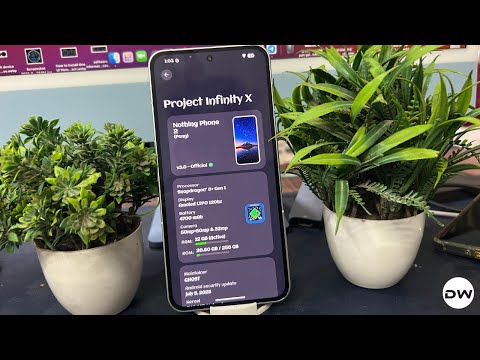
- Transfer the super_empty.img file to the platform-tools.
- Now open CMD there and flash the file via the command fastboot wipe-super super_empty.img
- Next up, install the OrangeFox Recovery on your device.
- Then boot your device to the OrangeFox recovery using: adb reboot recovery
- Now go to Wipe > Format Data > type YES > hit the check.
- Once that’s done, transfer the ROM ZIP file to your device.
- Then, go to Install, select the rom.zip, and swipe to flash it.
- Again, go to Wipe > Format Data > type YES > hit the tick.
- Now, go to the Reboot menu and switch to the inactive slot.
- Finally tap on System to boot to the newly flashed Infinity X.
- To root the ROM, just install the KernelSU app from the above section. [SUSFS is currently not supported].
- How to Go from Custom ROM to Stock on Nothing Phone 2
- Downgrade Nothing Phone 2 from Android 15 to 14 | OS 3 to 2
- Download & Install Android 15 Nothing OS 3 on Nothing Phone 2
- Download & Install Android 14 Custom ROMs on Nothing Phone 2

(Cancel Reply)
Δ
