Install Xposed/LSPosed without Root on Locked Bootloader [Video]
In this guide, we will show you the steps to install Xposed/LSPosed without root on a locked bootloader. Back in the days when OEMs used to pack in only a few essential goodies, then the likes of Xposed Framework reigned supreme. However, over the due course of time, players like Samsung, Xiaomi, and OnePlus already comes built-in with such a long list of features, that the need to root a device is slowly but surely diminishing.
Moreover, users generally prefer to maintain a safe distance from carrying out these tweaks, mainly due to the complications as well as the drawbacks attached to it [warranty getting null and void, SafetyNet and Knox getting tripped, Widevine Certification getting downgraded to L3]. But what if we told you that you could install Xposed/LSPatch without root even on a locked bootloader? Yes, that is very much a possibility and in this guide, we will show you how this could be carried out. Follow along.
How to Install Xposed/LSPosed without Root on Locked Bootloader
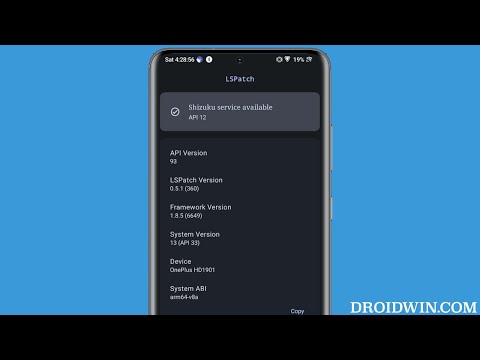
There are quite a few Xposed forks that are capable of running on non-rooted devices. These include the likes of SandVXPosed, VirtualXposed, TaiChi, and LSPatch. Out of all this, we will be using the latter one [LSPatch] as we found out to be the most stable one for now. However, do keep in mind that LSPatch only have a few set of modules and they will be limited in their functionality because they are working in a non-root environment. So with that in mind, let’s get started.
- Download and install the Shizuku app from Play Store.
- Then launch it and tap on Pairing > Developer options.
- Now enable the toggle next to Wireless Debugging.
- Then checkmark Always allow on this network and hit Allow.
- Now go back to the app and tap on Pair device with pairing code.
- You will now get a six-digit code as well as a prompt from Shizuku to type in that code.
- So type in the code in that prompt and hit Enter. You should now get the Pairing Successful message.
- Now go back to the app’s home screen and tap Start. It will now start the service and will notify you of the same.
- To verify, make sure you are getting the “Shizuka is running” message on its home page.
- Now go to GitHub and download and install LSpatch . Then launch it and give it Shizuku access.
- You may now download and install the desired module and manage it right from LSPatch itself.
- As of now, the repository is empty. So you will have to get hold of the same from GitHub or XDA.
- For the sake of reference, let’s use the Disable Flag Secure module , which allows us to take screenshots in restricted apps.
- So, install the APK and restart your device. Then launch LSPatch and verify that your module is shown there.
- Now, go to the Apps tab, hit the Plus icon > Select an APK or an Installed app. Then choose the desired app from the list.
- By default, the Patch Mode will be set to Local. In this case, you’ll have to apply the module after patching the app. If you choose the Integrated, then the module will be applied dynamically at runtime, before the app is patched.
- Let’s opt for Local and hit Start Patch [see point 21 for Integrated]. Once done, minimize it and uninstall that app from the app drawer.
- Now, come back to LSPatch and install this patched app. Once done, verify that it’s shown under the Apps tab.
- Now, long-press on that app and select Module Scope. Then, select the module that needs to be associated with that app and hit the checkmark.
- That’s it. Now launch the app, and the module will be up and running.
- If you choose Integrated, then tap on Embed Modules > select an Installed app [by app we mean module] > choose the desired module > hit the checkmark.
- Finally, tap on Start Patch. Then uninstall that app and reinstall it from the LSPatch.
- Install Xposed Framework/LSPosed on Android 13
- Install Xposed Framework on Android 10/11/12 using LSPosed
- How to Pass SafetyNet test after installing Xposed or EdXposed
- Pass Safetynet on Rooted LineageOS ROM [Video]

- ses 2 years ago Reply Hello, I have followed the above procedure but after connecting Shizuku services to LSPatch, I downloaded the base APK which I wanted to patch and also downloaded the Xposed module of that App. I can able to select the apk file from storage but after selecting the APK it is asking Local or Portable patching methods. In portable we have option “Embedded Module” but after clicking on it no option to select the module. So failing to patch the app. Can you please check and provid the solution to this? How can we patch the app? How to use the module APK file to patch the base APK? Thank You!!
(Cancel Reply)
Δ
