Madden 23 High Number of Interceptions: How to Fix
In this guide, we will show the steps to fix the high number of interceptions in Madden 23. The newest addition to the popular Madden NFL series has just been released across various platforms. Since its rollout, it is being talked about in the news quite a lot, however, most of them are related to its negative feedback and criticism. Add to it the fact that it is getting bugged with numerous issues only makes the matter worse.
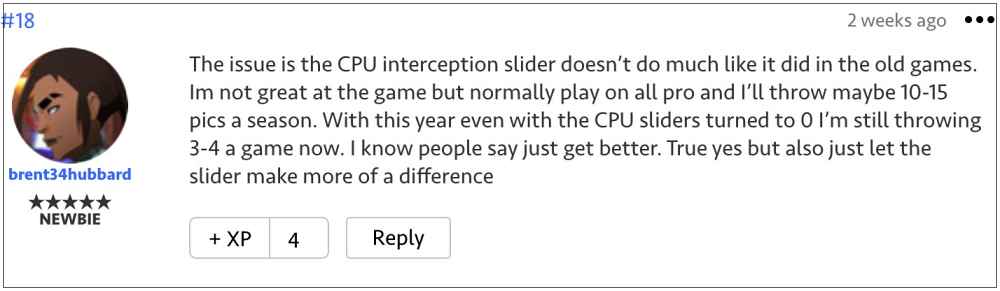
As of now, numerous users have voiced their concern that they are getting an absurdly high number of interceptions in Madden 23. In this regard, many have reported around 3-5 INTs per game. Even on setting the INT slider down to 0, they are still throwing 3-4 a game. So is there a way to deal with this fiasco? Well, there does exist a nifty workaround that might come in handy. So without any further delay, let’s check it out.
Fix Madden 23 High Number of Interceptions

To fix this astronomical high number of interceptions in Madden 23, you will have to t urn off Ball Hawk, Heat Seeker, and Auto Strafe for all teams in your franchise. After doing so, users went from throwing and picking off 5+ INTS a game to 1-2 for both sides, with no slider adjustments whatsoever. Moreover, earlier the TD to INTS ratio was around 20-25, which now is around 20-5. So on that note, let’s turn them off using the below-given instructions and check out the results.
- To begin with, head over to Settings > Game Settings > Team Settings
- At the top right will be “standardize settings for all users in the league” or “allow individual settings differences”.
- So use that setting to t urn off Ball hawk Heat Seeker and Switch assist.
That should fix the high number of interceptions in Madden 23. As far as the official stance on this matter is concerned, the developers are yet to acknowledge this issue, let alone give out any ETA for the rollout of a fix. As and when any of these two things happen, we will update this guide accordingly. In the meantime, the aforementioned workaround is your best bet.
- Madden 22 Community File Download Error: How to Fix
- Game crashing on 12th Gen Intel Core Processor on Windows 10/11: Fix
- How to Fix HDR Dark Ice Issue in NHL 22
- F1 22 EA Play 10-hour Trial not working: How to Fix

- Jo 3 years ago Reply There is no option for “Team Settings”
(Cancel Reply)
Δ
