Mint Mobile bugged with plethora of issues on Pixel [Workarounds]
This US mobile virtual network operator which uses T-Mobile network infrastructure has currently hit a rough patch and is bugged with a plentitude of issues across numerous Pixel devices. Whether it’s the inability to call or send normal messages, multimedia messages in the form of MMS, lack of 5G, or even make and receive phone calls [incoming calls are being straightaway transferred to voice mails in some cases], a slew of issues are currently lined up.
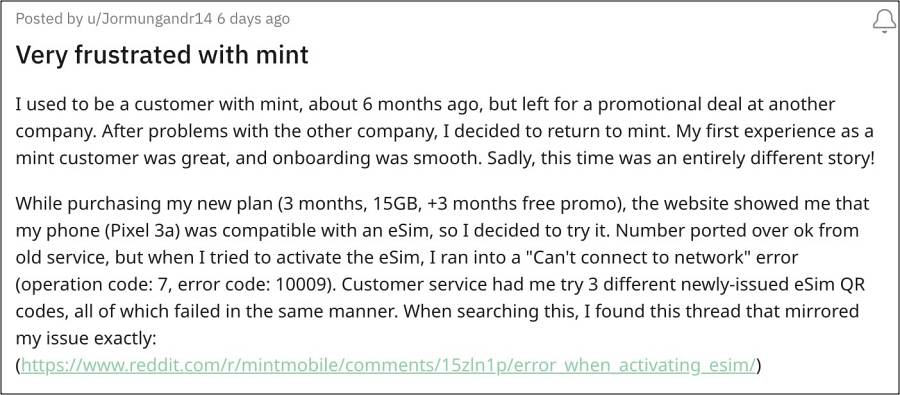
To make matters worse, some are even unable to activate their Pixel device on the Mint Mobile network after replacing their SIM with an eSIM. Whenever they try to do so, they are instead greeted with the “Can’t connect to network” error (operation code: 7, error code: 10009). If you are also facing these issues, then this guide will make you aware of numerous workarounds that should rectify these bugs. Follow along.
Fix Mint Mobile Issues on Pixel Devices

It is recommended that you try out each of the below-mentioned workarounds and then see which one spells out success. So with that in mind, let’s get started. Moreover, you just need to click on the desired fix to open it.
FIX 1: Clear SIM Slot

FIX 2: Switch SIM Slots

FIX 3: Toggle Airplane Mode

FIX 4: Boot to Safe Mode

FIX 5: Disable 5G

FIX 6: Disable 2G

FIX 7: Disable Adaptive Connectivity

FIX 8: Turn off VoLTE and VoWiFi

FIX 9: Install Pending Update

FIX 10: Disable Dual SIM Dual Standby

FIX 11: De-Register iMessage

FIX 12: Reset APN

FIX 13: Reset Network
- Pixel Mobile Network not working on Android 14 [Fixed]
- Fix Slow WiFi on Mesh Network on Pixel 8 Pro
- Fix Google Pixel Fold Network Issues and What else to expect?
- Pixel 7 Pro Update: There was a network error [Fix]

(Cancel Reply)
Δ
