Motorola Bootloader Unlock Not Qualified Error [Fixed]
In this guide, we will show you a nifty workaround to fix the Not Qualified error when trying to unlock the bootloader on your Motorola device. As opposed to other OEMs, Motorola requires you to generate and send them your device’s bootloader code, upon verification of which it will send you the Unique Code. You’ll then have to use this code in the fastboot oem unlock UNIQUE_KEY command and your task stands complete.
However, that is proving to be easier said than done. Numerous users have voiced their concern that they are getting bugged with the Not Qualified error when trying to unlock the bootloader on their Motorola devices. As a result of this, they cannot root their device or welcome abode custom ROMS or modules on their device either. If you are also facing this issue, then this guide will make you aware of a nifty workaround to resolve this bug. Follow along.
Fix Motorola Bootloader Unlock “Not Qualified” Error
The fix might come as a surprise due to how easy it is to execute- all that you need to do is instead of heading over to the Motorola Bootloader Unlock page for the US region , you should head over to their UK region . So go to that region’s website, scroll down, and verify that the region is set to the United Kingdom. If that’s well and good, then proceed with the on-screen instructions to get the rest of the job done, or refer to our detailed Motorola Bootloader Unlock guide.
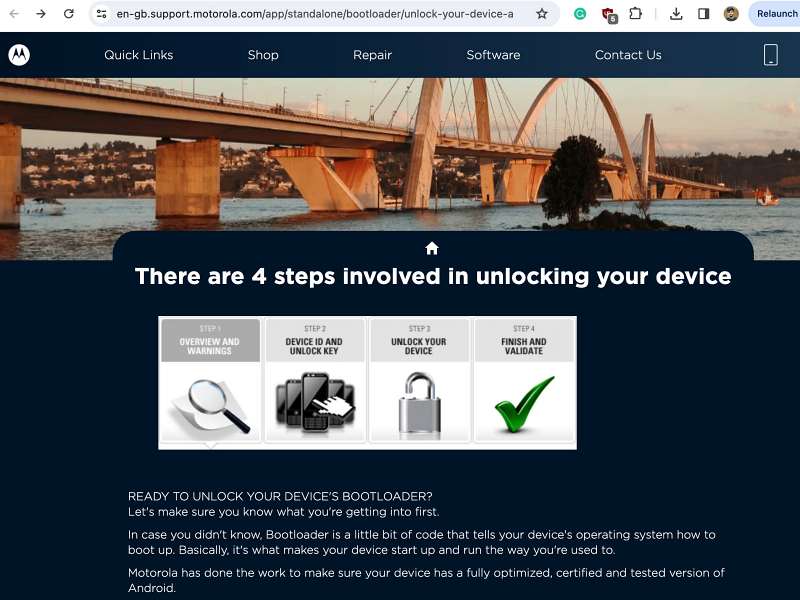
Motorola Bootloader Unlock UK Page
- Install Motorola Weather/Clock/Battery widget on any Android
- Motorola Unbrick Tool: Unbrick any Moto Device via EDL Mode
- Motorola Stuck in EDL Mode: Cannot Flash blankflash [Fixed]
- Unbrick Motorola via Blank Flash and EDL Mode

- Andrew Tyson 2 years ago Reply Motorola forces the website to the US region. I changed the location (ctl + shift + I) to UK, and Opera shows news & weather for London. It either doesn’t allow the GB version of the bootloader page, or they’ve taken it down. When I log into the UK support page, “bootloader” in the search returns no useful results. Have you encountered this?
- Omar Alkolide 2 years ago Reply This method did not work for me, my device ID is 3A55351971606060#5A59323242464D384334006D6F746F2067200000#7C0BEC681E8BD048CA378AEAA1A60751CA478938#A34B50FF00000000000000000000 0000
- DJ Henderson 2 years ago Reply When I go to swap the region, the webpage changes and I cannot seem to get back to the unlock page for that region
(Cancel Reply)
Δ
