OBS Broadcast crashing in v29.1: How to Fix
In this guide, we will show you a workaround to rectify the issue of the OBS Broadcast suddenly crashing after the latest v29.1 update. Open Broadcaster Software, more popularly known by its short form OBS, is an open-source, cross-platform screencasting and streaming app, has just been blessed with a new update that brings in a slew of goodies to the table, including the much-anticipated AV1/HEVC streaming for YouTube.
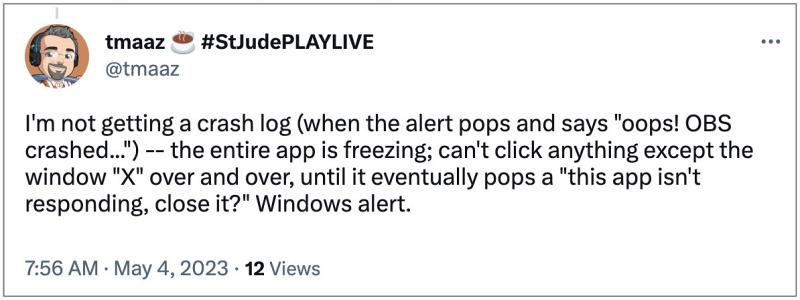
On the flip side though, a few bugs have also managed to creep in alongside this update. Among them, the most concerning one is the OBS broadcast crashing in v29.1 without any prompt or signs whatsoever. While some get an “O ops! OBS crashed” message, that doesn’t do any good whatsoever as the log file fails to get generated every time the software crash. So it becomes quite a challenging task to get to the root cause of this issue. This then begs the all-important question- how to rectify this bug? Let’s check it out.
- How to Fix OBS Broadcast crashing on v29.1 Downgrade OBS on Windows Downgrade OBS on Mac
How to Fix OBS Broadcast crashing on v29.1

As of now, your best or rather the only bet is to downgrade OBS to its earlier stable build v28.0 which was free from this issue. here’s how it could be done:
Downgrade OBS on Windows
- Head over to Start Menu, search OBS, and click Uninstall.
- You’ll be taken to Control Panel. Select OBS from the list.
- Now click on Uninstall > Uninstall. it will now be removed.
- Then download and install the OBS version 28 from here.
Downgrade OBS on Mac
- Go to Finder > Applications > and drag OBS to the Bin.
- Then download and install the OBS version 28 from here.
- OBS Audio Buffering/Out of Sync Issue: How to Fix
- Friendly Streaming Webcrypto Master Key Bug [Fix]
- Discord Stream Not Working/Lagging: How to Fix
- Instagram Ingress timeout, stream ID Error: How to Fix

(Cancel Reply)
Δ
