OnePlus 10 Pro: Download Fastboot ROM & Stock Firmware [Android 13 OxygenOS 13 OB2]
From this post, you could download the Fastboot ROM and stock firmware for your OnePlus 10 Pro device. The newest addition to the OnePlus family beholds quite an impressive feature set. A 6.7-inch display with an adaptive refresh rate from 1hz to 120hz, an octa-core Snapdragon 8 Gen 1 chipset, and up to 12GB RAM/256GB storage are worthy to give any flagship a run for their money. But its OS skin might prove to be its biggest drawback.
While it is running the latest Android 12.1 out of the box, it will be based on Oppo’s ColorOS and not the original OxygenOS, so be ready to welcome a bloated (and iOS clone?) OS onto your device. Talking about the software, this device is getting blessed with upgrades at regular intervals. But since it is relatively new to the market, you wouldn’t find its stock firmware file easily.
Well, at the time of writing, it isn’t even uploaded to the OnePlus official site . But we did manage to get hold of the direct server link for its update files which we will be sharing with you in this guide. Apart from that, we have also converted the payload.bin file to Fastboot ROM which you could download from this post itself (the need for the same will also be explained). So without any further ado, let’s get started.
- Why is there a need to Manually Download Stock Firmware
- Stock Firmware or Fastboot ROM: Which one to Download
- Download OnePlus 10 Pro Stock Firmware OnePlus 10 Pro OxygenOS 13 Android 13 Open Beta 2 OnePlus 10 Pro OxygenOS 13 Android 13 Open Beta 1 OnePlus 10 Pro ColorOS 13.0.0 Open Beta C.16 OnePlus 10 Pro Android 13 Developer Preview 3 OnePlus 10 Pro OxygenOS 12.1 A.15 IND OnePlus 10 Pro Android 13 Developer Preview 2 OnePlus 10 Pro Android 13 Developer Preview 1 OnePlus 10 Pro ColorOS 12.1 A.15 OnePlus 10 Pro OxygenOS 12.1 A.14 GLO OnePlus 10 Pro OxygenOS 12.1 A.14 IND OnePlus 10 Pro OxygenOS 12.1 A.13 EEA OnePlus 10 Pro OxygenOS 12.1 A.12 EEA OnePlus 10 Pro OxygenOS 12.1 A.11 IND OnePlus 10 Pro ColorOS 12.1 A.07 OnePlus 10 Pro ColorOS 12.1 A.08 OnePlus 10 Pro ColorOS 12.1 A.09
- Download OnePlus 10 Pro Fastboot ROM OnePlus 10 Pro Oxygen OS 12.1 A11 IND OnePlus 10 Pro ColorOS 12.1 A.08 OnePlus 10 Pro ColorOS 12.1 A.09
- Download OnePlus 10 Pro Boot.img Files Oxygen OS 12.1 A11 IND Boot
Why is there a need to Manually Download Stock Firmware
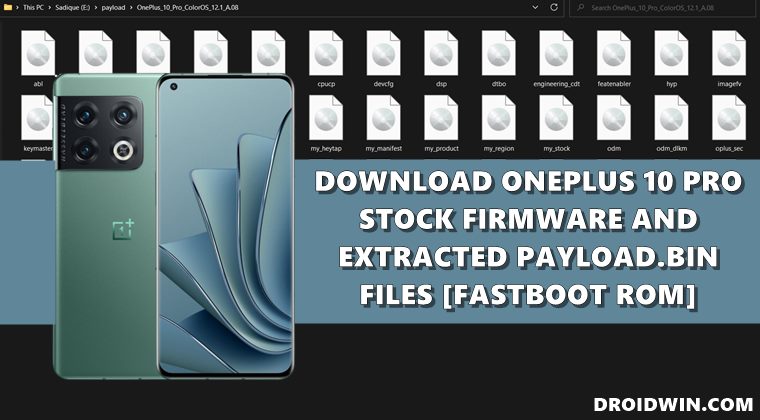
Since the OnePlus 10 Pro is already receiving the latest OTAs, why is there a need to manually download Fastboot ROM or stock firmware files? Well, there could be quite a few reasons why one might need to manually download the firmware and flash/install it onto their device. For example:
- If you haven’t got the OTA update, but managed to get hold of the update ZIP file, then you could sideload that ZIP file [on locked bootloader] or flash it via Fastboot [unlocked bootloader].
- If you want to revert to stock from a custom ROM, then you could flash the stock firmware via Fastboot Commands.
- Then if you want to root your device , you will have to extract the boot.img [and vendor_boot and vbmeta in some cases] from the stock firmware, patch it via Magisk and flash it onto your device.
These are just some of the important reasons why you might need to download the stock firmware/Fastboot ROMs for your device, there could be a slew of other reasons as well. So on that note, let’s address the elephant in the room and explain you the difference between the stock firmware and Fastboot ROM for this device.
Stock Firmware or Fastboot ROM: Which one to Download
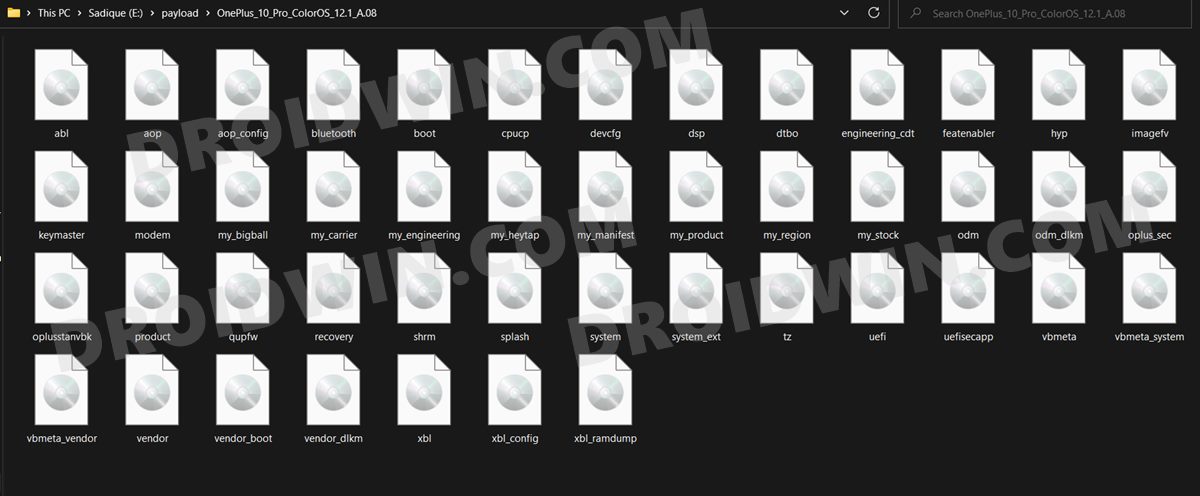
Therefore, to make things easier for you, I have carried out the entire process, got all the firmware IMG files, and bundled it into one single package. As a result, you just need to download and extract that Fastboot ROM and all the files will be right in front of you. However, I might not be able to convert payload.bin to Fastboot and upload them at the same pace at which the OEM releases its updates.
So whereas the stock firmware files will be updated as and when they are released by OnePlus, the resultant Fastboot ROM might take some time to be uploaded from my end. But you are free to carry out the conversion yourself using our reference guide . Now that’s out of the way, let’s make you aware of the download links to the Fastboot ROM and stock firmware for your OnePlus 10 Pro.
Download OnePlus 10 Pro Stock Firmware
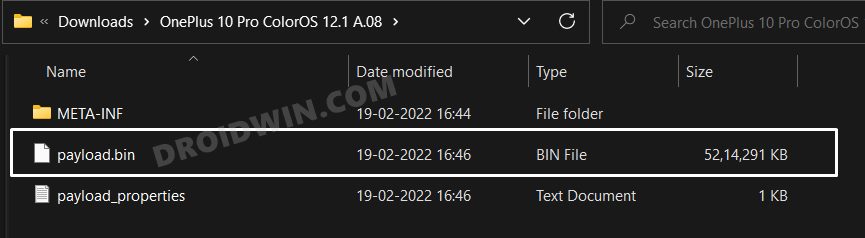
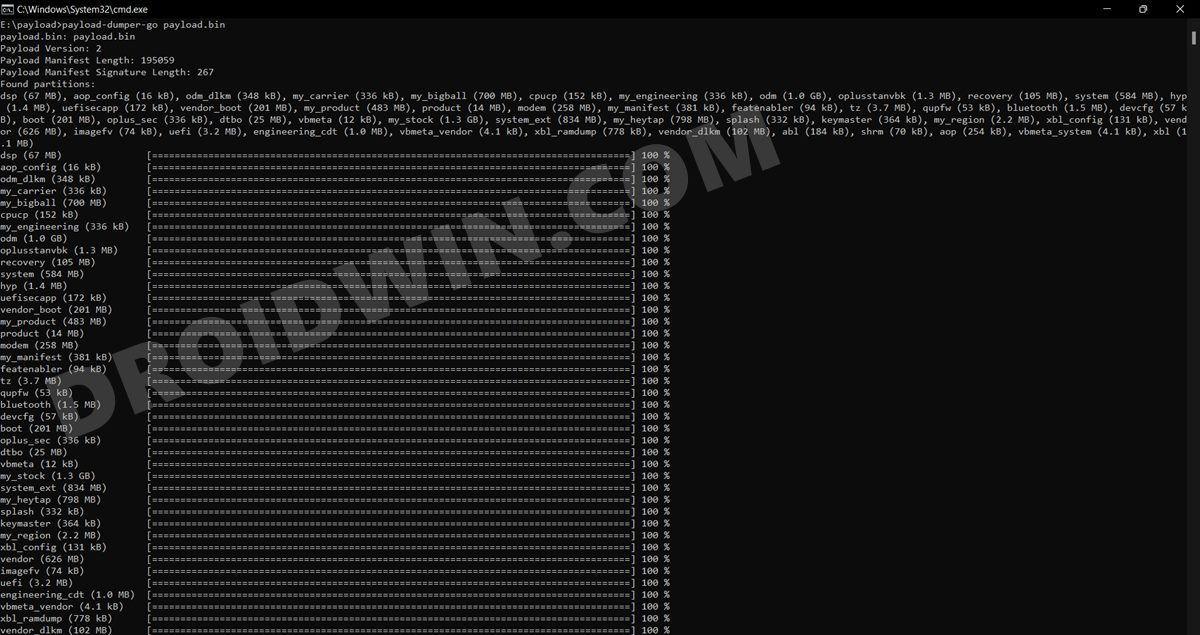
Here’s the stock firmware for your OnePlus 10 Pro devices. Upon extraction, you will get the payload.bin which you could further extract to get the resultant partition IMG files. Moreover, these download links are the direct OnePlus China server links.
OnePlus 10 Pro OxygenOS 13 Android 13 Open Beta 2
Well, it has just been a week since the first beta and we already have the second beta at hand, which finally, is available in Europe. In comparison with the first beta, OnPlus states that this second build has “more functional features”, but at the same time, has quite a few bugs and issues as well [this is something that is usually associated with the beta builds]. You may now grab the firmware files from below [ changelog and bugs list ].
Open Beta 2 NA Version

Open Beta 2 IN Version

Open Beta 2 EU Version

Android 13 Local Upgrade APK

Flashing Instructions: How to Install Android 13 on OnePlus 10 Pro

Downgrade to Android 12: Downgrade OnePlus 10 Pro from Android 13 to Android 12
OnePlus 10 Pro OxygenOS 13 Android 13 Open Beta 1
Days after rolling out Android 13 in the form of ColorOS13 for the Chinese region, OnepLus has now released the Android 13 update for Global and Indian users. based on the latest OxygenOS 13, this is the first open beta update and hence comes with a few bugs and underlying issues, as is evident from the below screenshot. If you wish to try it out, then download the upgrade package corresponding to your region from below. Likewise, we have also attached the flashing instructions, in case of any query, do check it out.
OxygenOS 13 Open Beta 1: Global

OxygenOS 13 Open Beta 1: India

Android 13 Local Update APK: Download Link

Flashing Instructions: How to Install Android 13 on OnePlus 10 Pro

Downgrade to Android 12: Downgrade OnePlus 10 Pro from Android 13 to Android 12
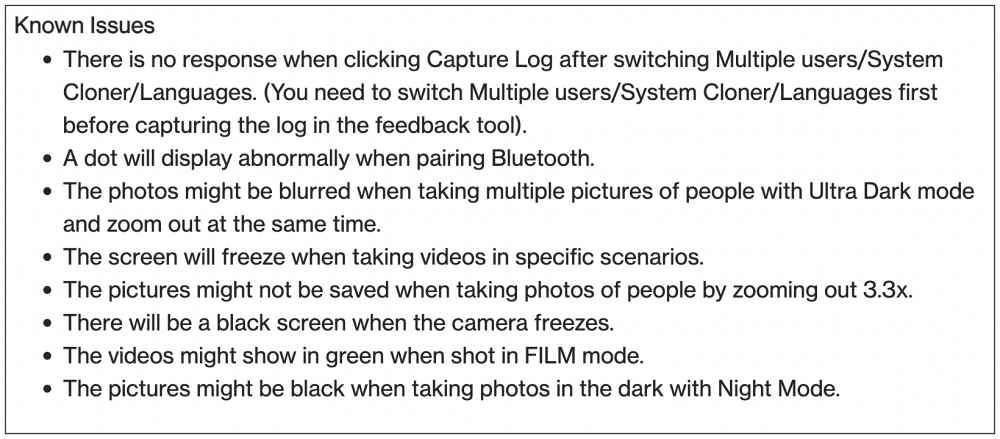
Android 13 Open Beta 1 Bugs
OnePlus 10 Pro ColorOS 13.0.0 Open Beta C.16
The first ColorOS Android 13 Open Beta for the OnePlus 10 Pro is now live. Based on ColorOS 13.0.0, it comes with version C.16 and you could grab it from any of the below-listed links. However, it isn’t recommended to flash this ColorOS 13.0.0 build on the Global variant of the OnePlus 10 Pro, only the users in China should give it a try. But before that, make sure to go through the complete changelog and the bugs list for this update.
ColorOS China Server 1: Full


ColorOS China Server 2: Full


ColorOS China Server 3: Full


ColorOS China Server 4: Full


ColorOS China Server 5: Full
OnePlus 10 Pro Android 13 Developer Preview 3
DOWNLOAD LINKS AND FLASHING INSTRUCTIONS
OnePlus 10 Pro OxygenOS 12.1 A.15 IND
DOWNLOAD LINK
OnePlus 10 Pro Android 13 Developer Preview 2
DOWNLOAD LINKS AND FLASHING INSTRUCTIONS
OnePlus 10 Pro Android 13 Developer Preview 1
DOWNLOAD AND FLASHING INSTRUCTIONS
OnePlus 10 Pro ColorOS 12.1 A.15
ColorOS China Server 1: Full Update

ColorOS China Server 2: Full Update

ColorOS China Server 3: Full Update

ColorOS China Server 4: Full Update

ColorOS China Server 5: Full Update
OnePlus 10 Pro OxygenOS 12.1 A.14 GLO
DOWNLOAD LINK
OnePlus 10 Pro OxygenOS 12.1 A.14 IND
DOWNLOAD LINK
OnePlus 10 Pro OxygenOS 12.1 A.13 EEA
DOWNLOAD LINK
OnePlus 10 Pro OxygenOS 12.1 A.12 EEA
DOWNLOAD LINK

MIRROR LINK
OnePlus 10 Pro OxygenOS 12.1 A.11 IND
Download Link

Mirror Link

Mirror Link 2
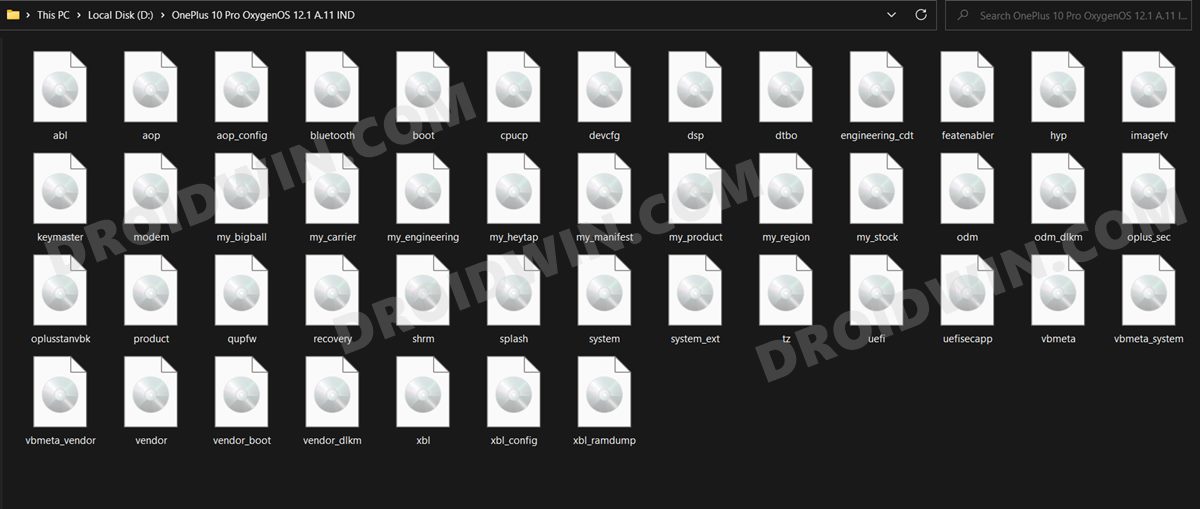
You could flash the above Indian ROM onto the Chinese OnePlus 10 Pro. If you are interested in doing so, then please check out our guide on How to Install Indian ROM on the Chinese OnePlus 10 Pro.
OnePlus 10 Pro ColorOS 12.1 A.07
ColorOS China Server 1: Full

ColorOS China Server 2: Full

ColorOS China Server 3: Full

ColorOS China Server 4: Full

ColorOS China Server 5: Full
OnePlus 10 Pro ColorOS 12.1 A.08
ColorOS China Server 1: Full

ColorOS China Server 2: Full

ColorOS China Server 3: Full

ColorOS China Server 4: Full

ColorOS China Server 5: Full
OnePlus 10 Pro ColorOS 12.1 A.09
ColorOS China Server 1: Full

ColorOS China Server 2: Full

ColorOS China Server 3: Full

ColorOS China Server 4: Full

ColorOS China Server 5: Full
Download OnePlus 10 Pro Fastboot ROM
OnePlus 10 Pro Oxygen OS 12.1 A11 IND
Download: Oxygen OS 12.1 A11 IND Droidwin.rar [Password: droidwin]
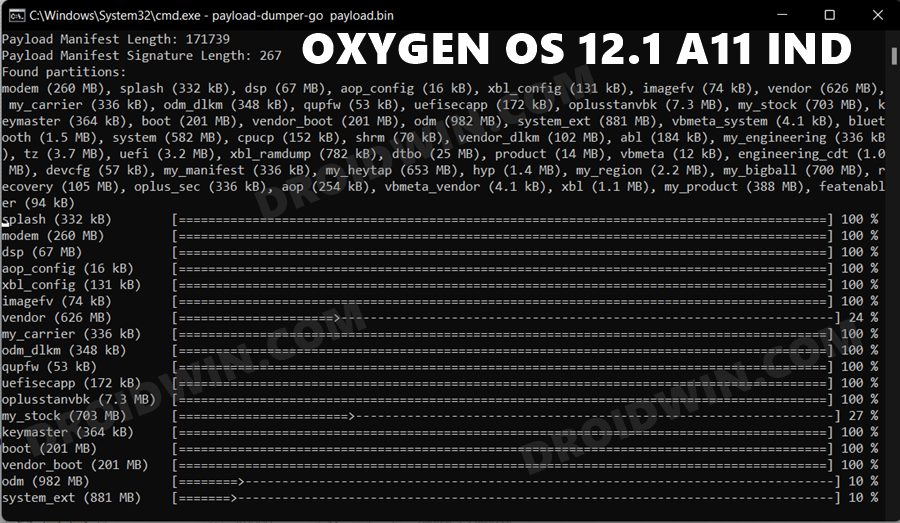
OnePlus 10 Pro ColorOS 12.1 A.08
Download: OnePlus_10_Pro_ColorOS_12.1_A.08_Droidwin.zip
OnePlus 10 Pro ColorOS 12.1 A.09
Download: OnePlus_10_Pro_ColorOS_12.1_A.09_Droidwin.zip
Download OnePlus 10 Pro Boot.img Files
If you are just planning to root your device, then there’s no need to download the entire Fastboot ROM. Rather. just get the stock boot.img file from below “that corresponds to the current OS version number”, then patch it via Magisk and flash it via Fastboot Commands.
Oxygen OS 12.1 A11 IND Boot
Download: Boot_Oxygen_OS_12.1_A11_IND_Droidwin.img
- How to Unlock Bootloader on OnePlus 10 Pro
- Root OnePlus 10 Pro via Magisk Patched Boot.img
- How to Enable Local Install in OnePlus 10 Pro
- Root OnePlus Running ColorOS 12 Android 12 via Magisk

- Pankaj 2 years ago Reply Hi, I was trying to install twrp on my one plus 10 pro. NE2211 Version, android 12 oxygen OS. Had it bricked. Flashed stock – boot img, vbdata, vendor_boot. It is now getting stuck on fastboot. Any help?
- Lo 3 years ago Reply Hi Sadique, Thanks for the hard work of collecting all these roms. Oneplus has definitely made it a lot tougher to find these items compared to the older devices. With that said, the link for “OnePlus 10 Pro OxygenOS 12.1 A.14 GLO” Is only 327MB is size.
- SANG 4 years ago Reply Hello, right now i currently using oneplus 10 pro with Colors OS A.15, and I want to flash to Oxygen OS. Do i have to wait for Oxygen OS A.15 global or higher version in other to flash? or it’s okay to flash lower version than the currently use. Do you have any recommend?
- Achman 4 years ago Reply Which of the ROMs should I download if I want to change from the Chinese variant to the global variant via the local update option?
- Shrikant D 4 years ago Reply Hi Sadique, I am really frustrated with the ColorOS 12.1 China version. I bought Oneplus 10 Pro China model NE2210, which has ColorOS 12.1 on it and everything there in in Chinese with no Google. I want to install OxygenOS 12 North America or India or Global version on it. Could you please by chance provide step by step guidance if it is possible? Thanks in advance..
- Yassin 4 years ago Reply oneplus 10 pro ne2210 repair boot fix help my not fasboot not recavery how to edl mod o
- Mark 4 years ago Reply Hey bro. How can I revert back from Oxygen OS to Color OS?
- Vishal Ranjan Mallick 4 years ago Reply Bro why.. when I select patch a file & select the boot.img file in magisk click on let’s go.. it throws error, boot.img extraction failed? Sadique Hassan 4 years ago Reply I tried patching it from my end and it went fine. I am using Magisk version 24.3 (24300), xo try patching via that build and let me know the results Vishal Ranjan Mallick 4 years ago Reply Do we need latest magisk app?? I used 23.0 Sadique Hassan 4 years ago Reply Try using version 24.3 (24300) Zeeshan 4 years ago Reply Hello bro. I done completely every steps. Unlock bootloader. Fastboot enhanced tools. Oneplus 10 pro china to indian oxygen rom. I flashed it in fastboot enhanced. When everything complete done. Phone restart. But not working, my phone stuck on 1+ logo and restart again. What can I do.?? Phone restarting continue. Only it get to recovery or fastboot.
- Vishal Ranjan Mallick 4 years ago Reply Where is A.11 fastboot rom?? Sadique Hassan 4 years ago Reply UPDATE 1; I have added the OnePlus 10 Pro Oxygen OS 12.1 A11 IND Fastboot ROM as well as the standalone boot.img file. Hi Vishal, as far as A11 build goes, I have only uploaded the officially released firmware which are in payload.bin format. You could extract Fastboot Images from payload using this guide: How to Extract payload.bin and get stock boot image file . if you are still facing any issues, then give me a day or two, I’ll convert the payload to Fastboot ROM and share the link in the guide.
- Jazz 4 years ago Reply HI, Could you please get Oxygen also for the 1Plus10Pro Sadique Hassan 4 years ago Reply Hi Jazz, I have added India build OxygenOS for OnePlus 10 Pro along with the flashing instructions. If you have any further doubts, do let me know.
(Cancel Reply)
Δ
