OnePlus 12/13 Region Lock: Is there a Fix
[UPDATE: Added fix for OnePlus 13 as well] The twelfth iteration of OnePlus brings a power-packed specs sheet and a slew of intriguing goodies to the fore. The device was initially launched in China, and a month later, it was made available to other regions across the globe. However, there still exist a few regions where the device isn’t officially available. For those regions, users had no choice but to export via third-party services like Giztop. Unfortunately, though, they now seem to have hit a roadblock.
- The OnePlus 12/13 Region Lock Issue
- How to Check if OnePlus 12/13 is Region Locked? New Method Older Methods
- Which Countries are Blacklisted?
- What Does Giztop Have to Say?
- How to Fix OnePlus 12/13 Region Lock?
- UPDATE 1: Giztop Response
- UPDATE 2: We Now Have a Fix!
The OnePlus 12/13 Region Lock Issue
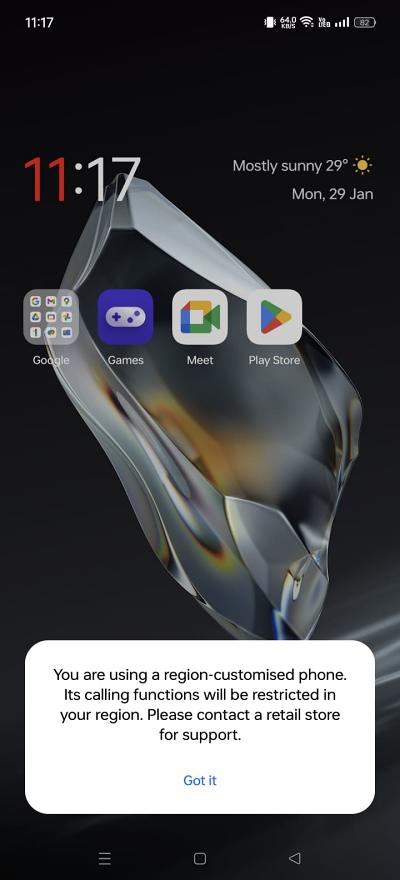
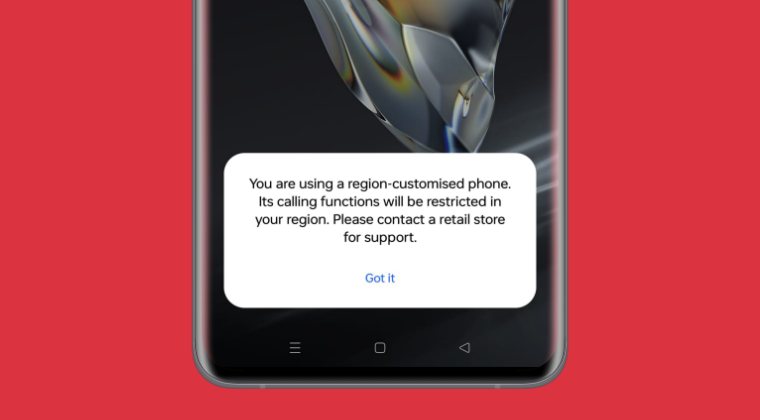
Many of those users have noticed that their OnePlus 12 is region-locked and hence they cannot use the SIM card of their region. They will only be able to make and receive calls and messages if they use a Chinese SIM, which is not a feasible and viable option for them. If they try to use the SIM card of their country, then the OnePlus 12 will straightaway block the MMC of that SIM and will instead greet them with the following error message:
You are using a region-customized phone. Its calling function will be restricted in your region. Please contact a retail store for support.
How to Check if OnePlus 12/13 is Region Locked?
This is the million-dollar question that is going through the minds of numerous buyers. If you are also in the same boat, there are two different ways through which you could carry out this check, namely:
New Method
- Open Dialer and type in the below code: ##3932433284##
- If all values are null(0) and state: -1 , then the device is region-locked .
- If the values are non-zero , then the device is region-locked.
- If all values are zero or non-zero and state: 0 , then the device is region-locked but was unlocked after using it for some time with a Chinese SIM card or the Magisk module [shared below]. This will be our ultimate aim by the end of this guide.
- If the value is state: -1 , then after inserting a SIM card from a country that is on the blacklist [shared below], the state will change to 1 .
- If the value is state: 2 , the phone is region locked, but it is unlocked.
Older Methods
- Simply insert the SIM Card of your region and if you receive the aforementioned error message, then your OnePlus 12 is region locked.
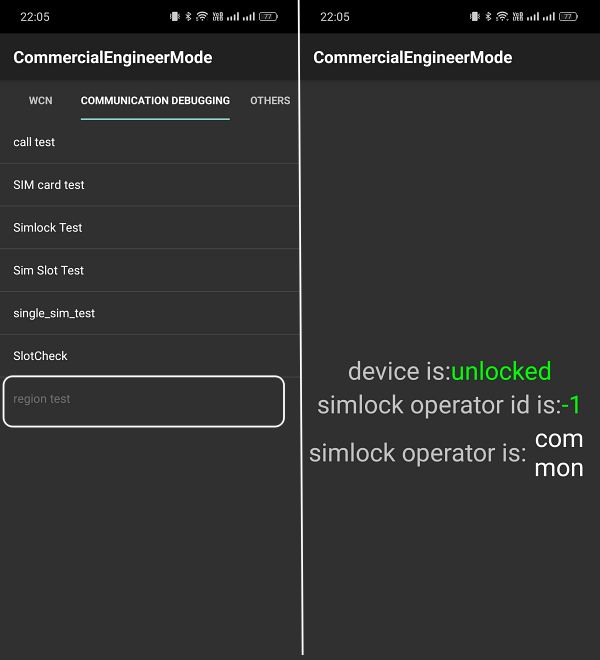
- Dial *#899# and select Manual Test > Communication Debugging. If the Region Test Field is greyed out, then it means region unlocked.
Which Countries are Blacklisted?
Below is the list of all the blacklisted countries. The numbers before them indicate their Mobile Country Code (MCC).
404 – India 405 – India 31* – United States of America 302 – Canada 250 – Russia 424 – United Arab Emirates 420 – Saudi Arabia 334 – Mexico 425 – Israel 419 – Kuwait 410 – Pakistan 730 – Chile 401 – Kazakhstan 724 – Brazil 470 – Bangladesh 429 – Nepal 414 – Myanmar 418 – Iraq 427 – Qatar 602 – Egypt 603 – Algeria 605 – Tunisia 244 – Finland 238 – Denmark 240 – Sweden 242 – Norway 234 – United Kingdom 235 – United Kingdom 262 – Germany 222 – Italy 208 – France 214 – Spain 204 – Netherlands 206 – Belgium 260 – Poland 226 – Romania 520 – Thailand 502 – Malaysia 525 – Singapore 515 – Philippines 452 – Vietnam 510 – Indonesia
What Does Giztop Have to Say?
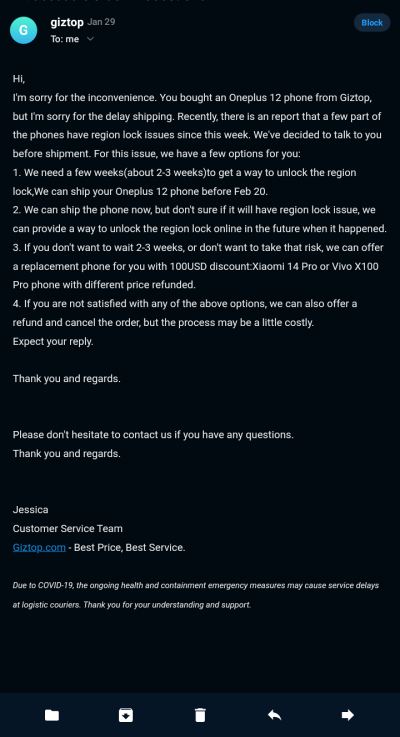
Many users have written back to Giztop regarding their OnePlus 12 region lock issue and here’s the response that one of the users shared:
I’m sorry for the inconvenience. You bought an Oneplus 12 phone from Giztop, but I’m sorry for the delay shipping. Recently, there is an report that a few part of the phones have region lock issues since this week. We’ve decided to talk to you before shipment. For this issue, we have a few options for you: We need a few weeks(about 2-3 weeks)to get a way to unlock the region lock,We can ship your Oneplus 12 phone before Feb 20. We can ship the phone now, but don’t sure if it will have region lock issue, we can provide a way to unlock the region lock online in the future when it happened. If you don’t want to wait 2-3 weeks, or don’t want to take that risk, we can offer a replacement phone for you with 100USD discount:Xiaomi 14 Pro or Vivo X100 Pro phone with different price refunded. If you are not satisfied with any of the above options, we can also offer a refund and cancel the order, but the process may be a little costly.
How to Fix OnePlus 12/13 Region Lock?
[ Refer to UPDATE 2 below and skip this section ] You might be able to unlock the region by entering an unlock code, which in turn could be obtained by contacting OnePlus support. However, it might be the case that the OEM might not unlock the phones that are purchased from third-party stores instead of being bought through their official Chinese channels. In such cases, your only course of action is to reach out to your seller and chalk out the best route forward.
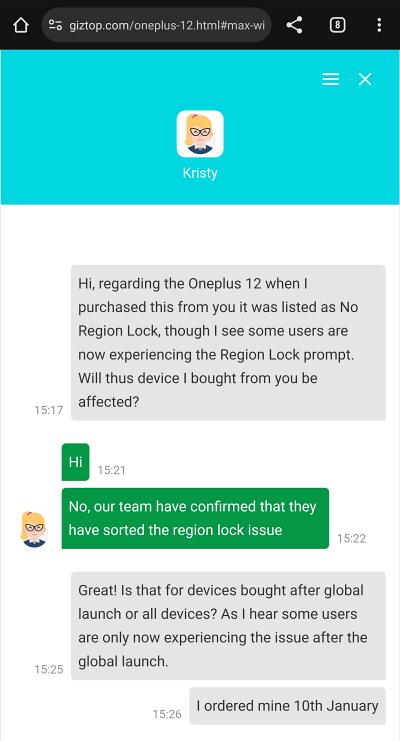
UPDATE 1: Giztop Response
Giztop has responded to one of the user’s queries and they informed him that they have resolved the region lock issue. That’s indeed some great news for the device owners!
UPDATE 2: We Now Have a Fix!
Well, it didn’t take long for the developers to chalk out a fix for this issue. Here’s what you need to do:
- First off, root your device via Magisk / KernelSU / APatch .
- Now insert a SIM card from a country that is on the blacklist.
- Moreover, you should also be currently living in that country.
- Then download the module for your device from below: OnePlus 12: oplus_regionlock_unlock_12.zip [Credits: XDA Member Soft_M] OnePlus 13: oplus_regionlock_unlock_13.zip [Credits: XDA Member zolookas]
- Flash this module via your rooting app and restart your device.
- Wait for a couple of minutes. You might get a notification about the connection being blocked- just ignore it.
- Now open the dialer app and type in the below command: ##3932433284##
- The state should now be 0, which signifies that the region is unlocked.
- You can now uninstall the Magisk module and remove root [optional].
- How to Root OnePlus 12 via Magisk Patched Init Boot
- How to Unbrick OnePlus 12 via OFP Firmware & Oppo Flash Tool
- Download and Flash Fastboot ROM on the OnePlus 12
- How to Unlock Bootloader on OnePlus 12 [Video]

- Avinash Kumar soni 7 months ago Reply I am writing regarding a serious issue with my OnePlus 12R (Model: CPH2585), which is clearly labeled as “Made in India” and bears Indian regulatory approval IS 13252(Part 3) R-93007471. Despite being manufactured in India, the phone is region-locked to China, preventing full functionality in India. This phone was purchased online in the UAE, but I now reside in India and cannot use the device properly due to the China region lock, which is unacceptable for a phone manufactured and labeled for India. I have previously contacted your support, but was only told that it is a Chinese version — which is incorrect and misleading. I have photographic evidence of the regulatory information printed on the phone and box proving it’s an Indian model.am attaching proof for your reference. Details: IMEI: 868763070231257 / 868763070231240 Serial No: 62270465 Purchased in: UAE Current Location: UAE Contact: +971 564611950 Model: OnePlus 12R, OxygenOS 15.0, Snapdragon 8 Gen 2
- Ricky 2 years ago Reply Unprofesional response from Oneplus. They were completely disinterested & equally unhelpful. My 3rd OPPO / Oneplus phone and my last. They manufacter the phone & distribute the phone & sell the phone. They are simply interested in controlling the market price. To restrict the regional use is terrible marketing.
- S 2 years ago Reply I got good support from OnePlus Europe with this issue. Phone ACE 3/12R.
(Cancel Reply)
Δ
