OnePlus Android 16 Anti Rollback is Here!
OnePlus has introduced Anti Rollback [ARB] with ColorOS 16.0.3.501/503. The main concern with this is that the implementation is at the hardware level. So once you update your device to version 16.0.3.501, the anti-rollback fuse is blown (updating the CPU/XBL security version). In other words, its value will be changed from 0 to 1. Since it is embedded in the motherboard, the only way to revert to its default state 0 is by changing the motherboard.
[This is exactly similar to how Knox gets tripped on Samsung devices upon unlocking its bootloader; it’s also an e-fuse embedded in the motherboard, which gets fused upon locking. Changing the motherboard is the only way to get Knox back to its default state]. As of now, there’s no software-side fix that will help you rectify this issue, as software tweaks cannot fix what is ‘broken’ at the hardware level. Coming to the more concerning point, let’s now check out the repercussions of this change:
- What’s the Impact of This Android 16 Anti Rollback on OnePlus Devices
- OnePlus Devices Affected by Android 16 Anti Rollback
- Which Firmware To Avoid? OnePlus Series Ace Series Find X / N Series Tablets
- Is OxygenOS Safe?
- What About EDL Flashing
- But ‘One’ Thing Doesn’t Make Sense
- UPDATE 1: OnePlus Removes Downgrade Packages!
- UPDATE 2: Oppo Patches EDL Bootloader Unlocking Exploit
- UPDATE 3: OnePlus is now Releasing Downgrade Packages
- UPDATE 4: OnePlus Responds, Vaguely!
What’s the Impact of This Android 16 Anti Rollback on OnePlus Devices
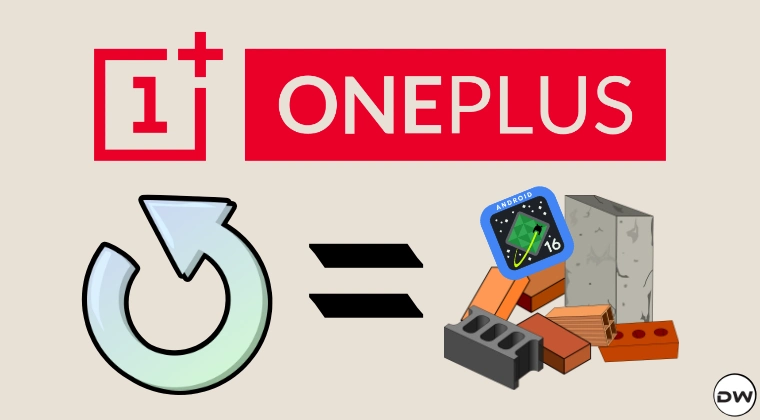
- You wouldn’t be able to downgrade the OS to any other version older than 16.0.3.501.
- Flashing a custom ROM prior to this update on top of ColorOS 16.0.3.501 (or newer) will result in an immediate hard brick. This is because, as of now, almost all current Custom ROMs for the OnePlus 13 / Ace 5 were built before this fuse policy came into existence.
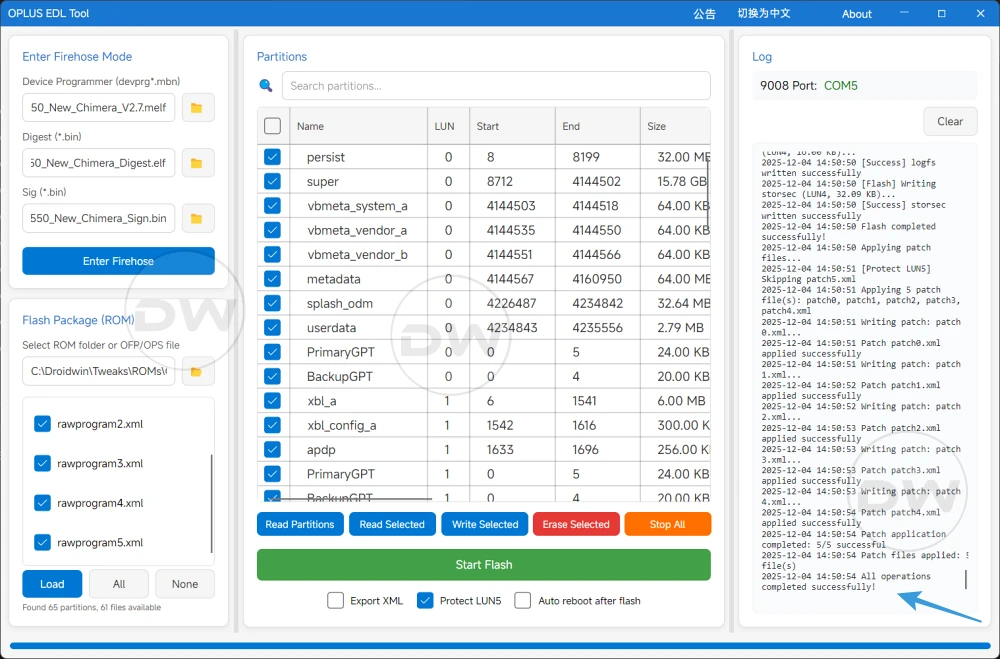
- All the EDL hacks that we had [ OPLUS EDL Tool , Chimera Tool, etc] will not be able to unbrick your device [something that’s broken at the hardware level cannot be fixed at the software level].
- You wouldn’t be able to do a downgrade even using EDL Tools because they will still be operating at the software level, whereas the change [efuse being blown] has its impact on the hardware front.
So if you see an update ending in .500, .501, or .503 today, please stop. Do not install it.
OnePlus Devices Affected by Android 16 Anti Rollback
At the time of writing, OnePlus 13/13T/15 have been confirmed to be impacted by this Anti Rollback [ARB] with ColorOS 16.0.3.5xx. Update: Ace 5 and Ace 5 Pro have also joined this list now.
- All CN models powered by the Snapdragon 8 Elite are primary targets for this new policy.
- OnePlus 13 / 13T: Version 16.0.3.501 (Confirmed)
- OnePlus 15: Version 16.0.3.503 (Updated confirmation – previously thought to be 501 )
- OnePlus Ace 5 / Ace 5 Pro: Version 16.0.3.500 (Pushed Today – DO NOT UPDATE)
- OPPO Find X8 / X8 Pro / X8 Ultra: Currently in the high-risk zone
- OnePlus 11/12: Are currently safe, but might be the next in line to get impacted by ARB.
Which Firmware To Avoid?
At any cost, you should never install the following firmware:
NOTE: You can also perform this check manually using this guide: How to Check Anti RollBack Index of OnePlus Device & Firmware .
OnePlus Series
- OnePlus 13 / 13T: Avoid 16.0.3.501 & 15.0.0.862 .
- OnePlus 12 (NEW): Avoid 16.0.3.500 & 15.0.0.862 .
- OnePlus 15: Avoid 16.0.3.503 . (.501 is Safe, .503 is Fused).
Ace Series
- OnePlus Ace 5 / Ace 5 Pro : Avoid 16.0.3.500 & 15.0.0.862 .
- OnePlus Ace 5 Ultimate / Racing Edition: Version 16.0.3.500 .
Find X / N Series
- OPPO Find X7 Ultra: Avoid 16.0.3.500 .
- OPPO Find X8 Ultra: Avoid updates.
- OPPO Find N3 / Find X6 Pro: Avoid updates.
- OPPO Find X8 / X8 Pro: Do not update them for now.
Tablets
- OPPO Pad 4 Pro: Avoid 16.0.3.501 .
- OnePlus Pad 2 Pro (CN) / OnePlus Pad 3 (Global): Avoid 16.0.3.501 .
Is OxygenOS Safe?
Currently yes, the Anti Rollback Mechanism has only impacted ColorOS. But knowing the OEM, they might roll out this change for OxygenOS in the coming days [we will update this section when it happens]. So, please stay away from the .500, .501, or .503 updates for now.
What About EDL Flashing
If your device is hardbirkced via ARB, then EDL flashing wouldn’t be able to unbrick it [as those tools cannot interact at the hardware level]. However, if it is bricked by any other means, then it can be unbricked via EDL- granted you use the ColorOS 16.0.3.5xx or higher versions of the EDL firmware, which is really hard to find.
But ‘One’ Thing Doesn’t Make Sense
UPDATE: It all seems to make sense now as OnePlus might have finally answered my query. Refer to UPDATE 1 below to know more!
ARB has been put in place before by numerous OEMs as well [ Google did it twice with the Pixel 6 series ], so this doesn’t come as a surprise. What doesn’t make sense is the fact that why would OnePlus prevent downgrading the OS just in order to patch the EDL workarounds when they themselves release downgrading packages for the masses .
Moreover, EDL flashing is hardly used by 1-2% of its userbase, so rolling out a change to stop those niche segments of users from carrying out their tweaks [EDL flashing], which would end up impacting the majorty of its users [most of whom wouldn’t have even heard the words like ARB or EDL] doesn’t really add up. If they are doing so to patch a major security issue, then it’s fine [something which Google did in the past], but taking such a drastic step just to prevent the tech geeks from doing their EDL tweaks doesn’t give us the most convincing of answers.
Only time [and OnePlus, if they decide] will tell the plausible reason behind this ARB. But in the meantime, please do not update your OnePlus to ColorOS 16.0.501/503 to mark yourself free from Anti Rollback. Unfortunately, one cannot stay away from the latest security patches for long, as it might lead to issues of its own [such as reduced security]. So make sure to weigh the pros and cons and then take your decision accordingly.
UPDATE 1: OnePlus Removes Downgrade Packages!
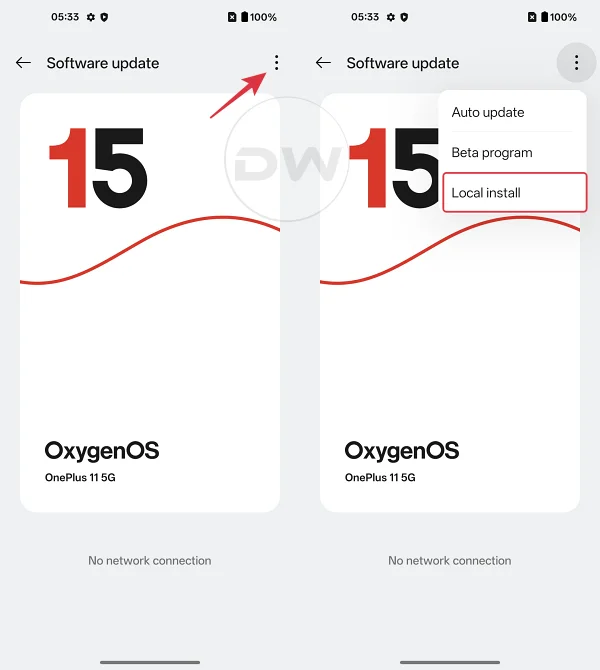
OnePlus has removed the download links for the OnePlus 13 downgrade firmware for all regions today! So it seems doing a downgrade via the official way i.e. a Local Install, might also lead to a bricked device!

Likewise, OnePlus 12 downgrade packages have been removed too!

UPDATE 2: Oppo Patches EDL Bootloader Unlocking Exploit
There were a few Oppo and Realme devices whose bootloaders can be patched via an EDL Exploit. Unfortunately, that has been patched as well. Here is the list of impacted devices:
- Oppo Find X7 Ultra
- Oppo Find X6 Pro
- Oppo Find N3
- Almost all the older OPPO/Realme devices with Qualcomm chips (Snapdragon 8+, 870, 865, 778G, 782G, 768G, etc.), which can be unlocked via the EDL exploit.
UPDATE 3: OnePlus is now Releasing Downgrade Packages
Well, that came as a big sign of relief. After introducing the Anti RollBack, OnePlus removed all the downgrade files from its servers, leaving users out in the open. However, they have now started releasing downgrade firmware that will help you rollback your device from OxygenOS 16 to an older build. The downgrade packages are being gradually released on the ColorOS Downgrade Assistant.

UPDATE 4: OnePlus Responds, Vaguely!
Here’s what OnePlus had to say to Android Authority
To further strengthen device security, we’ve temporarily paused the ability to downgrade from 16.0.2.50x software builds to older builds. We will be restoring the ability to downgrade software builds in our next routine software update, but in the meantime customers looking to downgrade their build can contact OnePlus after sales channels directly.
So they decided to strengthen device security in such a way that the users end up breaking their devices! Moreover, if “strengthen device security” was really their intention, then why is it a “temporary” step? Shouldn’t this have been done permanently, and that too across all its devices instead of choosing just a handful of ones? There are still too many questions that OnePlus needs to answer!
NOTE 1: We would like to thank XDA Member AdaUnlocked for breaking up this news.

NOTE 2: This is an ongoing story and is constantly being updated. So make sure to check it out at frequent intervals to stay up to date on ARB and its impact on OnePlus devices and EDL flashing.

(Cancel Reply)
Δ
