OnePlus Device Stuck in Fastboot: How to Fix
I have carried out numerous tweaks on my OnePlus, and trust me, the problem that occurs the maximum number of times is the device being stuck in Fastboot Mode. Fortunately, this is the issue that can be fixed quite easily, as the device is still “just” softbricked. So without any further ado, let’s make you aware of various methods to rectify this problem once and for all.
- Fix OnePlus Device Stuck in Fastboot Flash Fastboot ROM Using EDL Method
Fix OnePlus Device Stuck in Fastboot
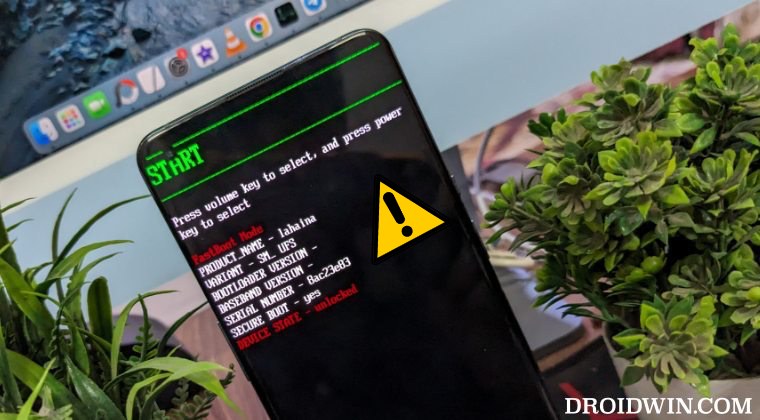
The below fixes will wipe off all the data from your device, though you wouldn’t be able to take a backup, still, it was worth mentioning. Droidwin and its members wouldn’t be held responsible in case of a thermonuclear war, your alarm doesn’t wake you up, or if anything happens to your device and data by performing the below steps.
Flash Fastboot ROM
Your first course of action should be to flash your device’s Fastboot ROM. However, for this process to work ,you should atleast be able to access the FastbootD Mode as well. This is because most of the logical partition files will be flashed in FastbootD Mode. So first verify if your device can access this mode or not. For that, you may take the help of the fastboot reboot fastboot command. If your device’s boots to FastbootD Mode, then you can use this method, or else move to our next fix.

Moreover, once you are in FastbootD, use the fastboot reboot bootloader command to go back to Fastboot Mode before starting with the flashing. Regarding the flashing, you can download the ROM from the Oxygen Updater app and then use tools like Fastboot Enhance or Fastboot Firmware Flasher [recommended]. Or you may also use the SuperHybrid [for Chinese version] or Regional Flasher ROMs [for Global versions] from here and make use of its one-click flashing process.

Using EDL Method
The benefit of this method is that you can use it even if your device cannot access the FastbootD Mode. Well, this method can be used even if your device is currently hardbricked! On the downsides, these free EDL methods doesn’t last long as Oppo tends to patch it sooner than later. At the time of writing, we do have a couple of working software in the form of OPLUS EDL Tool and DeepSmartTool that will help you flash the firmware in EDL Mode and unbrick your device within minutes and that too absolutely free!

- Custom Launcher Lag on OnePlus? Try This Fix!
- How to Unlock Bootloader after Flashing OxygenOS on OnePlus 15
- Download Full HD+ Wallpapers for all OnePlus Devices and Tablet
- How to EDL Flash via DeepSmartTool and Unbrick OnePlus

(Cancel Reply)
Δ
