Paragon NTFS Software not working on Ventura 13.3.1 [Fix]
In this guide, we will show you a nifty workaround to fix the issue of Paragon NTFS Software not working on Ventura 13.3.1. Microsoft’s NTFS is one of the primary file systems of Windows. So if you are working on your Mac and want to need to read/write files from a drive formatted under Windows, then you wouldn’t be able to write, copy, edit, or delete files on these NTFS-formatted drives, unless you take the help of this software.
However, as of late, it is giving a tough time to users who have just updated their Mac to the latest version. In this regard, numerous users have voiced their concern that the Paragon NTFS Software is not working on Ventura 13.3.1. Whenever they are trying to mount the disk, they are instead getting the error along the lines of com.apple.DiskManagement.disenter error 49153.
So if you a user format the drive as NTFS, then the Mac will refuse to mount whereas Mac OS Extended Journaled tends to mount just fine. So is there a way to rectify this issue? Well, there does exist a nifty workaround that should help you rectify this bug. Follow along.
Fix Paragon NTFS Software not working on Ventura 13.3.1
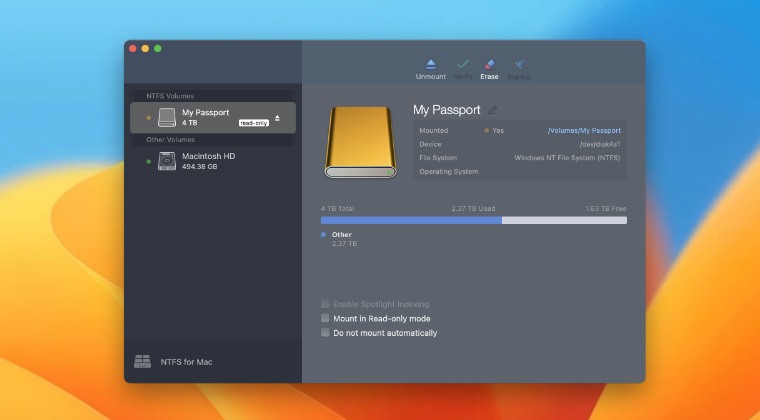
While the issue is definitely quite concerning in nature, the fix is relatively simpler. All that you need to do is simply update Paragon NTFS Software to its latest version. Generally, when an update is available, then the software gives out a prompt for the same right away. However, it isn’t able to do so within the latest macOS build. Well, that’s not an issue. You just need to launch the app and then manually download and install the latest build right away.
- Fix Mac Diskmanagement.disenter error 119930868, 49218, 0, etc
- Western Digital Hard Disk Drive disconnecting randomly on Mac [Fixed]
- Cannot Format Drive using Disk Utility in Mac: How to Fix
- How to Fix USB Device Not Recognized Error in Windows 11

- Nikodem 2 years ago Reply Hello i have problem with some pendrive and SSD disc ( Samsung Bar Plus and Adata s800 SSD) I formatted to NTFS and its only read, but when I use WD Passport and Sandisc pendrive its working to read and write. Any suggestions?
(Cancel Reply)
Δ
