PayDay 2 SuperBLT Mod not working: How to Fix
In this guide, we will show you the steps to fix the issue of SuperBLT Mod not working in PayDay 2. It has been over a decade since this cooperative first-person shooter video game first made its way but its popularity is yet to dwindle down. One major reason for the same is the plethora of mods that this game gets blessed with. Among them, it’s SuperBLT that has managed to encapsulate the attention of the masses.
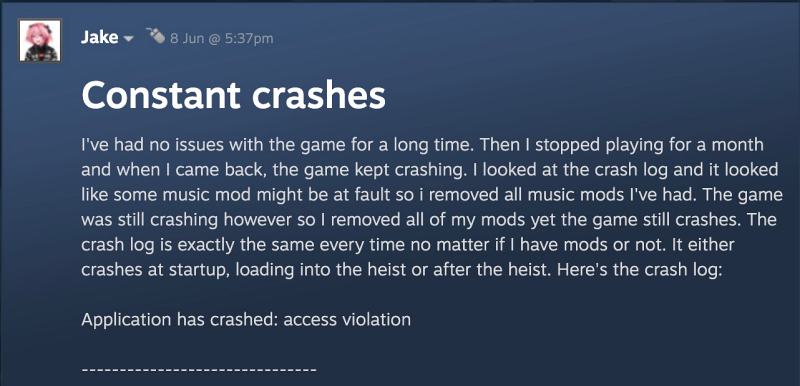
For the unaware, SuperBLT is a fork of the BLT mod-loading hook for PayDay 2, with a number of major improvements, including the likes of cross-platform audio API and the ability to modify any base-game XML file without modifying bundle files. However, as of late, this mod is going through a rough patch . Numerous users have voiced their concern that the SuperBLT Mod is not working along the expected lines in PayDay 2. If you are also facing the same issue, then this guide should help you rectify it. Follow along for the fix.
Fix PayDay 2 SuperBLT Mod not working
First off, delete the WSOCK32.dll/ WINSOCK32.dll and IPHLPAPI.dll files from PayDay 2’s installation directory and check if fixes the issue of SuperBLT Mod not working in PayDay 2. If it doesn’t then try out the below fix shared by a user at Steam Community, it has spelled out success for many.
- Go to https://superblt.znix.xyz/ and Click on a highlighted text that says “Latest Release DLL”.Open the .zip archive and put it in your PAYDAY 2 Root Folder. Overwrite the previous .DLL if prompted to do so
- Example path: D:\Steam\steamapps\common\PAYDAY 2 – That’s where you should put the WSOCK32.dll library hook file.
- If you don’t know how, you can as well go to your Steam Library – Right-click on PAYDAY 2 and go to Properties > Local Files > Browse and the root of your PAYDAY 2 Folder will show up.
- Update your BeardLib with the Development Version instead if you are using it. This one is urgent as 95% of the Mods use it. You can find the download to it on this GitHub repository
- Once you get there, click on the Green Rectangle button and it will drop down a list of options, the one you’re looking for is “Download ZIP“ Click on it and the Developer Version of BeardLib will download right away. Upon download, open the .zip archive that you just downloaded and go to your PAYDAY 2 mods folder
- If you’re stuck and don’t know what you’re doing, here is the Direct Download . Example path: D:\Steam\steamapps\common\PAYDAY 2\mods
- In the mods folder, if you have a folder called BeardLib, please remove it, and in place of the original BeardLib – put the mod folder from the archive that you just downloaded from GitHub called PAYDAY-2-BeardLib-master into your PAYDAY 2 mods folder.
- And that’s it, you’re all set. The game should work now perfectly fine.
So these were the two different methods that should help you fix the issue of SuperBLT Mod not working in PayDay 2. As far as the official stance on this matter is concerned, the developers are aware of this issue, but they haven’t given out any ETA for the rollout of a fix. As and when that happens, we will update this guide accordingly. In the meantime, the aforementioned workarounds are your best bet.
- AutoGPT ModuleNotFoundError: No Module Named DotEnv [Fix]
- COD: Modern Warfare 2 crashing in Raid Episode 3 [Fixed]
- MLB The Show 23 Challenge Failed error in Online Mode [Fixed]
- COD Modern Warfare 2 Pro-Tuned Blueprints Bug [Fix]

(Cancel Reply)
Δ
COD Modern Warfare 2 Pro-Tuned Blueprints Bug [Fix]
In this guide, we will show you the steps to fix the COD: Modern Warfare 2 Pro-Tuned Blueprints issue. When it comes to first-person shooter games, then the offering from Activision is among the most popular players in the town. Moreover, it gets regularly blessed with intriguing challenges, thereby adding new dimensions to the overall gameplay.
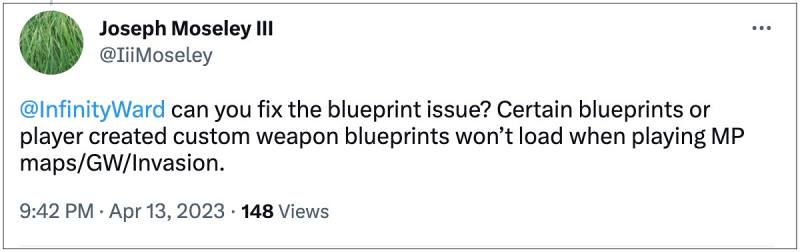
However, as of late, it’s giving quite a tough time to the end users. Numerous users have voiced their concern regarding the COD: Modern Warfare 2 Pro-Tuned Blueprints issue wherein they tend to spawn with no weapon in hand . The culprit might be the attachments that are equipped with firearms, as they tend to brick those weapons.
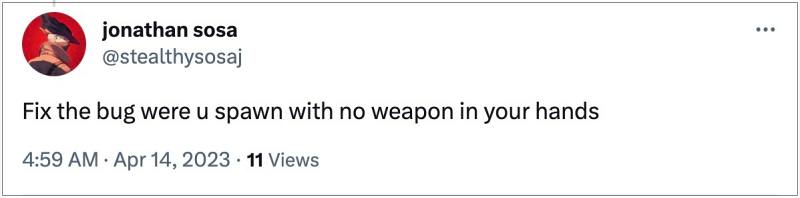
For example, i f you had a tuning saved from S2, then some weapons like Chimera foregrip and Tempus guard may be affected and as a result of this, the gun just won’t load at all. if you are also getting bugged by this issue, then this guide will help you rectify it. Follow along for the fix.
Fix COD Modern Warfare 2 Pro-Tuned Blueprints Bug
Many users were able to rectify this issue by using the default version of the weapon and tuning it instead of a Blueprint weapon. If that doesn’t work out, then you might have to take the longer route of going through each possible attachment and remove tuning, then go into the firing range, and check if the weapon spawns in. If it doesn’t, then go back and reload the saved loadout and remove tuning from the next attachment. You will have to carry out this tweak until it ultimately spells out success
So these were some handy tips that should help you fix the COD: Modern Warfare 2 Pro-Tuned Blueprints issue. As far as the official stance on this matter is concerned, the developers are yet to acknowledge this issue, let alone give out any ETA for the rollout of a fix. As and when any of these two things happen, we will update this guide accordingly. In the meantime, the aforementioned workarounds are your best bet.
- Cannot Claim Chimera Nullify Blueprint in Modern Warfare 2 [Fix]
- Bright Lights in COD Modern Warfare 2: How to Fix
- Modern Warfare 2 Kastov 545 30 round ammunition bug [Fix]
- COD Warzone 2 and Modern Warfare 2 Dev Error 11557 [Fixed]
(Cancel Reply)
Δ
