Pixel 6A/6/Pro Freezing on QPR3 Beta 3 Android 13: How to Fix
In this guide, we will make you aware of a couple of potential workarounds that might help you fix the issue of Pixel 6A/6/Pro Freezing on QPR3 Beta 3 Android 13. Google has recently rolled out the third beta build in the Android 13 QPR3 lineup. And from now onwards, only the users who were already on the QPR Beta will receive these updates.
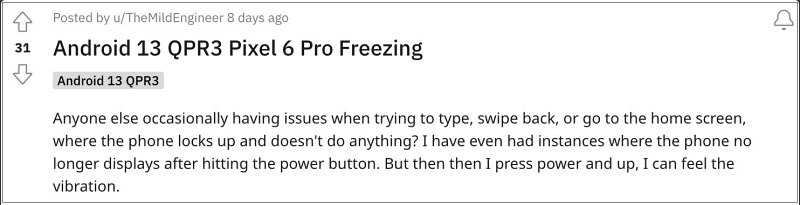
This usually starts when they bring up the keyboard and initially, only the keyboard and the currently opened app get affected. But within a few seconds, the entire OS hangs and ends up freezing. If you are also facing a similar issue, then this guide will make you aware of the steps to rectify this issue. Follow along.
- Fix Pixel 6A/6/Pro Freezing on QPR3 Beta 3 Android 13 Temporary Fix Permanent Fix
Fix Pixel 6A/6/Pro Freezing on QPR3 Beta 3 Android 13
There exist some temporary workarounds which are short and easier to execute but will only give you relief for a temporary time frame. Then there is a permanent fix which will rectify this issue for good but it comes at a cost. With that said, let’s have a look at both these methods:
Temporary Fix
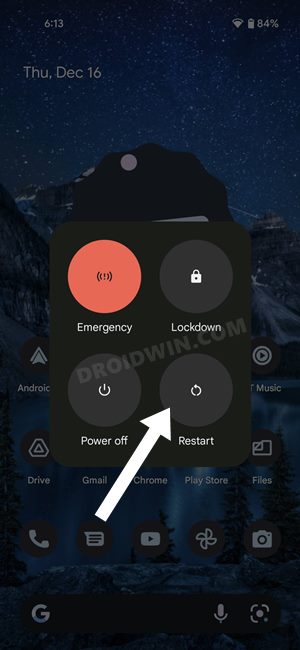
In some instances, simply locking and unlocking the device will fix the device crashing issue. If that doesn’t work, then a restart will do the job. Even if that doesn’t work out, then you’ll have to perform a force restart, For that, press and hold the Power key for around 15-2o seconds until your device undergoes a reboot.
Permanent Fix
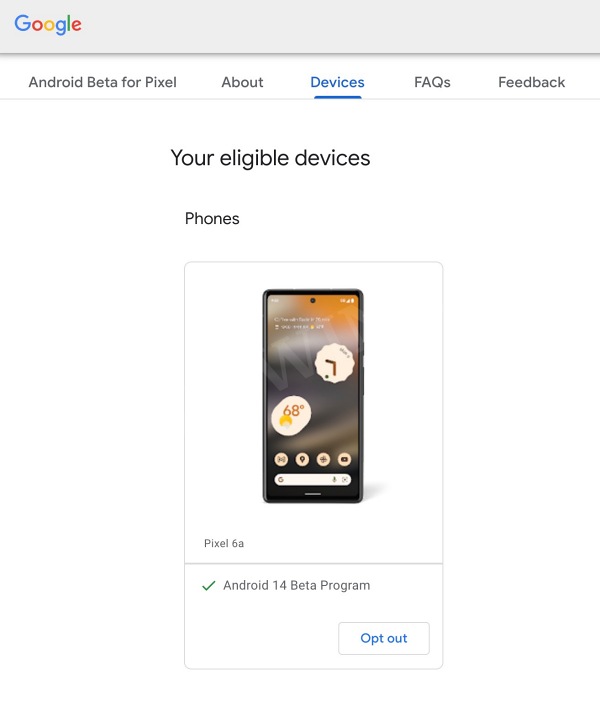
As of now, the only way through which you could be free from this issue is to leave this beta testing stage and roll back to the earlier stable build. However, doing so will wipe off all the data from your device. If that’s well and good, then head over to the QPR Beta builds page and unenroll your device from there. You will then receive the stable OS build which you should download and install right away.
That’s it. These were the two different methods that should help you fix the issue of Pixel 6A/6/Pro Freezing on QPR3 Beta 3 Android 13. As far as the official stance on this matter is concerned, the developers are aware of this issue, but they haven’t given out any ETA for the rollout of a fix. As and when that happens, we will update this guide accordingly. In the meantime, the aforementioned workarounds are your best bet.
- Fix Touch Screen not working when swipe down to open notifications in Android 13 QPR3 Beta 2.1
- Android 13 QPR3 Beta or 14 Beta: The Confusion Intensifies
- Android 13 QPR3 Beta 1: Notifications overlapping Quick Settings
- Flash Android 12 QPR3 Beta 3 Modem on Android 13 Beta 1

(Cancel Reply)
Δ
