Pixel Mobile Network not working on Android 14 [Fixed]
In this guide, we will show you various methods to fix the issue of the Pixel mobile network not working on devices running Android 14. The fourteenth iteration of the OS has been quite disastrous for the Pixel series, to say the least. To give you an idea of the same, many Pixel devices ended up in a bricked state right after installing the update. The lucky ones who managed to escape from this fiasco are now having to deal with tons of additional issues.
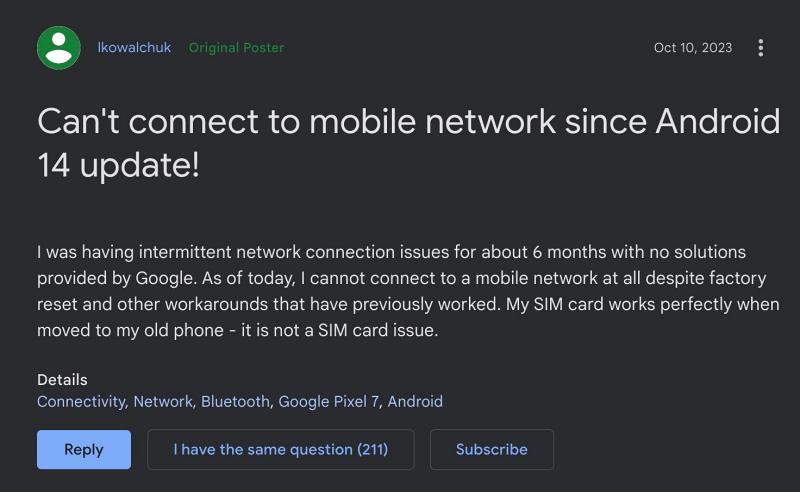
In this regard, one of the most concerning bugs is the fact that the Mobile Network is not working along the expected lines on numerous Pixel devices right after installing the latest Android 14 update. It simply states that No SIM Card Inserted or No Network and hence users are unable to make or receive any calls. If you are also getting bugged by these issues, then this guide is here to help you out. Follow along for the fixes.
Fix Pixel Mobile Network not working on Android 14
It is recommended that you try out each of the below-mentioned workarounds and then see which one spells out success. So with that in mind, let’s get started. Moreover, just need to click on the desired fix to open it.
FIX 1: Clear SIM Slot

FIX 2: Switch SIM Slots

FIX 3: Toggle Airplane Mode

FIX 4: Boot to Safe Mode

FIX 5: Disable 5G

FIX 6: Disable 2G

FIX 7: Disable Adaptive Connectivity

FIX 8: Turn off VoLTE and VoWiFi

FIX 9: Install Pending Update

FIX 10: Disable Dual SIM Dual Standby

FIX 11: De-Register iMessage

FIX 12: Reset APN

FIX 13: Reset Network
That’s it. These were the various methods to fix the issue of the Pixel mobile network not working on devices running Android 14. As far as the official stance on this matter is concerned, the developers are yet to acknowledge this issue, let alone give out any ETA for the rollout of a fix. As and when any of these two things happen, we will update this guide accordingly. In the meantime, the aforementioned workarounds are your best bet.
- Fix Slow WiFi on Mesh Network on Pixel 8 Pro
- Pixel 5G not working after Android 14 update [Fixed]
- Download and Install Android 14 GApps
- How to Fix WiFi not working on Android 14

- Jeff Russell 2 years ago Reply I was rebooting each time this happened. But I just toggled airplane mode, and it solved the problem. Thanks It’s amazing to me that the Pixel 8 Pro is touted as a flagship product. Since I purchased it (through xfinity) a few days after it was released, it often freezes or crashes or the phone says No network. Crazy!
(Cancel Reply)
Δ
