Pixel Watch 1 DND & Bedtime mode sync not working [Fix]
In this guide, we will show you a nifty workaround to fix the issue of Pixel Watch Gen 1 DND and Bedtime mode sync not working with the phone. The second iteration of the Pixel Watch comes with a DND sync functionality out of the box. As is evident from its name, it will allow you to enable/disable DND on your phone and the same result will be reflected on your watch as well [and vice versa].
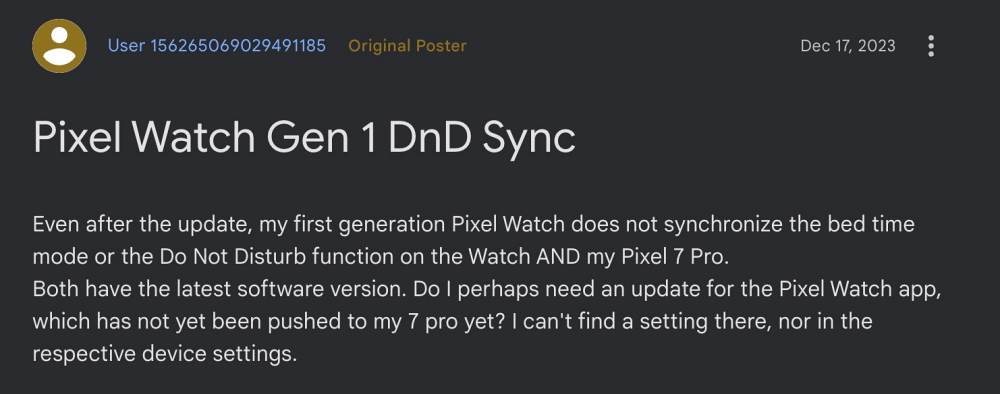
Now, with the latest December Feature Drop, the original Pixel Watch has also been blessed with this feature. However, many users have voiced their concern that the Pixel Watch Gen 1 DND and Bedtime mode sync is still not working or is missing even after installing the said update. If you are also facing the same issue, then this guide will make you aware of a nifty workaround to resolve this bug. Follow along.
- Fix Pixel Watch Gen 1 DND & Bedtime mode sync not working FIX 1: Update Pixel Watch App FIX 2: Pair with Watch 2
Fix Pixel Watch Gen 1 DND & Bedtime mode sync not working
It is recommended that you try out each of the below-mentioned workarounds and then see which one spells out success. So with that in mind, let’s get started.
FIX 1: UpdatePixel Watch App
First off, you should update the Pixel Watch app to the latest v2.2.0.585985448 update. At the time of writing, the said update is not available in the Google Play Store , so you’ll have to get hold of the same from APK Mirror or any other third-party site of your choice.
FIX 2: Pair with Watch 2
Next up, if possible, consider linking your Pixel Watch app with a Pixel Watch 2, and then to your Pixel Watch 1. This will refresh its underlying DND sync setting and then rectify the issue that we are currently dealing with.
- How to Disable Gmail Notifications on your Pixel Watch
- Pixel Watch Unlock Not Working: How to Fix
- How to Fix Pixel Watch Unlock Missing
- Pixel Watch 2 not charging: How to Fix

- Heriberto Vélez 2 years ago Reply Hi the link to APK, is not working.
(Cancel Reply)
Δ
