PlayStation Plus Error Code WS-46332-8: How to Fix
In this guide, we will make you aware of a nifty workaround to fix the PlayStation Plus Error Code WS-46332-8. This gaming console from Sony hardly needs an introduction of two of any sort. But what it does need is the rectification of bugs and issues at the earliest. Over the past few days, it has been plagued with tons of issues, with the likes of Error Code NP-34958-9 and License Verification Error being the two most prominent ones.
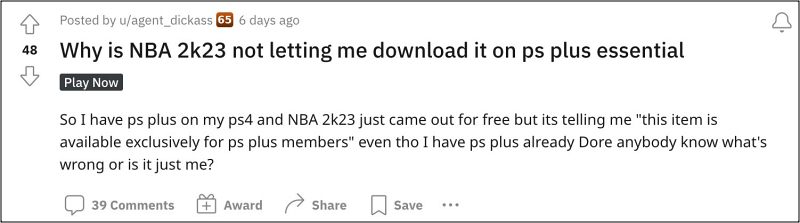
Apart from that, some are also getting the “ Cannot connect to the server (WV-33898-1)” error message. Moroever, all the affected users already have a PlayStation Plus membership, so the issue tends to get all the more complicated and infuriating in equal measures. With that said, there does exist a nifty workaround that might help you rectify this issue. So without further ado, let’s check it out
Fix PlayStation Plus Error Code WS-46332-8

- To begin with, install the PlayStation app on your phone/web browser.
- Then sign in to it. Once done, import the desired game into your library.
- Then go to the PlayStation library and download the game from there.
That’s it. This should fix the PlayStation Plus Error Code WS-46332-8. As far as the official stance on this matter is concerned, the developers are aware of this issue, but they haven’t given out any ETA for the rollout of a fix. As and when that happens, we will update this guide accordingly. In the meantime, the aforementioned workarounds are your best bet.
- HBO Max not working/crashing on PS4 & PS5: How to Fix
- Overwatch 2 Join Group/Invite not working on PS4/PS5 [Fix]
- DLCs removed and random error codes after PS4 v10 update [Fix]
- How to Fix Rust Game Freeze/Crash issues on Xbox, PS4, & PS5

(Cancel Reply)
Δ
