Plex Library not updating: How to Fix
In this guide, we will show you the steps to fix the Plex Library not updating issue. Without a shadow of a doubt, Plex is the most popular client-server media player platform apart from being a handy streaming media service. however, in spite of all the goodies attached, it isn’t free from its fair share of issues either. According to numerous users, the Plex Library is no longer updating with new content.
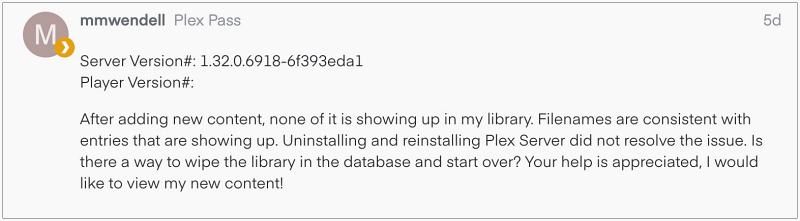
The issue first came to light after the latest version 1.32.0.6918 and is bugging the users ever since. To rectify it, users have already tried a manual scan via the “Scan Library Files” option and even reinstalled the Plex Server but to no avail. If you are also currently getting facing this issue, then this guide will make you aware of a nifty workaround as well as a potential fix for the same. Follow along.
Fix Plex Library not updating

Downgrade Plex on Windows, macOS, Nvidia Shield, Amazon Firestick
That’s it. These were the steps to fix the Plex Library not updating issue. As far as the official stance on this matter is concerned, the developers are aware of this issue, but they haven’t given out any ETA for the rollout of a fix. As and when that happens, we will update this guide accordingly. In the meantime, the aforementioned workarounds are your best bet.
- Plex Audio Sync Issue on Apple TV: How to Fix
- Plex Server Grey Screen on Mac: How to Fix
- Kodi add-on Plex not working after version 20 update? Try this!
- Plex for Apple TV Frame Drops in 4K [Fix]

(Cancel Reply)
Δ
