Public Mobile Carrier Data not working in iOS 15.4 Beta 2
In this guide, we will show you the steps to fix the Public Mobile carrier data not working issue in iOS 15.4 Beta 2. The second beta build of the latest OS build has just been released. And with that, there are quite a few new and noteworthy features that you are likely to welcome abode onto your devices. These include the Universal Control, Face ID with Mask, tons of new emojis, iCloud Keychain notes, Apple Card widget, and some developer-level changes.
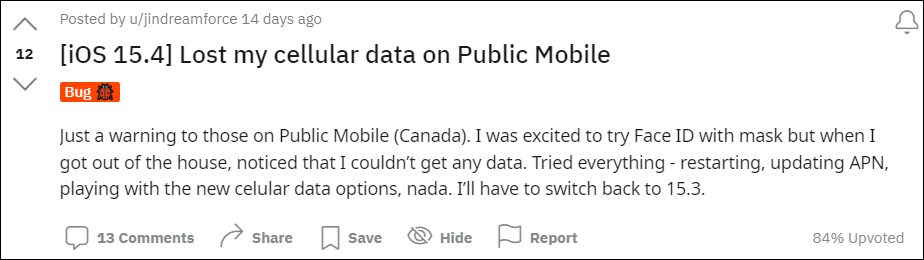
Along the same lines, this update also fixes a few underlying bugs, but there are still quite a few that needs to be ironed out. In this regard, one of the most concerning ones is the inability to use carrier data by the Canadian carrier Public Mobile users . Whenever users are trying to enable carrier data, they are instead getting the “Could not activate cellular data network” error message. To rectify this issue, users have already tried most of the basic network-related workarounds but to no avail.
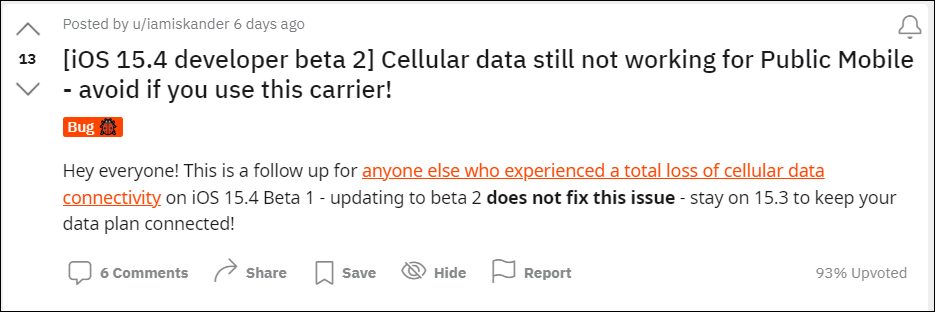
As far as the plausible reason behind this issue is concerned, it was initially attributed to the removal of the 3G settings in the Cellular Data Settings (one of the few iOS 15.4 changes that went under the radar). However, upon further investigating this issue, we found out that it stems from an APN level change that has occurred after you had installed the beta update. So how to revert this change, and henceforth, how to fix the Public Mobile carrier data not working issue in iOS 15.4 Beta 2? Well, let’s check it out.
- How to Fix Public Mobile Carrier Data not working in iOS 15.4 Beta 2 Canada Public Mobile APN Profile for Carrier Data Canada Public Mobile APN Profile for MMS
How to Fix Public Mobile Carrier Data not working in iOS 15.4 Beta 2
Right after the Canadian users updated their iPhone to iOS 15.4 version 19E5209h, they noticed that the APN Setting has been changed from PM to Telus. So to resolve this problem, you will have to switch back to PM. To do so [proceed ahead at your own risk], you will first have to delete the existing APNs. For that, head over to any one of the two locations:
- Settings > Cellular > Cellular Data Options > Cellular Network
- Settings > Mobile Data > Mobile Data Options > Mobile Data Network
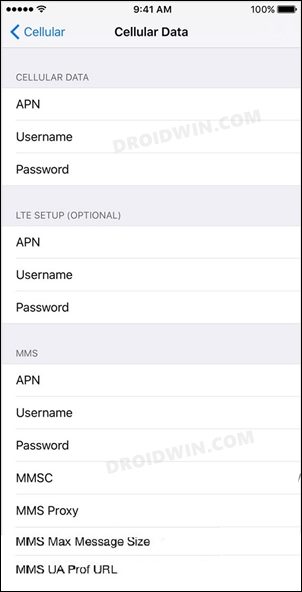
Now start off by deleting the existing APN profile. Once done, refer to the below steps to create two new APNs (the first APN is for carrier data whereas the second one is for MMS). Do keep in mind that the values that we haven’t mentioned here should be left blank (such as Username, Password, Proxy, Port, etc).
Canada Public Mobile APN Profile for Carrier Data
- Name: CA- Public Mobile Web
- APN: sp.mb.com
- MMS Protocol: WAP 2.0
- Authentication Type: PAP
- APN Type: default, supl
Canada Public Mobile APN Profile for MMS
Name: CA- Public Mobile Web
MMS Protocol: WAP 2.0
Authentication Type: PAP
APN Type: mms
Chrome not working on iOS 15.2 | Stuck at Welcome to Chrome [Fixed]
Gboard Emoji, GIF, Stickers Crashing after iOS 15.2 update
Apple Music iOS 15.1: Siri Cannot Rate Song Error [Fixed]
False AirPods left behind notifications in iOS 15? You’re not alone!

(Cancel Reply)
Δ
