Show media playback controls missing in Google Maps [Fixed]
In this guide, we will show you the steps to fix the issue of the Show media playback controls option missing in Google Maps. This web mapping software from the Silicon Valley giant beholds a slew of nifty features up its sleeves, and we aren’t just talking about the direction-related functionalities. Well, you could even manage your favorite songs from the preferred music player directly from within the app itself.
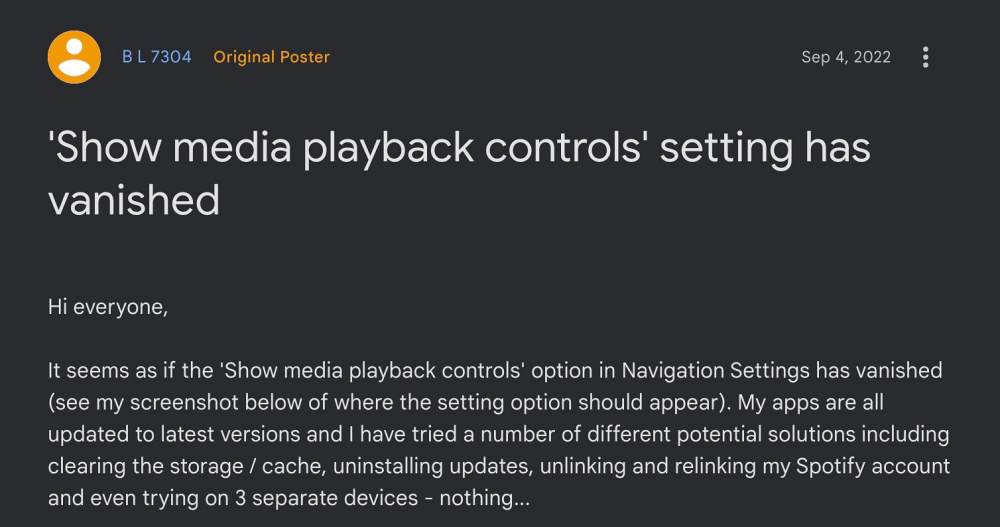
As a result of this, you would no longer have to switch between the music player and the Maps app while driving which in turn will allow you to have your undivided attention on your driving. However, as of now, numerous users have voiced their concern that the Show media playback controls option is missing in Google Maps. If you are also in the same boat then this guide will show you a nifty workaround to rectify this issue. Follow along.
Fix Show media playback controls missing in Google Maps [Fixed]
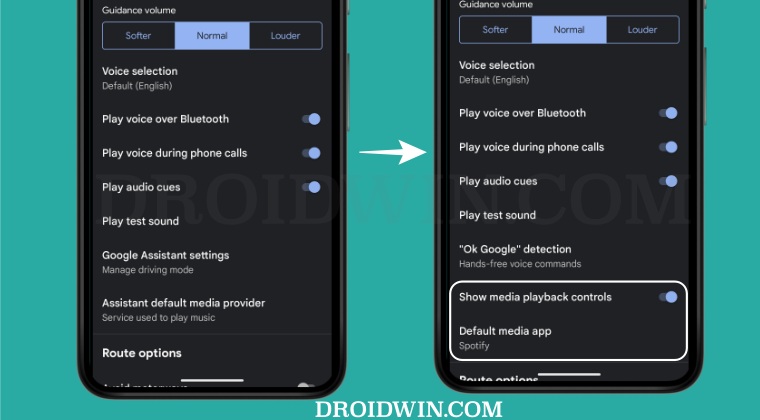
The culprit behind this issue is Google Assistant. So to rectify this bug, you will have to disable it. While this is not the perfect fix to get this job done but as of now, this is our only way out. So refer to the below steps to implement this workaround right away:
- Launch the Google app, tap on your profile at the top right, and select Settings.
- Then go to Google Assistant> General and disable the toggle next to Google Assistant.
- Now go to Settings > Apps > See All Apps > Google Maps and tap on Force Stop > OK.
- Once done, launch Google Maps tap on your profile at the top right, and select Settings.
- Then go to Navigation Settings and you should now see the Show media playback controls option.
- So enable the toggle next to it and then select Default Media app.
- Now choose the desired media player from the list and hit Next > OK.
- Google Maps in third-party apps freezes screen in Android 13 [Fixed]
- Google Maps No Results Found Error: How to Fix
- Install Google Assistant in Galaxy Watch 5/Pro [Unsupported Countries]
- Google Assistant Reminder Pull Down Menu Bug [Fix]

- Antonio 2 years ago Reply I’ve been waiting for this for over a year! I had switched to Waze ONLY for this feature, after Google decided to disable Android Auto for smartphones. Thank you very much!
- Lydia 3 years ago Reply Thank you, thank you, thank you. FINALLY! I have been at this for months and gave up on finding a solution. I don’t know how I came across this, but it helped. Thank you so much. It’s step by step, easy steps, and with a solution that works. Everybody else keeps saying the same thing with no results. Whatever dumb nonsense is going on in Google needs to be fixed. Thank you again for the help, I hope others find this too.
- kratoz29 3 years ago Reply It is pretty stupid from Google to have Google Assistant disabled to bring this feature back…
(Cancel Reply)
Δ
