SIM Settings greyed out on Pixel: How to Fix
In this guide, we will show you various methods to fix the issue of SIM Settings being greyed out on your Pixel device. From the sixth iteration of devices, Google decided to ditch the Qualcomm chipset in favor of its own Tensor chipset [with a touch of Exynos]. And things haven’t gone down too well ever since. Issues such as poor modem, unstable network connectivity, and excessive battery drainage have been a constant roadblock in the everyday usage of this device.
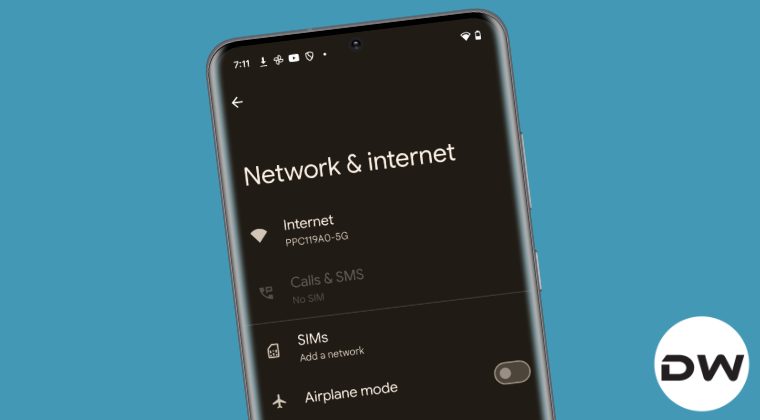
Adding to the misery of the Pixel users are the bugs such as the SIM Settings being greyed out on their device. When that happens, users are unable to edit the SIM-related settings or carry out APN-related tweaks. Well, some had to face a much worse situation and they were unable to make and receive calls or use carrier data. Well, some have even said that the IMEI number disappeared right after this issue. If you are also getting bugged by any of these issues, then this guide will help you out. Follow along for the fixes.
Fix SIM Settings greyed out on Pixel
It is recommended that you try out each of the below-mentioned workarounds and then see which one spells out success. So with that in mind, let’s get started. Moreover, you just need to click on a fix to open it .
FIX 1: Clear SIM Slot
FIX 2: Switch SIM Slots
FIX 3: Toggle Airplane Mode
FIX 4: Boot to Safe Mode
FIX 5: Disable 5G
FIX 6: Disable 2G
FIX 7: Disable Adaptive Connectivity
FIX 8: Turn off VoLTE and VoWiFi
FIX 9: Install Pending Update
FIX 10: Disable Dual SIM Dual Standby
FIX 11: De-Register iMessage
FIX 12: Use Pixel Software Repair
FIX 13: Reset APN
FIX 14: Reset Network
Pixel 8 Pro T-Mobile eSim not receiving SMS: How to Fix
How to SIM Unlock Pixel 7A/7/Pro without a PC or app!
Pixel eSIM Activation Error: Couldn’t Activate Service [Fix]
Dual SIM Color Bug in Google Phone App on Pixel [Fix]

(Cancel Reply)
Δ
