Snapchat not working with Custom ROMs: How to Fix
In this guide, we will show you a couple of nifty workarounds that should help you fix the issue of Snapchat not working with Custom ROMs. One of the biggest UPSs of this multimedia instant messaging is the support for sending time-restricted pictures and messages before they disappear. However, as of late, users are unable to even log in to this app and are instead greeted with the following error message: Due to repeated failed attempts or other unusual activity, your access to Snapchat is temporarily disabled.
Stangerly [and fortunately] their account is only disabled on the custom ROMs, they are still able to log in once they revert to the stock ecosystem. While that’s well and good, not every tech enthusiast will be willing to ditch their preferred Custom ROM for the sake of this app. So is there any way through which both these parties could co-exist concurrently? Well, there do exist a couple of nifty workarounds that should help you fix the issue of Snapchat not working with Custom ROMs. So without further ado, let’s check them out.
- Fix Snapchat not working with Custom ROMs FIX 1: Try ‘this’ APK Version FIX 2: Pass Play Integrity FIX 3: Hide Root from Snapchat
Fix Snapchat not working with Custom ROMs

It is recommended that you try out each of the below-mentioned workarounds and then see which one spells out success. So with that in mind, let’s get started.
FIX 1: Try ‘this’ APK Version
It is recommended that you try out app version 11-95-0-39 and then check out the results. Many users were able to use Snapchat on their custom ROMs after using this specific APK version.
FIX 2: Pass Play Integrity
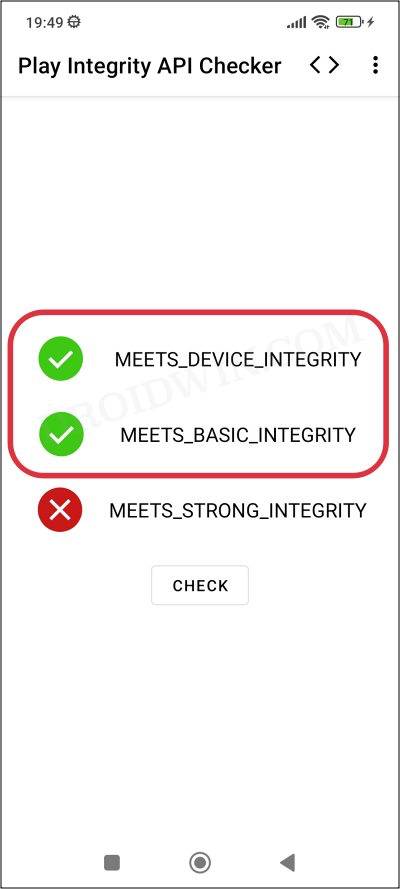
Apart from banking and payment, many apps across other domains have also added the requirement that your device should pass the Play Integrity Test. But when it comes to custom ROM, most [or nearly all] of them fail the test out of the box. Therefore, it is recommended that you pass the test using our guide on How to pass Meets Device and Basic Integrity via Play Integrity Fix .
FIX 3: Hide Root from Snapchat
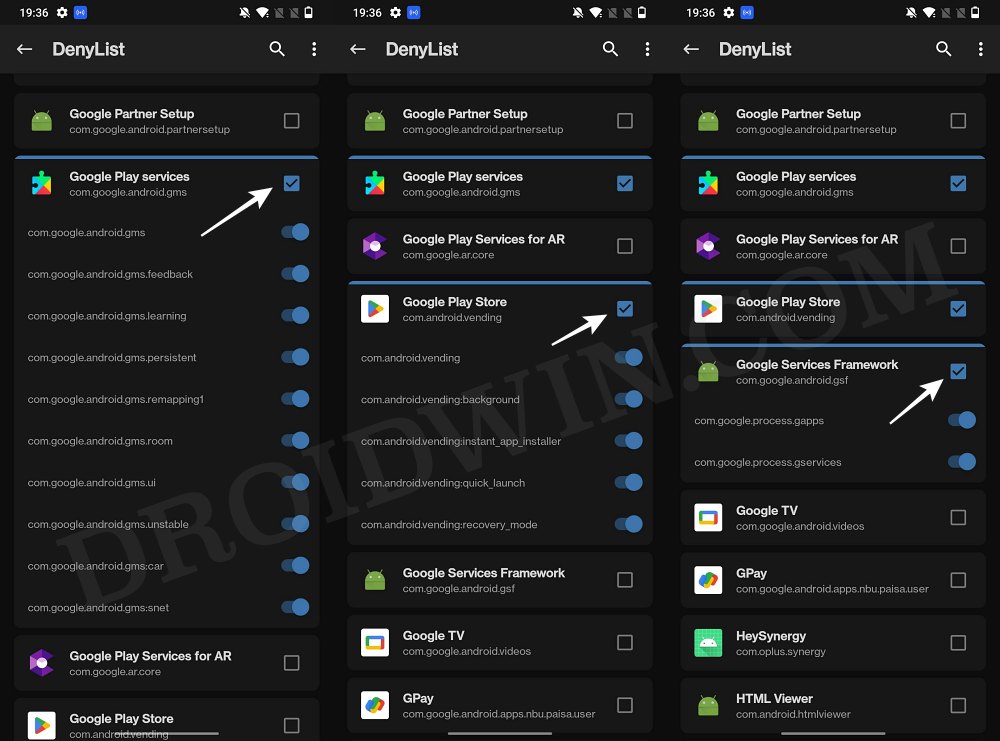
Once you have passed the Play Integrity Test, your next course of action should be to hide the root from the Snapchat app as well. For that, you could refer to our guide on How to Hide Root from Apps via Magisk DenyList [Android 14] .
- Snapchat not working with KernelSu Root: How to Fix
- Snapchat Play Store: ‘This app won’t work for your device’ [Fixed]
- How to Stop Spam Bot Requests on Snapchat
- How to Stop Messages from Team Snapchat or Block Them

(Cancel Reply)
Δ
