Something Went Wrong With Instagram [Fixed]
In this guide, we will show you various methods to fix the “Something Went Wrong With Instagram” error. This app has been having a rough few weeks, especially on Android devices. Initially, it was bugged with a rather intriguing issue wherein the reel’s thumbnail appeared under every comment. Then it was the case of the Posts feed appearing completely empty , with all the posts missing from their feed, which gave a scary time to the users.

Right after that, users complained that the app force-closed whenever they started watching reels, and now, it is closing as soon as the app is launched. When that happens, users are greeted with the “Something Went Wrong With Instagram” error message. If you are also greeted with the same error, then this guide will help you rectify it. Follow along for the fixes.
- Fix Something Went Wrong With Instagram FIX 1: Force Stop FIX 2: Delete Cache FIX 3: Delete Data FIX 4: Downgrade App FIX 5: Join Beta
Fix Something Went Wrong With Instagram
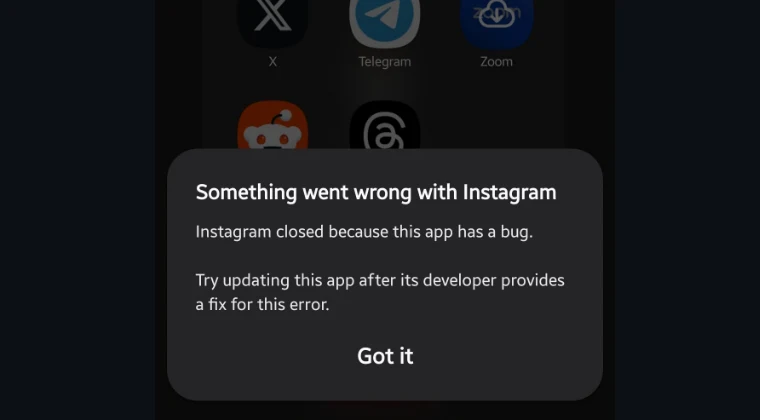
It is recommended that you try out each of the workarounds mentioned below and then see which one yields success. So with that in mind, let’s get started.
FIX 1: Force Stop
- Head over to Settings > Apps > Instagram.
- Now tap on Force Stop > OK in the prompt.
- Check whether the posts are visible now or not.
FIX 2: Delete Cache
- Head over to Settings > Apps > Instagram.
- Tap on Delete Cache and verify the results.
FIX 3: Delete Data
- Head over to Settings > Apps > Instagram.
- Now tap on Delete Data > OK in the prompt.
- Launch Instagram and log in to your account.
- Check if the posts are now visible in your feed.
FIX 4: Downgrade App
- Head over to Settings > Apps > Instagram.
- Then, tap on Uninstall > OK in the prompt.
- Now go to APKMirror and download an older version of the app.
- Then install it, launch it, and check out the result.
FIX 5: Join Beta
In the majority of cases, the issue might only impact the stable build, and the beta one is usually free from these problems. So you can head over to this link and get yourself enrolled as a beta tester. Then go to the Play Store and update the app. Once done, launch Instagram and check if the underlying issue has been rectified or not.

That’s it. These were the various methods that should help you fix the “Something Went Wrong With Instagram” error. As far as the official stance on this matter is concerned, the developers are yet to acknowledge this issue, let alone give out any ETA for the rollout of a fix. As and when any of these two things happen, we will update this guide accordingly. In the meantime, the aforementioned workarounds are your best bet.
- Meta is Erroneously Banning Facebook and Instagram Accounts?!
- Cannot Save Instagram Story to Device [Fixed]
- Instagram App Battery Drain on Android: How to Fix
- Instagram DM notification showing numbers instead of username

(Cancel Reply)
Δ
