Synced Content taking way too much storage on iOS 17
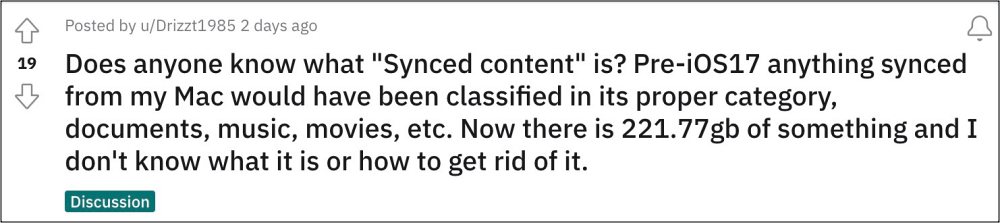
Is the Synced Content taking up way too much storage on iOS 17? You’re not alone! The latest iteration of the OS build has bought a slew of goodies to the fore. However, let’s not forget the fact that it is still in the testing phase, so there are bound to be a few rough edges [as is evident from our comprehensive coverage of iOS 17 bug sand issues]. Unfortunately, that linked guide might soon welcome a new member to its list.
Synced Content taking way too much storage on iOS 17
At the time of writing [iOS 16 Beta 6] numerous users have voiced their concern that the Synced Content is taking way too much storage space on their iPhone running the latest iOS 17. For some users, the data has been duplicated and are appearing twice, thereby taking up considerable storage space on their devices.
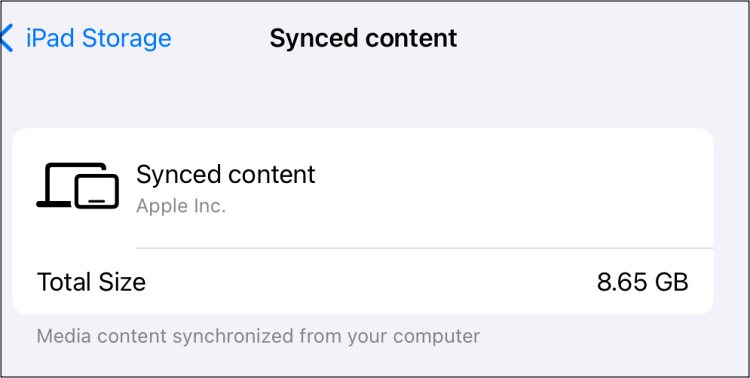
UPDATE 1: Synced Content Storage issue persists in iOS 17 Stable!
Initially, the issue was reported in the iOS 17 beta build and such issues are expected in the testing phase. However, it is really surprising to note that Synced Content is still taking up way too much storage space even on the iOS 17 stable version. Another intriguing point to note is the fact that some users did manage to temporarily resolve this issue by doing a couple of restarts, so they are categorizing it as a UI bug
- iPhone Music App not working on iOS 17: How to Fix
- iOS 17: contact poster using a nickname instead of first & last name!
- Next Backup Size Larger Bug in iOS 17? You’re not alone!
- Fix iPhone Screen Time not working/Incorrect Data on iOS 17

- john harris 2 years ago Reply I have a synced media file of nearly 24 Gb on my 64 Gb iPhone 11 Pro. I store my music files on my phone which doesn’t help but with the iOS and system files as well taking up huge amount of space I’m in problems! I don’t have the room to update to latest version of ios17 without finding extra space. Apple told me to connect my phone to iTunes to make sure sync isn’t on. Have done that but it’s just the same! They also told me to reset my phone but that hasn’t done anything but upset my settings! Got no idea what to do beyond erasing everything and starting with clean install!
- John Tiley 2 years ago Reply 16.2 gb showing after upgrade on iPad. My iPad is now warning I’m at storage nearly full, although plenty of space prior to upgrade. Do we know what Apple are doing???
- Perry Perez 2 years ago Reply Synced content is definitely an issue. Suddenly lost 23 gigs of storage after “upgrading” to iOS 17.
(Cancel Reply)
Δ
Next Backup Size Larger Bug in iOS 17? You’re not alone!
Many users have voiced their concern that the next backup size is going to be significantly larger than their previous one in iOS 17. At the time of writing, Apple is testing out the second Public Beta and the fifth Developer Preview. Since both of them are currently in the testing phase, it’s near about along the obvious lines that the OS is bound to get bugged with a few bugs and issues [which has indeed been the case ].
Next Backup Size Larger Bug in iOS 17
However, the latest one seems to have left quite a few users stumped. Many of them have reported that the Next Backup feature on their iPhone is showing up to 20-30GB larger than their previous one. Upon further digging up the files that it might back up, well, they are even seeing the likes of Google Drive, One Drive, Dropbox, and offline YouTube videos [serioulsy, we are not joking!].
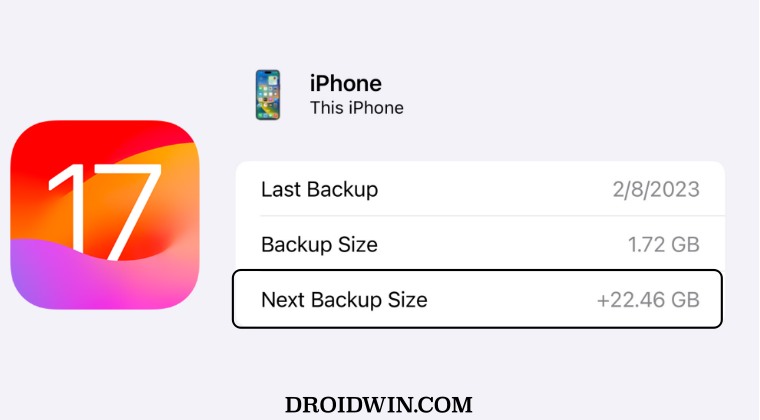
They could verify the same by heading over to S ettings > iCloud > Manage storage > backups > tap my iPhone, and checking out all the data that’s going to be in the next backup. As of now, there doesn’t seem to be any workaround that seems to be addressing this issue. While we are waiting for the third public beta to arrive [which could be here in a day or two], it’s recommended that you file a bug report using the Feedback app installed on your device at the earliest.
As far as the official stance on this matter is concerned, the developers are yet to acknowledge this issue, let alone give out any ETA for the rollout of a fix. As and when any of these two things happen, we will update this guide accordingly. In the meantime, the aforementioned workarounds are your best bet.
- iOS 17 Unable to Check for Update [Workaround]
- Fix iPhone Screen Time not working/Incorrect Data on iOS 17
- Fix Apps not showing Notification Badge on iOS 17
- How to Fix CarPlay not working on iOS 17
- AdGuard not working on Safari on iOS 17: How to Fix
(Cancel Reply)
Δ
