This file is too big to recycle in Windows 11: How to Fix
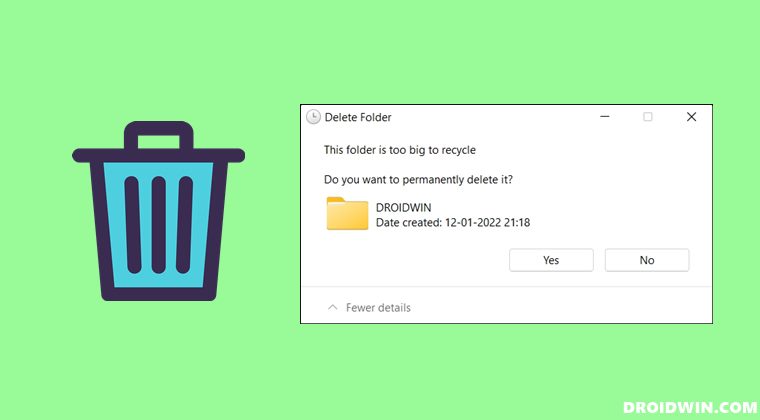
In this guide, we will show you the steps to fix the “This file is too big to recycle” error in Windows 11. Whenever you send any file or folder to the trash, it remains until there is a need to make more space. When that happens, it will automatically delete the oldest files present in the bin so that the new files could make an abode there. But even then, the Recycle Bin is only allocated a specific size restriction.
If you send a file or folder larger than that, you will straightaway be greeted with the “This file/folder is too big to recycle” error. In this regard one approach is to permanently delete that content, however, that isn’t the most feasible or viable method. This is because one major reason why users prefer to send files to the bin is the fact that they could easily restore them as and when needed.
So what else could one opt for in such cases? Well, you could increase the default size limit of the bin so that it could incorporate larger files and folders. And in this guide, we will show you how to do just that. So without further ado, let’s get started with the steps to fix the “This file is too big to recycle” error in Windows 11.
How to Fix This file is too big to recycle in Windows 11
- Right-click on the Recycle Bin icon present on your desktop and select Properties.
- Now select Custom size and input the desired value in MBs.
- Make sure to allocate the value respecting the hard disk space on your PC.
- Once you have entered the desired value, click Apply followed by OK.
- That’s it. You may now send large files/folders without being greeted with the error message.
- How to Enable Delete File Confirmation Dialog in Windows 11
- Task Manager Performance Tab Crashing in Windows 11 Insider [Fixed]
- How to Enable the New Windows 11 Alt-Tab Switcher
- Explorer.exe crashing on changing Volume/Brightness in Windows 11

(Cancel Reply)
Δ
