Unable to Format to Remove Encryption Error: 255 [Fixed]
Recently, I was flashing the LineageOS Extended ROM onto my Poco F5 and chose the usual route for that- format data > flash ROM > format data. However, it was the last stage that I got stuck at. Right after flashing the ROM, when I proceeded to do a reset, I was greeted with a lengthy error message, the most important part of which was: “Unable to Wipe Data. Unable to format to remove encryption. Error: 255”.
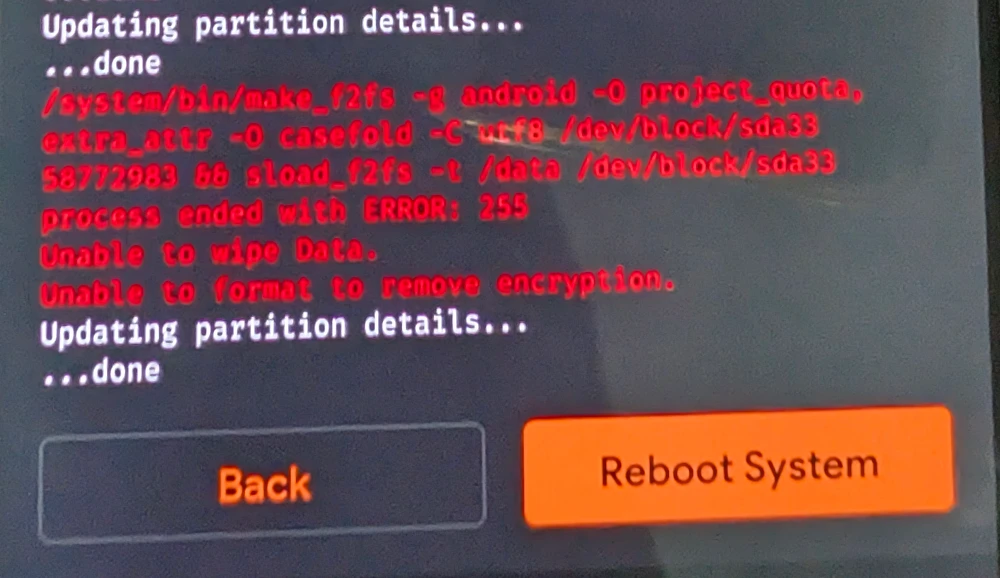
As a result of this, you wouldn’t be able to boot your device to the OS, as doing a reset is a must after flashing the ROM. While I used OrangeFox, you would be facing the same issue across TWRP or PitchBlack as the issue isn’t related to the type of recovery you’re dealing with. I did some debugging and ultimately managed to rectify the issue, which turned out to be quite an easy one. So without any further ado, let’s check it out.
Fix Unable to Format to Remove Encryption Error: 255
The process will obviously erase all the data from your device, so only proceed if that’s fine with you and you have taken a backup beforehand. Droidwin and its members wouldn’t be held responsible in case of a thermonuclear war, your alarm doesn’t wake you up, or if anything happens to your device and data by performing the below steps.
- From the recovery, go to Reboot and select Bootloader [do not select Fastboot].
- Then connect your device to the PC via USB.
- Now download and extract Android SDK Platform Tools on your PC.
- Then open Command Prompt inside the platform-tools folder and do a reset via: fastboot erase userdata
- Finally, you may take either of the two approaches: fastboot reboot //to reboot to the OS fastboot reboot recovery //to go back to the recovery mode
- How to Disable Force Encryption on Android via DFE and TWRP
- How to Remove Data Encryption and Decrypt Data in TWRP
- Guide to OEM/Bootloader Unlock and Root in One UI 8 [All Samsung]
- How to Flash Files on Encrypted Device Without Factory Reset

(Cancel Reply)
Δ
