WhatsApp Account Banned on Xiaomi: How to Unban it
In this guide, we will show you a couple of methods to fix the issue of the WhatsApp account being banned on your Xiaomi device, or in other words, unban your account. When it comes to instant messaging services, then there’s hardly an iota of doubt that the offering from Meta is the best in this domain. However, it currently seems to be giving quite a tough time to various Xiaomi/Poco/Redmi/Mi device owners.
Numerous users have reported that as soon as they switch over from their old device to a newer Xiaomi phone and install WhatsApp on it, they straightaway get banned for no reason whatsoever. When they get in touch with the WhatsApp Support Staff, they are notified that their account has been banned due to suspicious activities and violations, even though they haven’t carried out any such activities.
Upon further investigation, WhatsApp did unban their account but only to ban it again a few hours later. Moreover, the issue has also been reported across WhatsApp Beta and Business and even the Dual Profile version. If you are also facing any of these issues, then this guide will help you rectify them. Follow along.
- WhatsApp Account Banned on Xiaomi: How to Unban it FIX 1: Use Two-Factor Authentication FIX 2: Switch to Custom ROM
WhatsApp Account Banned on Xiaomi: How to Unban it

It is recommended that you try out each of the below-mentioned workarounds and then see which one spells out success. So with that in mind, let’s get started.
FIX 1: Use Two-Factor Authentication
As soon as the ban’s time is over [which is usually 6 hours], uninstall the app from your device, reinstall it and straightaway enable 2Fa before carrying out any other task. This tweak seems to have worked out for many, so let’s give it a try and check out the results.
- To begin with, wait for the ban’s time frame to get over.
- Then go to Settings > Apps > WhatsApp > Uninstall > OK.
- Now install WhatsApp from the Play Store and launch it.
- Then tap on your profile and go to Account > Two-Step Verification.
- Now turn it on and type in a new PIN to set it up. That’s it.
FIX 2: Switch to Custom ROM
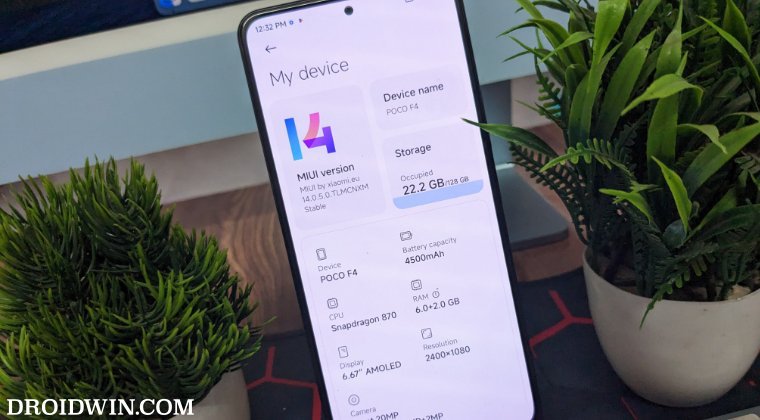
Since most of the reports are coming from the Xiaomi device running the CN ROM, it might be the case of the OEM incorrectly flagging Chinese firmware as malicious. Therefore, you could consider switching over to a custom ROM. In this regard, there are two options. If you wish to stay in the MIUI ecosystem, then opt for Xiaomi EU ROM . On the other hand, if you are looking to try out the AOSP experience, then the likes of Pixel Experience and LineageOS are your best bet.
- Fix Custom Stickers Not Working in WhatsApp
- Cannot Receive WhatsApp Verification Code: How to Fix
- Fix WhatsApp notifications not working on Galaxy Watch
- Fix WhatsApp Notifications not working on Mac

(Cancel Reply)
Δ
