WhatsApp Notification not working on iOS 17: How to Fix
In this guide, we will show you various methods to fix the issue of WhatsApp notifications not working on iOS 17. When it comes to instant messaging services, then there’s hardly an iota of doubt that the offering from Meta is among the best [or the best] in this domain. Not just for personal messaging, it has even become the go-to choice in a few professional workspaces as well. So there’s bound to be a matter of concern when the app doesn’t work along the expected lines.
And that is what seems to be the case with the latest iteration of the OS. This is because numerous users have voiced their concern that the WhatsApp notifications are not working along the expected lines on their iPhones running the latest iOS 17 build. For some, the issue is just with the notification sound, they could at least see the alerts on the lock screen and notification panel. However, for others, the issue is much worse as they don’t get any of these types of alerts.
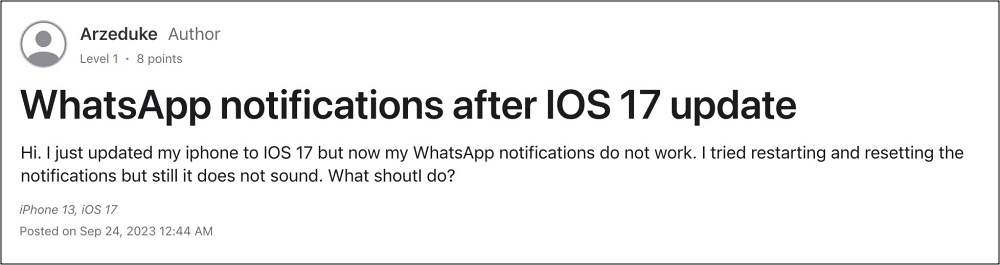
As a result of this, they have to manually launch the app at frequent intervals to verify if there is a new message or not. This proves to be a cause of great inconvenience and is no doubt quite a cumbersome process as well. With that said, there does exist a plethora of nifty workarounds that should help you rectify this issue. So without any further ado, let’s check them out.
Fix WhatsApp Notification not working on iOS 17
It is recommended that you try out each of the below-mentioned workarounds and then see which one spells out success. So with that in mind, let’s get started. [Just click on the desired fix to open it].
FIX 1: Restart & Force Reboot Device
FIX 2: Toggle Notifications
FIX 3: Toggle Show Previews
FIX 4: Check Focus Mode Settings
FIX 5: Disable Do Not Disturb
FIX 6: Disable Notification Summary
FIX 7: Disconnect your Apple Watch
FIX 8: Check Internet Settings
FIX 9: Install Pending Updates
FIX 10: Reset All Settings
FIX 11: Reset Device
Move WhatsApp chats from Android to iPhone: Something went wrong [Fix]
WhatsApp Crashing on iPhone 13 Pro Max: How to Fix
Fix Custom Stickers Not Working in WhatsApp
WhatsApp using Device’s Microphone even when not running [Fix]

(Cancel Reply)
Δ
