Wide angle 0.7 zoom out missing from Pixel front camera [Fixed]
In this guide, we will show you various methods to fix the issue of the wide angle 0.7 zoom option missing from the Pixel front camera. When it comes to smartphone photography, then one cannot deny the fact that the offerings from the Silicon Valley giant are the absolute best in this domain. Moreover, over the past year, Google has added tons of nifty Artificial Intelligence features to its Camera as well as the Photos app, thereby further enhancing the camera experience.
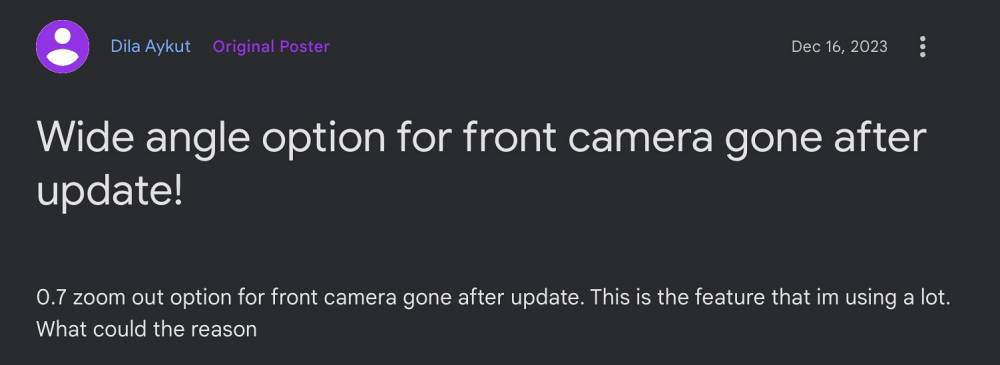
However, as of late, users are having to deal with a rather infuriating as well as equally surprising bug. Many of them have voiced their concern that the wide angle 0.7 zoom option is missing from the front camera on their Pixel device. The issue came to light right after installing the latest December update and has bugging the users ever since. If you are also facing the same issue, then this guide will help you out. Follow along for the fixes.
Fix Wide Angle 0.7 Zoom option missing from Pixel front camera
It is recommended that you try out each of the below-mentioned workarounds and then see which one spells out success. So with that in mind, let’s get started.
FIX 1: Boot to Safe Mode
FIX 2: Force Stop Camera
FIX 3: Disable and Re-Enable Camera
FIX 4: Toggle Camera Access
FIX 5: Remove Battery Limitations for Camera
FIX 6: Unpause App Activity of Camera
FIX 7: Delete Data of Camera
FIX 8: Downgrade Google Camera
FIX 9: Use Alternative Camera Apps
FIX 10: Factory Reset Device
FIX 11: Disable Multiple Profile
FIX 12: Opt Out of Beta [For Android 14 Beta Users]
FIX 13: Downgrade Security Patch: Fastboot | Flash Tool
How to Disable Ultra HDR in Pixel Camera
Google Lens Missing from Pixel Camera on Android 14 [Fix]
Delayed Camera Flash on Pixel 7 Pro: How to Fix
Android 14 Black Camera Viewfinder bug on Pixel: How to Fix

(Cancel Reply)
Δ
