Xiaomi: The system is being upgraded [Fix]
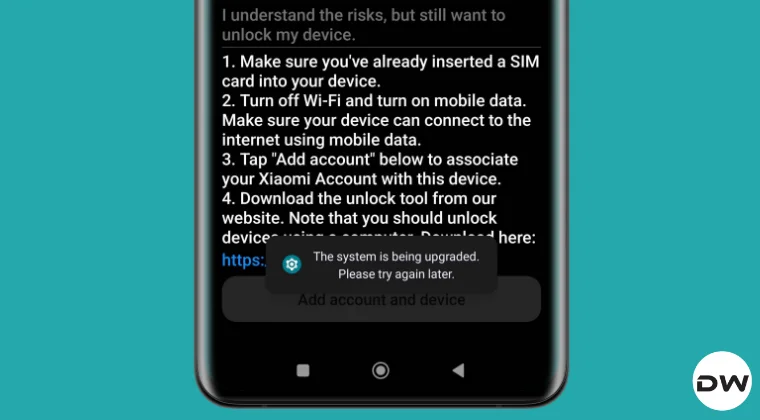
Unlocking the bootloader on a Xiaomi is in itself quite a challenging task. On top of it, the issues like the one we are discussing here only makes the matter worse. Numerous users have voiced their concern that when they head to Settings → Additional Settings → Developer Options → Mi Unlock Status, they are greeted with the following error message: “The system is being upgraded. Please try again later.”

As a result of this, they are unable to bind their Xiaomi account to their devices and initate the unlocking process. If you are also facing the same issue, then this guide will help you out. Follow along for the fixes.
Fix Xiaomi: The system is being upgraded
Given below are numerous methods thatmight help you adress this problem. Try out each of them and see which one spells out success for you. Likewise, take a complete device backup beforehand. Droidwin and its members wouldn’t be held responsible in case of a thermonuclear war, your alarm doesn’t wake you up, or if anything happens to your device and data by performing the below steps.
Boot your device to Safe Mode and see if you’re stil getting this message. If you aren’t. then the culprit is a third-party app that you had recently installed. So boot your device back to normal mode, uninstall one app at atime until the underlying issue is fixed.
Make sure to install all the pending updates, if any.
Make sure the SIM Card is inserted with active data connection. This s because during the unlocking process, WiFi needs to be turned off and the entire process is carried via the data connection only.
Log out of your Mi Account and then sign back in.
Make sure that Find My Device is turned on [it has been renamed to Find Hub on newer devices]. If it is already on, then turn it off and then turn it back on.
Reset the device to factory settings [take a backup beforehand] and then check out the result.
If none of them worked out, then try using this Avoid Quota Limit Script and see if it works in your favor.
Guide to Unlock Bootloader on Xiaomi HyperOS 2 Android 15
How to Bypass Xiaomi HyperOS Bootloader Unlock Requirement!
How to Unlock Xiaomi Bootloader without PC or Mi Unlock Tool!
Xiaomi Might No Longer Allow Bootloader Unlocking on MIUI

(Cancel Reply)
Δ
