Yahoo Shared Calendar Sync Issue on iPhone: How to Fix
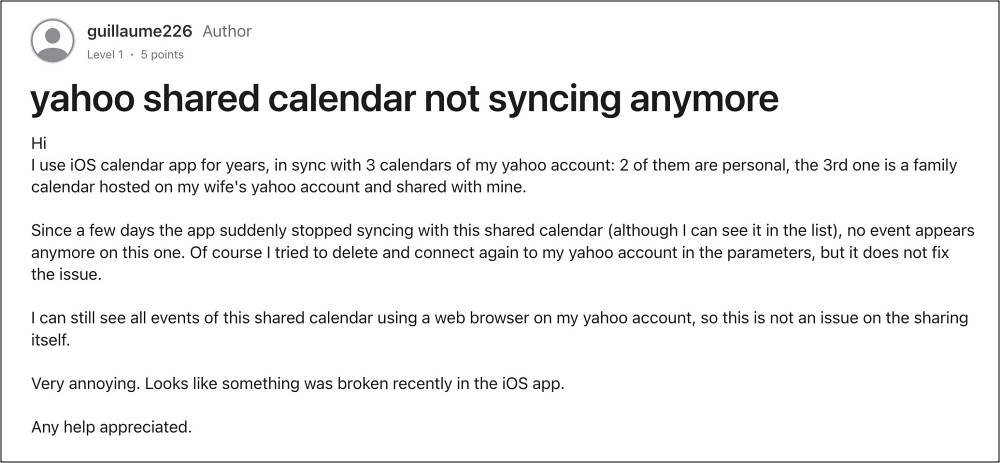
Numerous users have voiced their concern that their Yahoo shared calendar is no longer in sync on their iPhone. As a result of which, they don’t show on the iPhone Calendar app. Some users are also reportedly getting Error 503 or 504 alongside this issue. If you are also getting bugged by this problem, then this guide will make you aware of numerous workarounds to rectify it. Follow along.
- Fix Yahoo Shared Calendar Sync Issue on iPhone FIX 1: Toggle Calendar FIX 2: Toggle Shared Calendar FIX 3: Verify Yahoo Account Settings FIX 4: Change Account Password FIX 5: Re-add Shared Calendar
Fix Yahoo Shared Calendar Sync Issue on iPhone
It is recommended that you try out each of the below-mentioned workarounds and then see which one spells out success. So with that in mind, let’s get started.
FIX 1: Toggle Calendar
Your first course of action should be to disable and then re-enable the Calendar. This will refresh its underlying settings and could well rectify the issue that we are currently dealing with. So let’s give it a try using the below-listed steps and then check out the results.
- Head over to Settings > Mail > Yahoo.
- Then disable the toggle next to Calendar.
- Wait for a few seconds and re-enable it.
- Check if it fixes the Yahoo Calendar sync issue on iPhone
FIX 2:Toggle Shared Calendar
Similar to the aforementioned fix, you should also toggle the settings for the Shared Calendar. Here’s how it could be done:
- Open the Calendar app and tap on “Calendars”
- Then disable/uncheck Shared Calendar.
- Wait for a few seconds and then re-enable/check it,
- Check if it fixes the Yahoo Calendar sync issue on iPhone.
FIX 3:VerifyYahoo Account Settings
Log in to your Yahoo account via a web browser and verify that the shared calendar is still “shared” with your account. Verify the sharing settings and permissions are configured correctly and in sync with your requirements.
FIX 4: Change Account Password
Some users were able to rectify the Yahoo Calendar sync issue on their iPhones by changing their Yahoo account password. After that, they set the calendar from scratch on their iPhone which resulted in a forced sync and this ultimately resolved the bug. So do give this tweak a try and check out the result.
FIX 5:Re-add Shared Calendar
If none of the aforementioned tweaks worked out in your favor, then your last course of action should be to delete and then re-add the Sahred Calendar. Here’s how it could be done:
- Go to the Calendar app and tap on “Calendars”
- Then tap on the “i” icon next to the shared calendar, and choose “Delete from My iPhone.”
- Now, add the shared calendar by tapping on “Add Account” in the Calendar app’s settings.
- Finally, select your Yahoo account to complete the process.
- Fix Outlook cannot generate App Password for Yahoo IMAP
- Outlook for Mac sync issues with Yahoo & AOL accounts
- iPhone cannot send photos to Android via Text Message [Fix]
- iPhone Alarm not working or low sound on iOS 17: How to Fix

(Cancel Reply)
Δ
