You cannot move iOS 16 Lock Screen notifications to the top!
Nothing infuriates a reader more than a clickbait article, unfortunately, this is quite prevalent in the tech domain. It reaches its epitome whenever there is a new product or OS launch. And if it involves Apple by any chance, then the clickbait articles witness an exponential rise. To further cement this statement, just do a quick Google search on “How to move iOS 16 Lock Screen notifications to the top”.
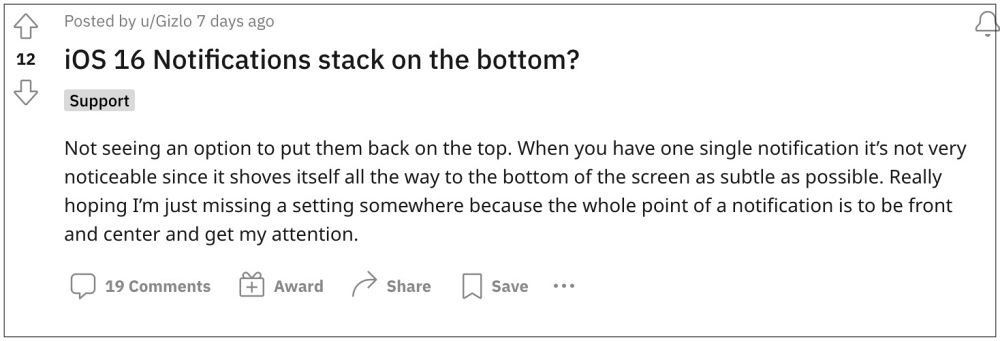
If you look at the results just on the first page, which involves some of the most reputed tech websites, they have done a nifty or should we call it a rather stupid move. For the unaware, the latest iteration of the OS has bought inquire a few changes to the lock screen. Among them, it is the lock screen that has managed to grab most o the attention, though not for all the right reasons. One of the biggest takeaways is the fact that the notifications will no longer appear from the bottom of the screen.
No, List Style in iOS 16 would not bring Notifications to the top of your iPhone!
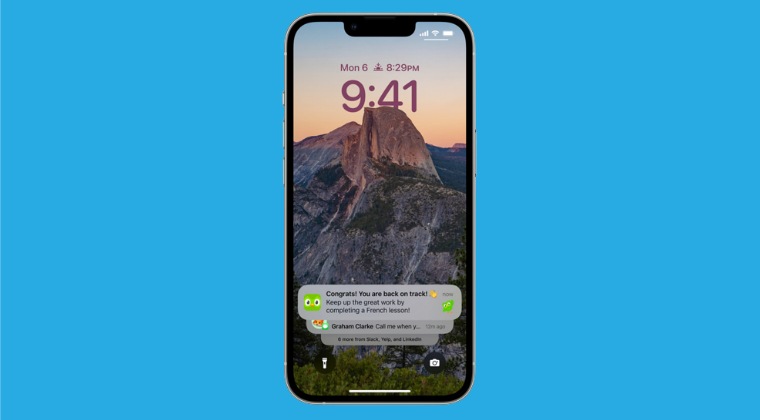
Along with that, the OS has given users three different options to tweak how the notifications would appear on the lock screen- as counts, being staked one above the other, or as a list. However, one thing to note is that any of these three notification settings wouldn’t change the location of these notifications, they will still appear from the bottom of your screen.
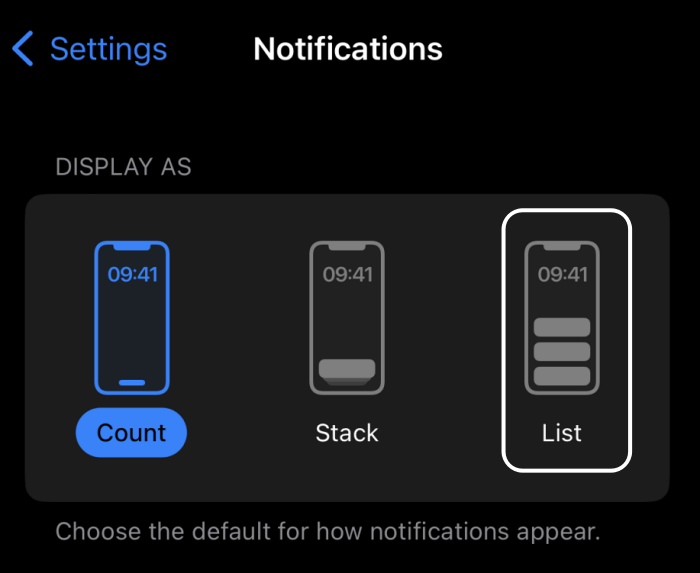
However, this very fact is being exploited by tech sites. After an eye-catchy title of “How to move iOS 16 Lock Screen notifications to the top”- they end up advising users to set the motivation style as List! Look, even if they aren’t that stupid- they would obviously be aware that the List style wouldn’t bring the notification to the top. However, clicks are what matter the most in this domain, and unfortunately, the best way to do so is via a clickbait title.
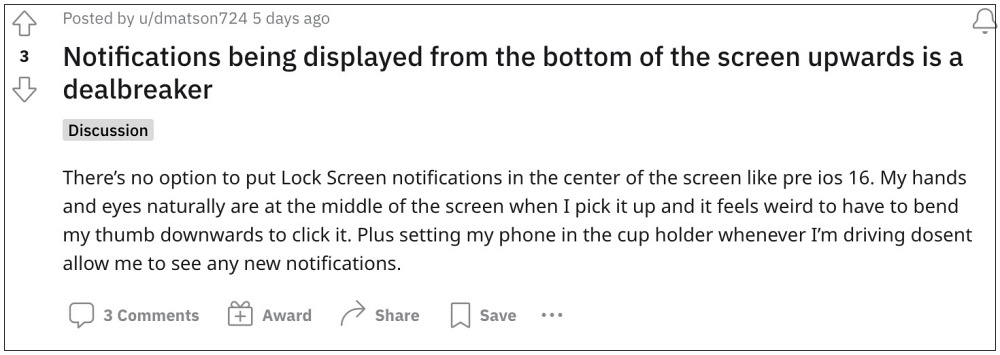
Even if you comment on their post there are high chances that it wouldn’t even get approved in the first place. This is something that is going to last with us till eternity and we can’t do much about that. Anyways, on that note, I conclude this guide. What are your views on the notifications appearing from the bottom of the screen in iOS 16? Is it definitely an uncalled change or it wouldn’t bother you much? Do let us know your views in the comment section.
- iOS 16 Touch Screen issues: Fix Delayed Response/Ghost Touch/Lag
- iOS 16 Lock Screen: An extra swipe to view notifications? Just Apple things!
- Why is Battery Percentage missing on my iPhone running iOS 16?
- Set different wallpapers for Home Screen and Lock screen in iOS 16?

- SG 3 years ago Reply This is an awful design change. It is like having an assistant who, for years, left messages in plain sight on my desk and then suddenly started hiding them under my chair.
(Cancel Reply)
Δ
