YouTube 60 FPS HDR videos capped at 480p on iPhone
The video streaming service from the Silicon Valley giants always manages to stay in the limelight for one reason or the other. However, more often than not, it manages to find itself on the wrong side of the fence. In most instances, it’s due to its weird decision-making, such as the removal of the dislike counter or the removal of the Sort by Oldest option . Other times, it is due to an underlying bug in form of a missing playback button on smart TVs or the missing upload date.
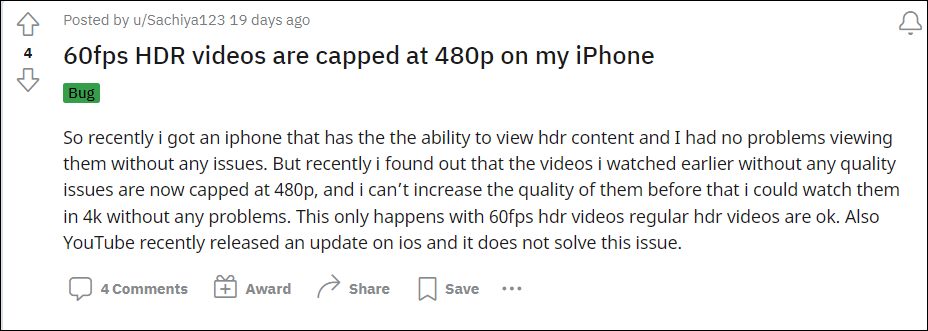
As of now, there has been another unwanted entry on this list. Various users have voiced their concern that the YouTube app on their iPhone is capping the 60 FPS HDR videos at 480p resolution. In other words, you could watch a 60 FPS HDR video at a maximum resolution of 480p, there is no option to increase the resolution. Previously the same videos could be watched even at 2K, 2160p60 HDR.
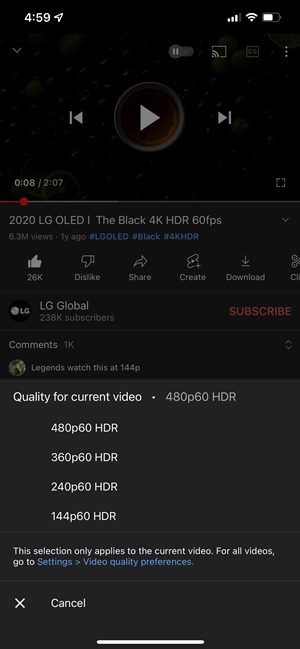
Credits- Reddit
Furthermore, this issue is only prevalent with 60 frames per second HDR videos, regular HDR videos don’t have any issues as such. Moreover, only the iOS app is bugged with this problem. So what is the official stance on this bug wherein YouTube 60 FPS HDR videos are being capped at 480p on iPhone? Well, the developers are aware of this issue , but they haven’t given out any ETA for the rollout of a fix. As and when that happens, we will update this guide accordingly.
- YouTube Videos Missing Upload Date: How to Fix
- YouTube App Displaying Chinese Characters on Smart TVs- How to Fix
- How to Remove Shorts from YouTube Website
- How to Bring Back the YouTube Dislike Counter
- YouTube Music Not Loading Songs on Sprint/T-Mobile [Fixed]
- Bring Back Watch Later button on YouTube Homepage Video Thumbnails

(Cancel Reply)
Δ
YouTube Music Not Loading Songs on Sprint/T-Mobile [Fixed]
In this guide, we will show you the steps to fix the issue of YouTube Music not loading songs on Android devices having Sprint/T-Mobile as the carrier. Google Play Music has for long been the go-to choice for Android users and was usually their default music player. However, similar to countless other Google products, it was also sent to Google’s Graveyard. To fill this position, the SiliconValley giants introduced the YouTube Music app which, to be fair, hasn’t yet reached the same level as its predecessor in some aspects.
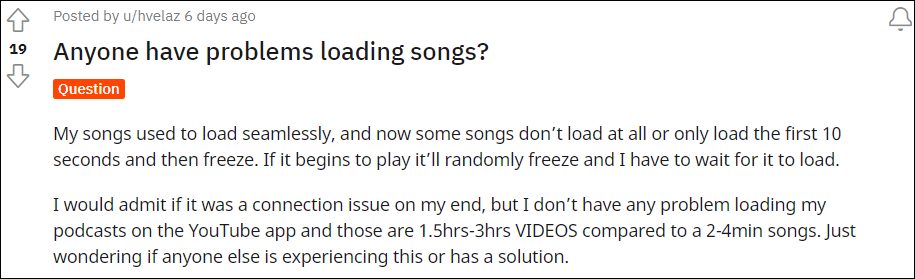
Moreover, it also gets bugged with an issue or two at regular intervals. As of now, various users have voiced their concern that YouTube Music isn’t able to load songs, rather it gets stuck at the buffering period. For others, the song load for the initial 10 seconds, and then it gets frozen. Going through all the reports, the issue seems to be only present while users were on their carrier data, there wasn’t an issue as such on WiFi. So one thing was pretty clear- the carrier network was conflicting with this app.
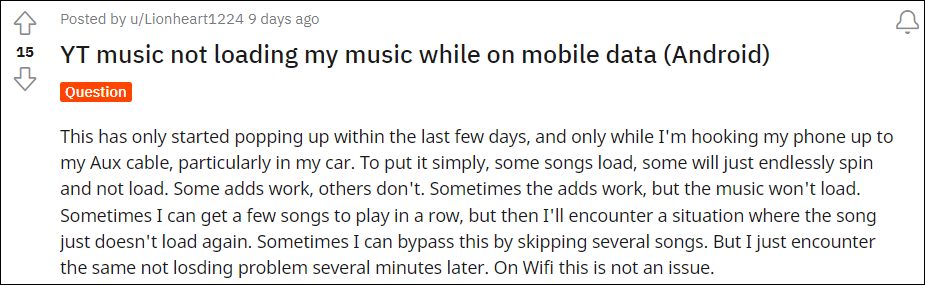
Digging deep into this issue, and is mostly happening with Sprint/T-Mobile users, and only on Android devices. Going even further, I found out that the issue is only present in the Chicago area. Joining all these dots, I found out that the issue stems from the way the APN profile has been configured. So making a few tweaks to the APN should be able to fix the issue of YouTube Music Not Loading Songs on Sprint/T-Mobile. And in this guide, we will show you how to do just that. Follow along.
YouTube Music Not Loading Songs on Sprint/T-Mobile
In order to rectify this issue, you will have to change the default APN Protocol to IPv4, from the current IPv6 or IPv4/IPv6. Here’s how it could be done:
- To begin with, head over to Settings > WiFi & Network.
- Then go to SIM & Network and select your Active SIM.
- After that, go to Access Point Names and select the default APN.
- Now scroll to the APN Protocol section and select IPv4. That’s it.
This should fix the issue of YouTube Music not loading songs on Sprint/T-Mobile. It’s still not clear as to why the app is having trouble establishing a successful connection with IPv6. Moroever, as far as the official stance on this matter is concerned, the developers are yet to acknowledge this issue, let alone give out any ETA for the rollout of a fix. As and when any of these two things happen, we will update this guide accordingly. In the meantime, the aforementioned workaround of choosing IPv4 as the APN Protocol is your best bet.
- How to Fix Cannot Turn Off Restricted Mode in YouTube
- YouTube Music App Not Working/Crashing/Freezing [Fixed]
- Fix YouTube Music Shuffle not shuffling all songs/entire playlist
- YouTube video links/URL redirecting to Your browser is up to date [Fixed]
(Cancel Reply)
Δ
